
Productive Apps Mapping
Productive Apps Mapping is the centralized page used to define productive applications for specific Designations or individual Employees. By creating a Productive Apps Mapping record, the system can calculate productive time accurately, allowing the organization to evaluate employee productivity through the Activity Tracker.
Steps to Configure Productive Apps
- Select a Designation if you want to apply the productive app mapping to all employees under that designation, or select a specific Employee if the mapping should apply only to that individual.
- Select the applications that should be considered Productive Apps.
- Click Create to save the configuration.
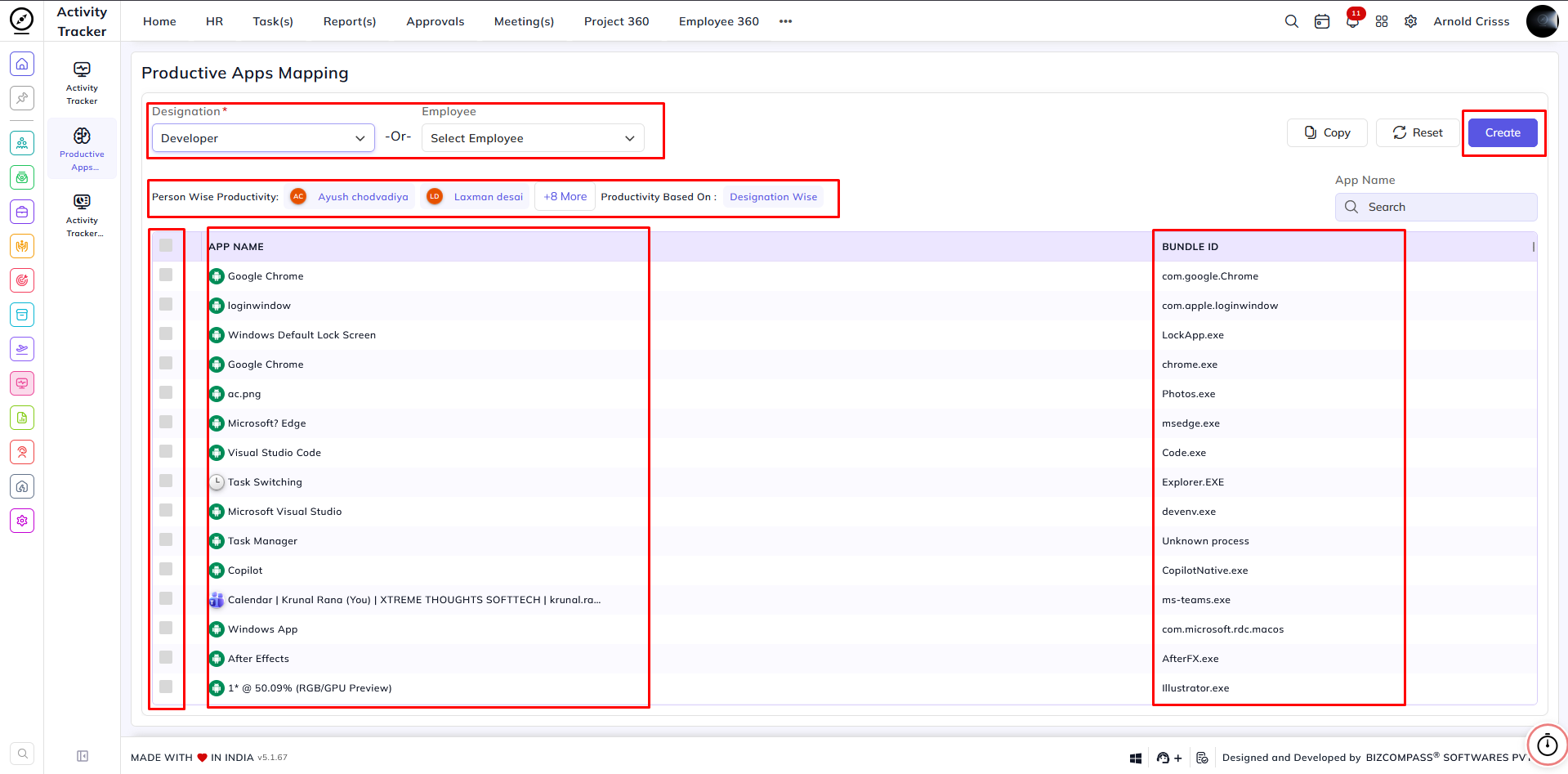
Reset – Click Reset to clear the current configuration.
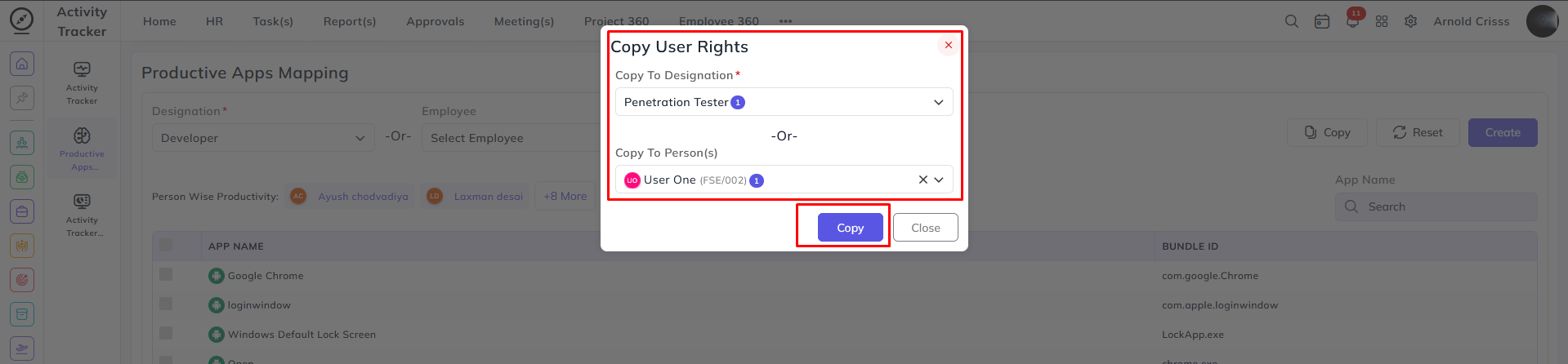
Copy – Click Copy to duplicate the existing configuration for another Employee or Designation. In the Copy dialog, select the target employee or designation, then click Copy to apply the same configuration.
Note: Below the selection area, you may see a list titled Person Wise Productivity, which displays application mappings configured for specific employees. Employees without an individual mapping will inherit the productive application mapping configured for their designation.