Declaration Approvals
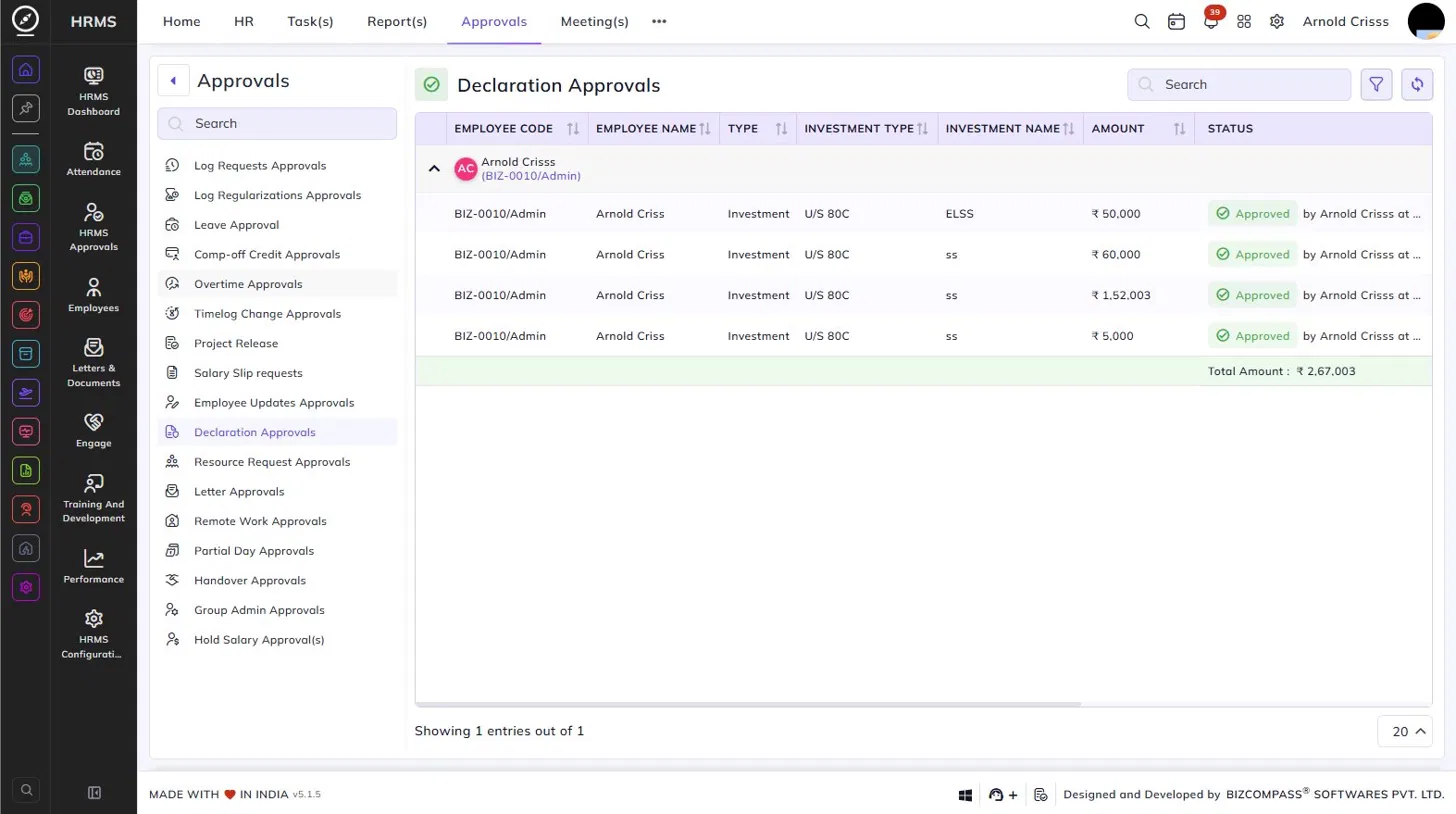
The Declaration Approvals page lists all investment declaration requests submitted by employees for review and approval. To navigate here, go to Approvals->Declaration Approvals.
Use the Search bar to find specific entries. Click the filter icon to apply additional filters.
Each employee's declarations are grouped under their name and employee code, which can be expanded or collapsed using the arrow icon. Each row within the group represents a single declaration entry, displaying the following details:
- Employee Code – The unique code of the employee.
- Employee Name – The name of the employee.
- Type – The declaration type (e.g., Investment).
- Investment Type – The tax section under which the investment is declared (e.g., U/S 80C).
- Investment Name – The name of the investment instrument declared (e.g., ELSS).
- Amount – The amount declared for that investment.
- Status – The approval status — Approved (with the approver's name and timestamp) or Pending (with a dropdown to approve or reject).
A Total Amount row at the bottom of each employee's group shows the sum of all declared investment amounts.
My Profile – Declaration:
Employees can submit their own investment declarations directly from their profile. To navigate here, click on your profile icon from the top right corner, click on My Profile->Declaration.
The page shows the Current Window date indicating the active declaration period during which submissions are allowed. Use the Status, Company Year, and Investment Type filters to view existing declarations. Click Investment to view all available investment types and their upper limits.
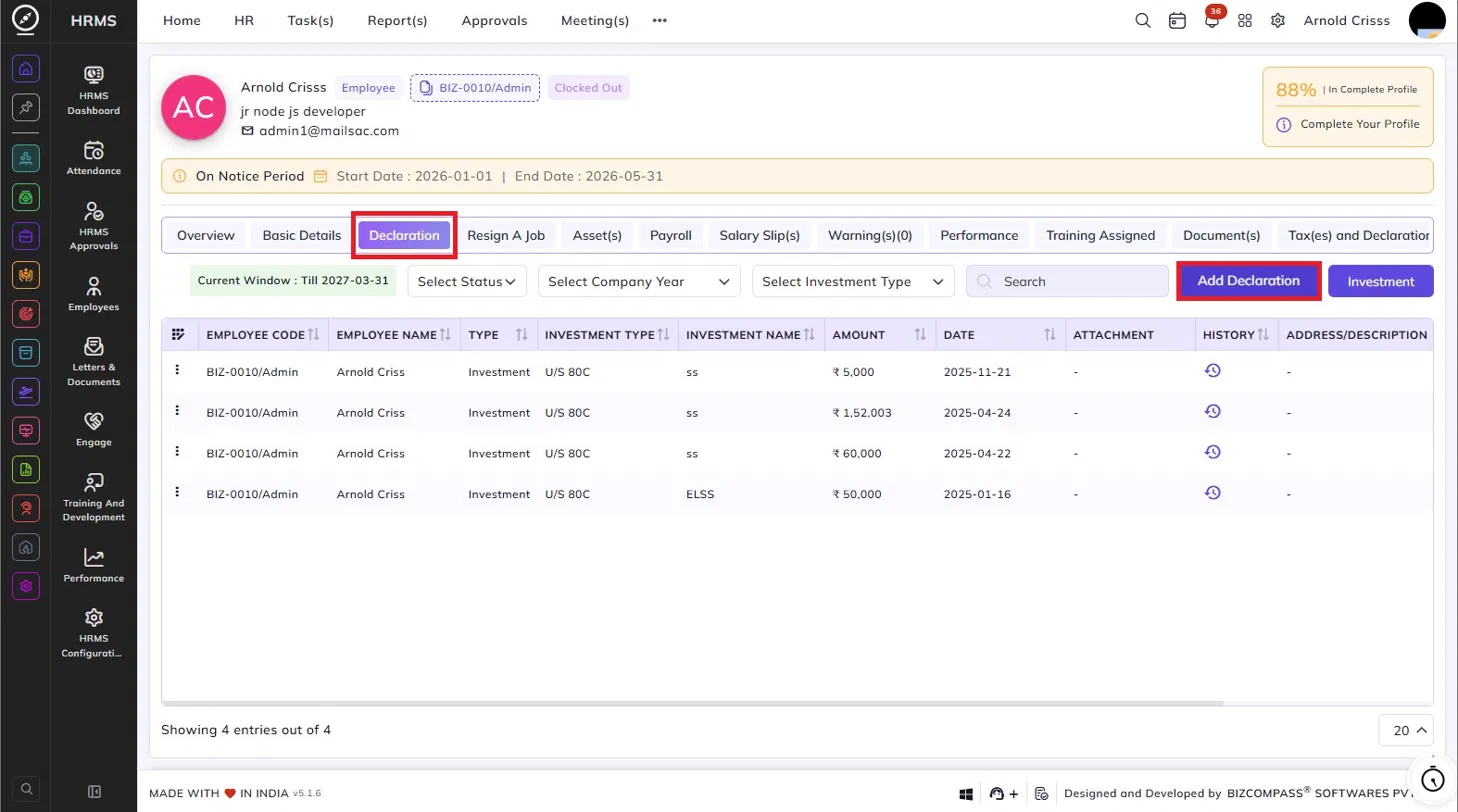
The declarations table lists all submitted entries with the following details:
- Employee Code and Name – The employee's code and name.
- Type – The declaration type (e.g., Investment).
- Investment Type – The tax section under which the investment is declared (e.g., U/S 80C).
- Investment Name – The specific investment instrument declared.
- Amount – The declared amount.
- Date – The date the declaration was submitted.
- Attachment – Any supporting document uploaded with the declaration.
- History – Click the history icon to view the approval history for that declaration entry.
- Address/Description – Any additional description provided.
Adding a Declaration:
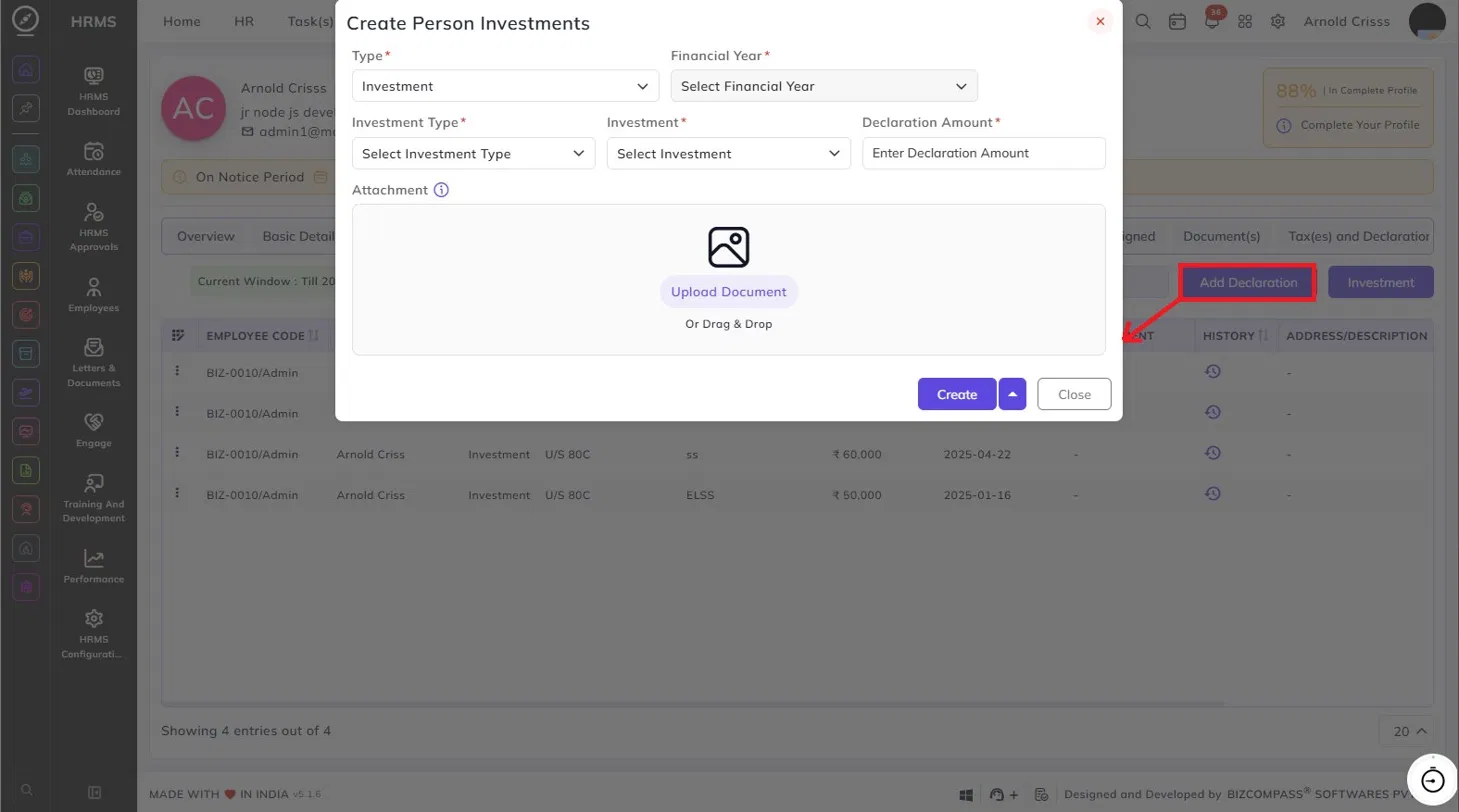
Click Add Declaration to open the Create Person Investments dialog. Fill in the following details:
- Type – The declaration type (e.g., Investment).
- Financial Year – The financial year for which the declaration is being submitted.
- Investment Type – The tax section under which the investment falls.
- Investment – The specific investment instrument.
- Declaration Amount – The amount being declared.
- Attachment – Upload a supporting document if required.