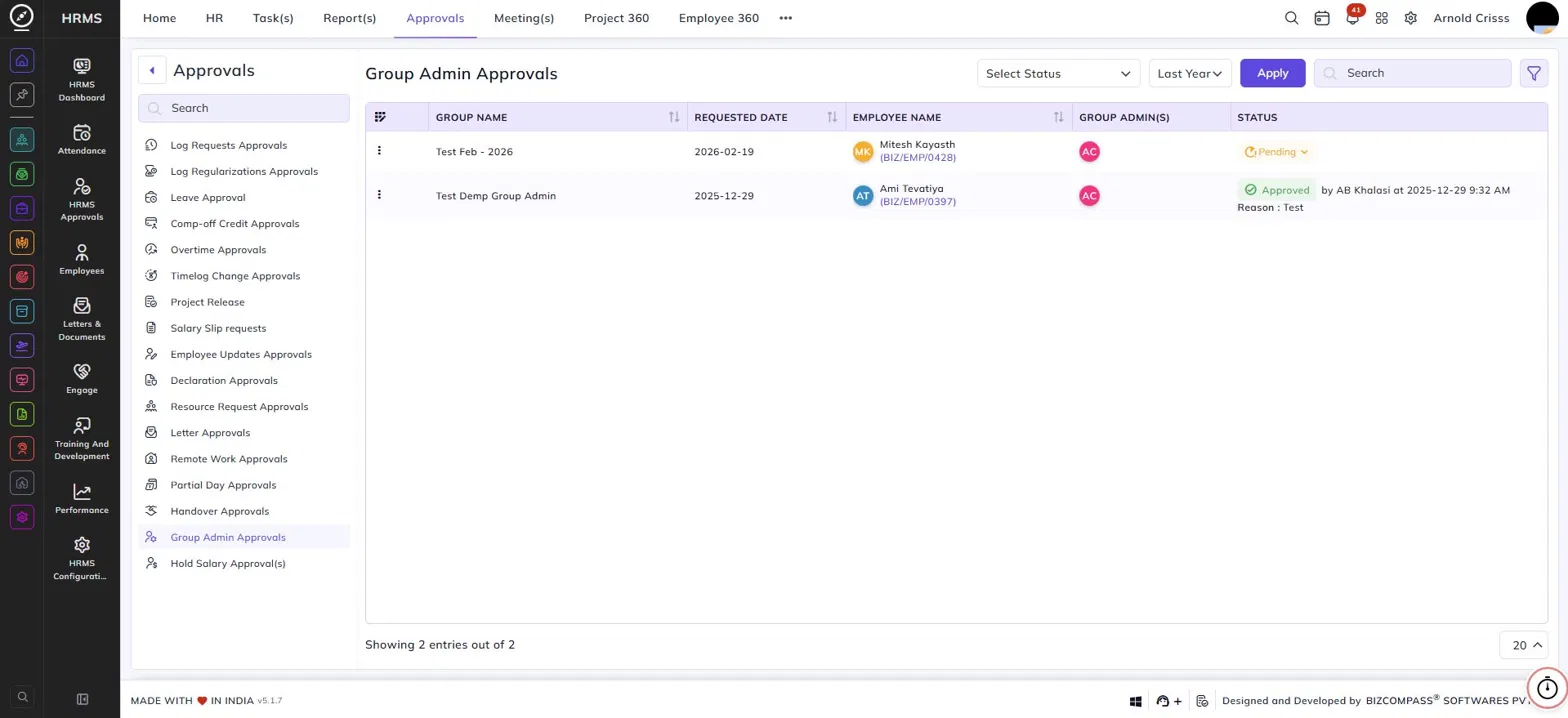
Group Admin Approvals
The Group Admin Approvals page lists all requests to assign an employee as a group admin in the BIZCOMPASS® chat application. To navigate here, go to Approvals->Group Admin Approvals.
Use the Status and Date filters to narrow down the list. Click Apply to load the results.
Table Columns:
Each request displays the following details:
- Group Name – The name of the chat group for which the admin is being assigned.
- Requested Date – The date the request was submitted.
- Employee Name – The employee being requested to be made a group admin, along with their employee code.
- Group Admin(s) – The current group admin(s) shown as avatars.
- Status – The current status of the request — Approved (with the approver's name, timestamp, and reason) or Pending. Click the Pending dropdown to approve or reject the request directly from the list.