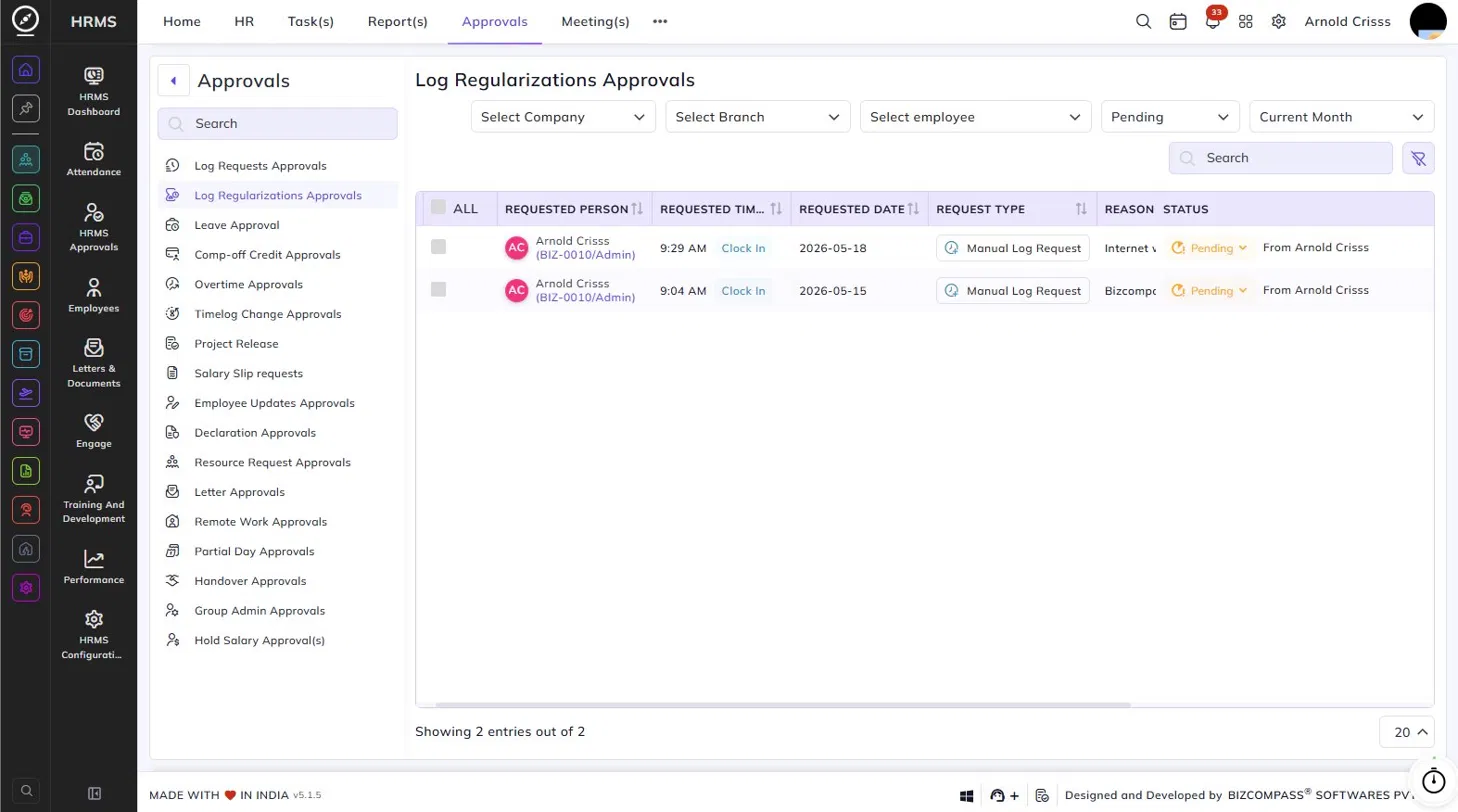
Log Regularizations Approvals
The Log Regularizations Approvals page lists all manual log requests submitted by employees to regularize a missing or incorrect clock-in or clock-out entry. To navigate here, go to Approvals->Log Regularizations Approvals.
Use the Company, Branch, Employee, Status, and Date filters at the top to narrow down the list.
Each entry displays the following details:
- Requested Person – The employee's name and employee code who submitted the regularization request.
- Requested Time – The time the employee is requesting to be logged, along with whether it is a Clock In or Clock Out.
- Requested Date – The date for which the log regularization is being requested.
- Request Type – The type of request, such as Manual Log Request, Delete Log Request or Edit Log Request.
- Reason – The reason provided by the employee for the missing or incorrect log.
- Status – The current status of the request — Pending (with the source, such as From the employee's name) or Approved.
Click the status dropdown on any pending entry to approve or reject it. You can also select multiple entries using the checkboxes for bulk actions.