Project Release
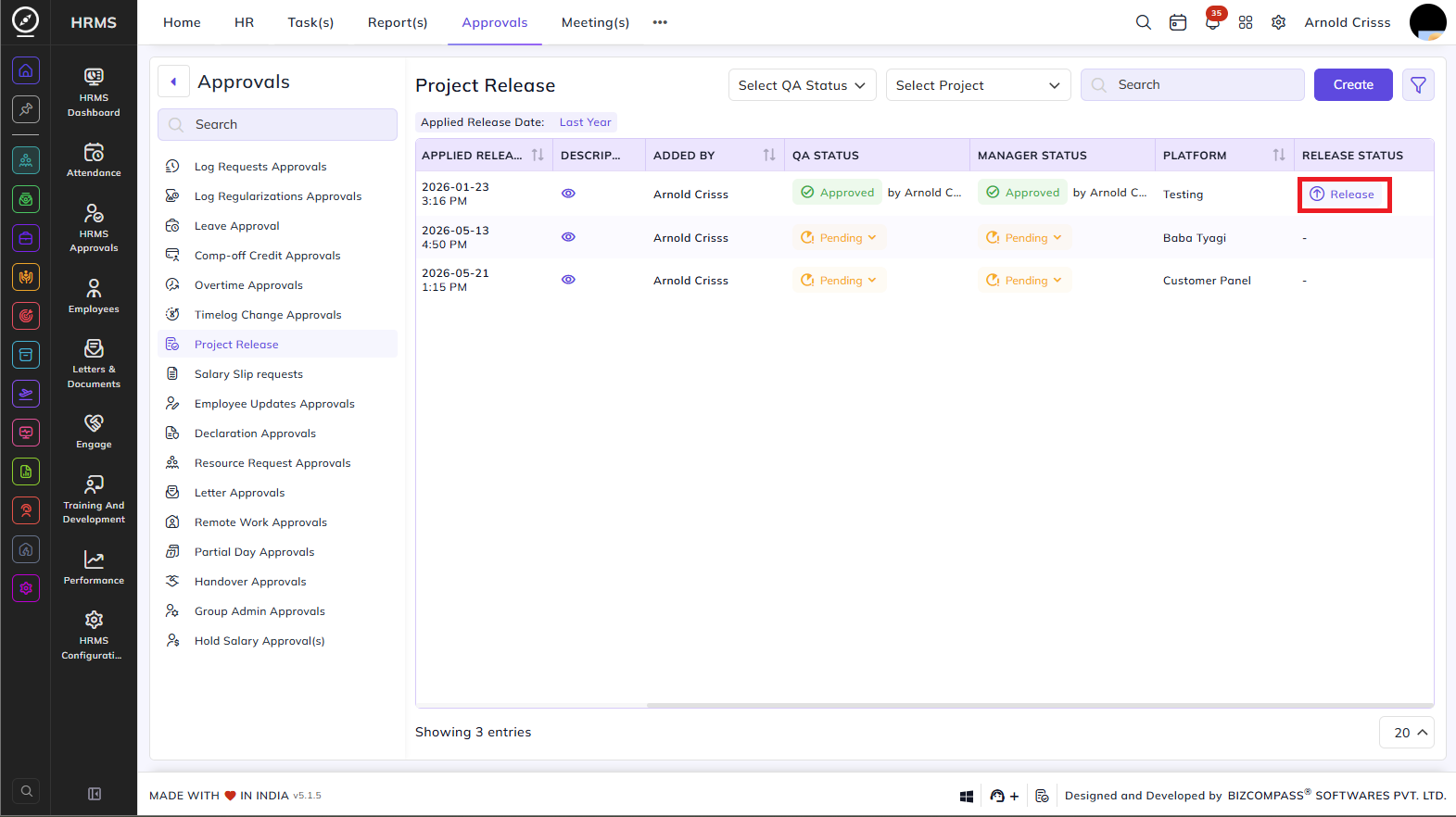
The Project Release page lists all project release requests submitted for QA and manager approval before a project version is officially released. To navigate here, go to Approvals->Project Release.
Use the QA Status and Project dropdowns to filter the list. Click the filter icon to access additional filters including Project, Version, QA Status, Manager Status, Platform, and Applied Release Date. Click Create to submit a new project release request.
Table Columns:
Each release entry displays the following details:
- Project – The name of the project being released.
- Version – The version number of the release.
- Applied Release Date – The date and time the release was applied.
- Description – A view icon to read the release description.
- Added By – The person who submitted the release request.
- QA Status – The QA team's approval status — Approved (with the approver's name) or Pending (with a dropdown to update).
- Manager Status – The manager's approval status — Approved or Pending (with a dropdown to update).
- Platform – The platform the release is targeted
for (e.g., Testing, Baba Tyagi, Customer Panel).for.
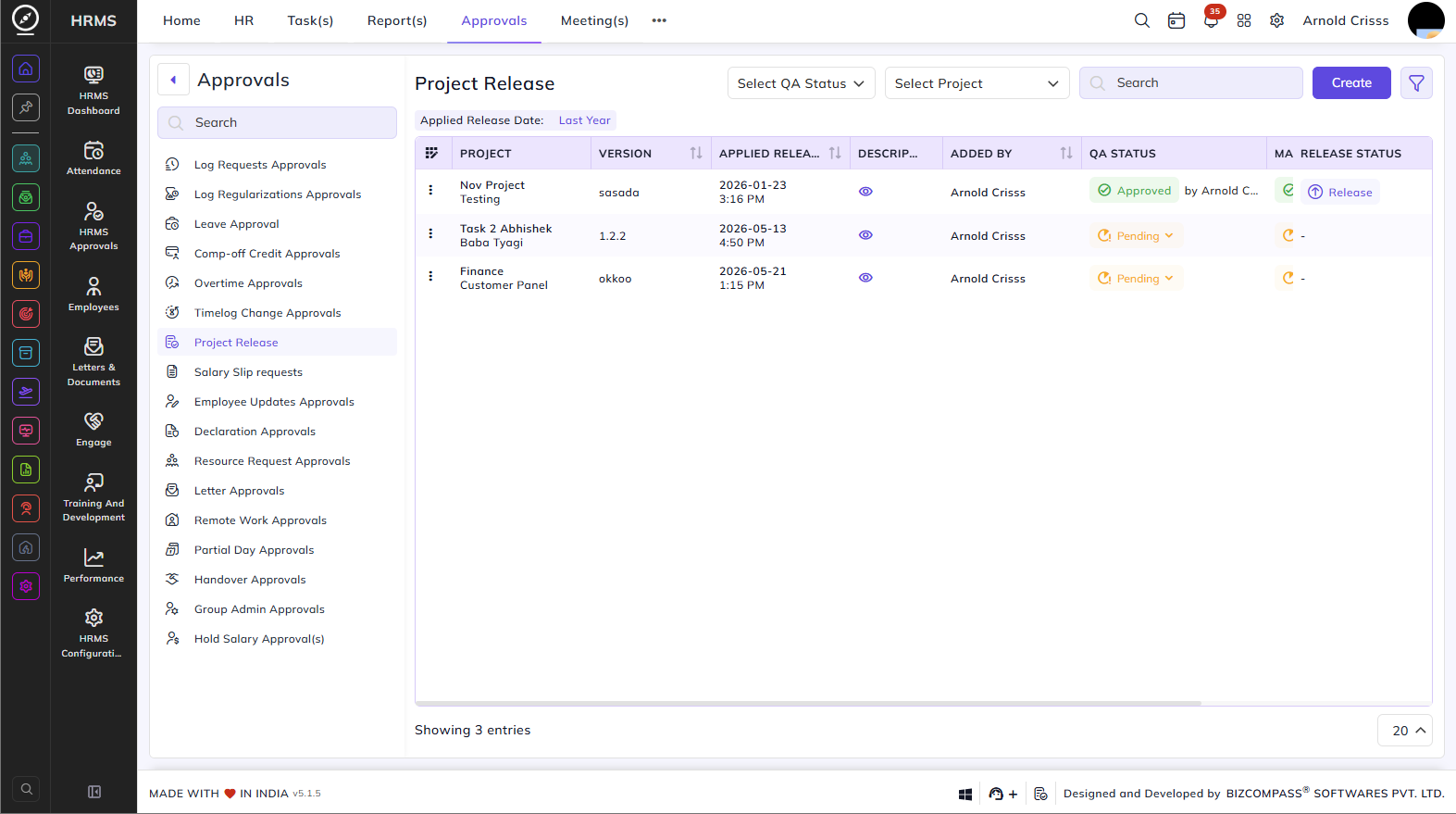
- Release Status – Once both QA and Manager statuses are approved, a Release button appears. Click it to officially release the project version.