
Salary Slip Requests
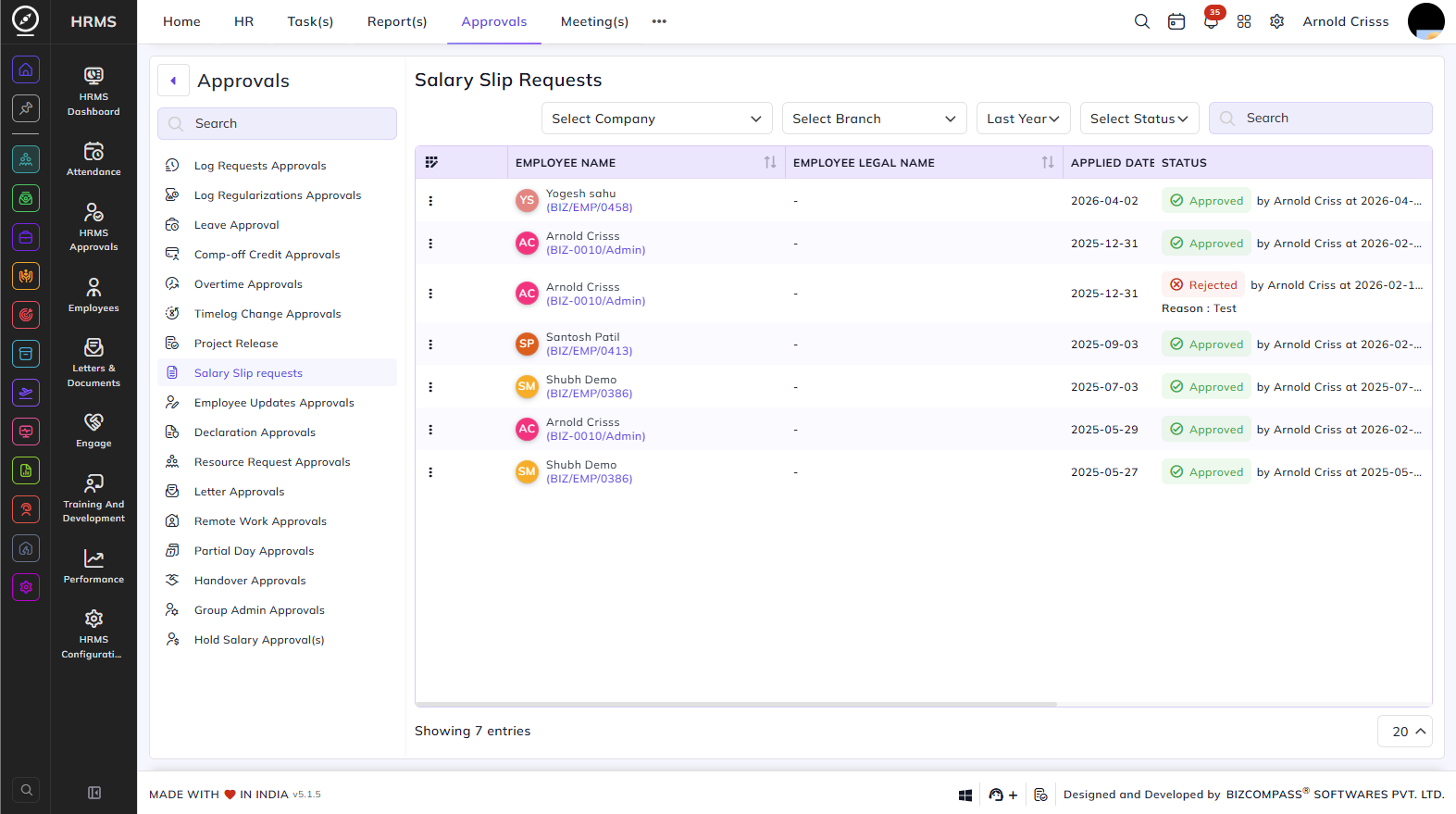
The Salary Slip Requests page lists all salary slip requests submitted by employees. To navigate here, go to Approvals->Salary Slip Requests.
Use the Company, Branch, Date, and Status filters to narrow down the list.
Table Columns:
Each salary slip request displays the following details:
- Employee Name – The employee's name and employee code.
- Employee Legal Name – The employee's legal name, if different from the display name.
- Applied Date – The date the salary slip request was submitted.
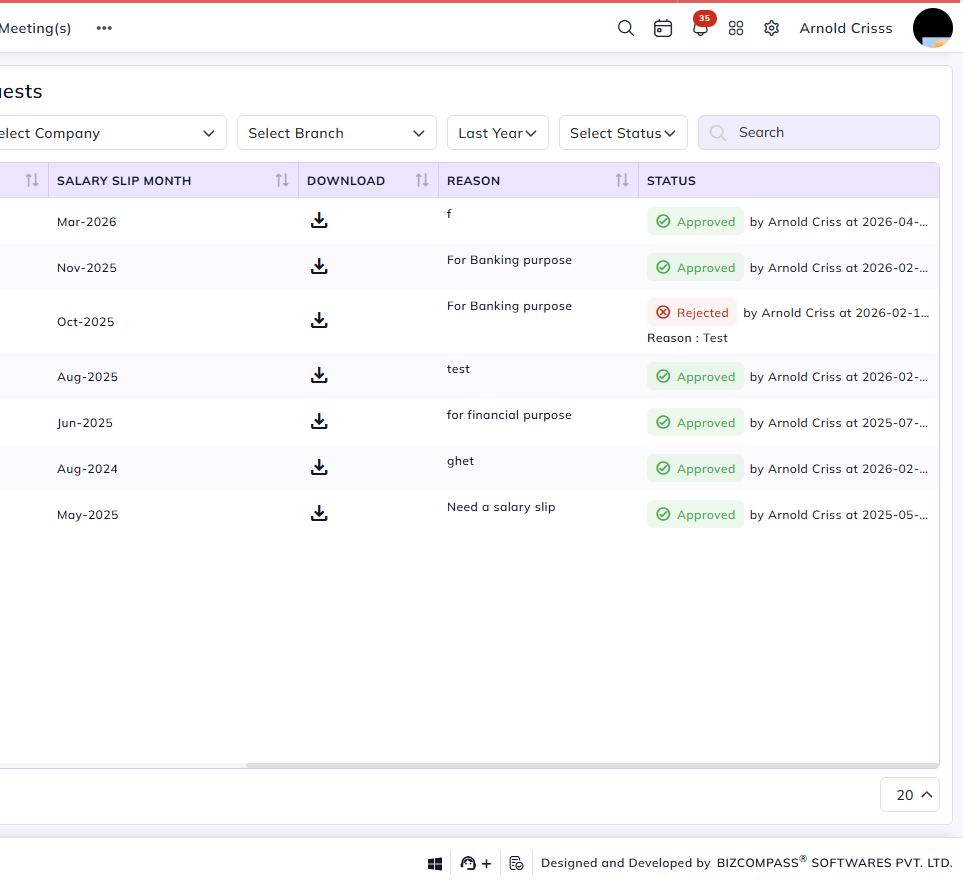
- Salary Slip Month – The month for which the salary slip is being requested.
- Download – A download icon to download the salary slip once the request is approved.
- Reason – The reason provided by the employee for requesting the salary slip (e.g., For Banking Purpose, For Financial Purpose).
- Status – The current status of the request — Approved (with the approver's name and timestamp) or Rejected (with the reason).
Approving or Rejecting Requests:
Click the Pending status dropdown on an entry and select Approve or Reject for salary slip requests.