Timelog Change Approvals
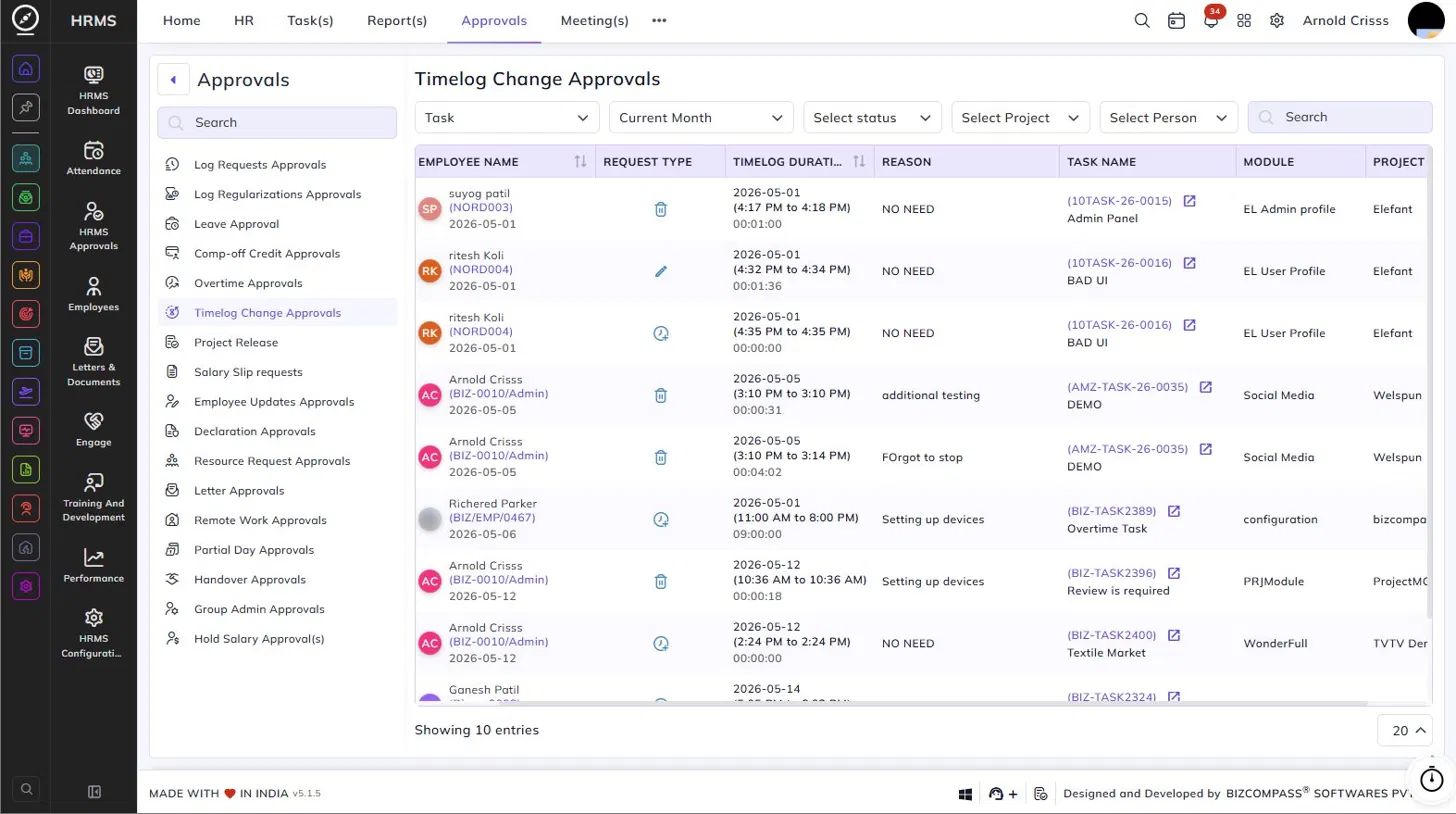
The Timelog Change Approvals page lists all requests submitted by employees to modify or delete a previously logged time entry on a task. To navigate here, go to Approvals->Timelog Change Approvals.
Use the Task/type dropdown, Date, Status, Project, and Person filters to narrow down the list.
Table Columns:
Each timelog change request displays the following details:
- Employee Name – The employee's name, employee code, and the date the request was submitted.
- Request Type – The type of change requested, indicated by an icon — a delete icon for deletion requests, an edit icon for modification requests, or a clock icon for other time-related changes.
- Timelog Duration – The original logged time range (start time to end time), the date, and the total duration of the log.
- Reason – The reason provided by the employee for requesting the change or deletion.
- Task Name – The task ID and name the timelog is associated with. Click the external link icon to open the task.
- Module – The module the task belongs to.
- Project – The project the task is part of.
Approving or Rejecting Requests:
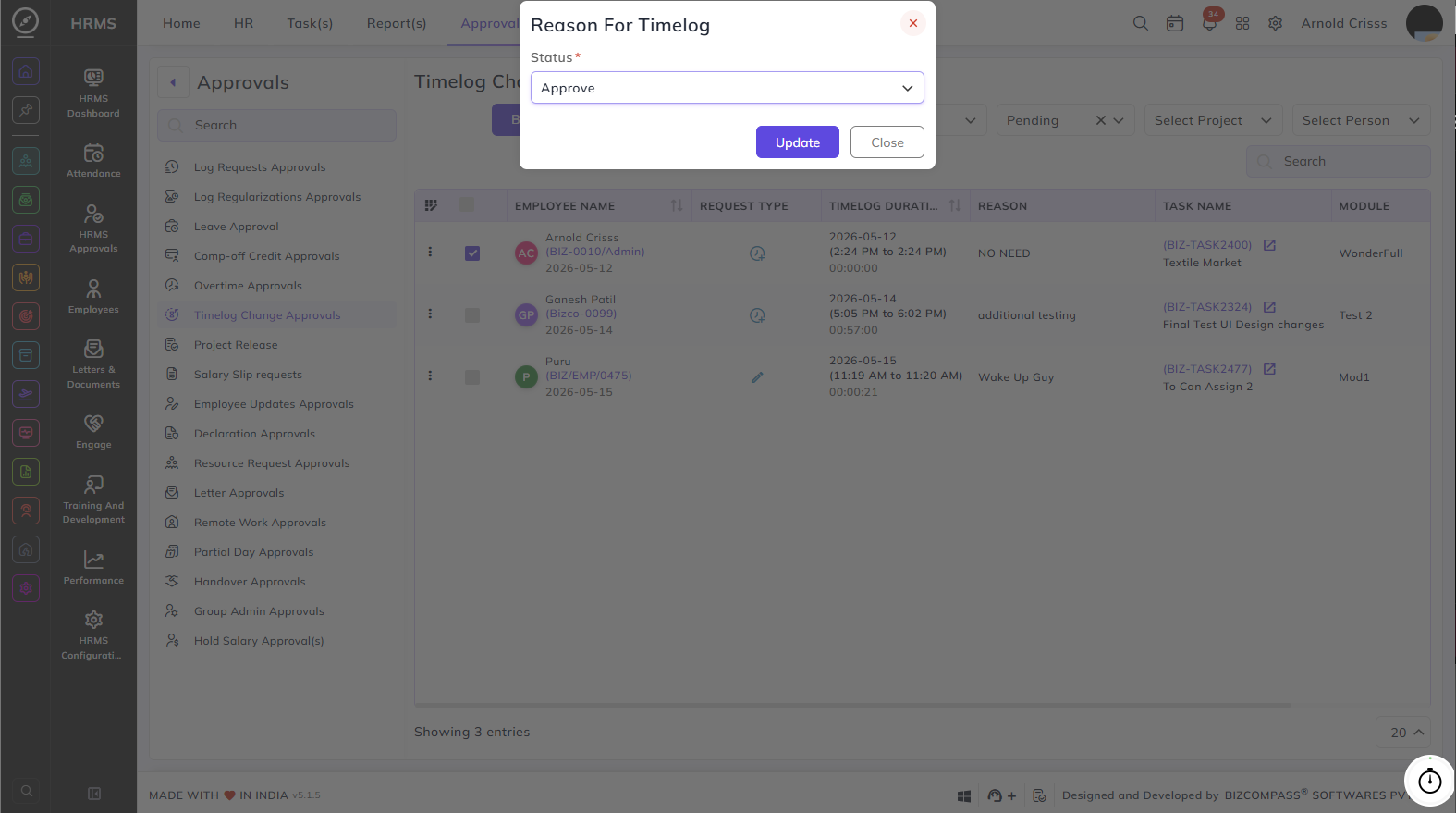
Timelog change requests can only be actioned in bulk. Select the entries using the checkboxes and click Bulk Action to approve or reject all selected requests at once.