
Rooms
This page is used to create rooms.
- Enter the Room Name (for example, Conference).
- Select the Company and Branch for the room.
- Optionally, select the floor for the room.
- Select Bookable if the room can be used for meetings. If the room is bookable, set the Buffer Time.
This adds extra time before and after each meeting (for example, 10 minutes). - Select Store Room if the room is used for storage.
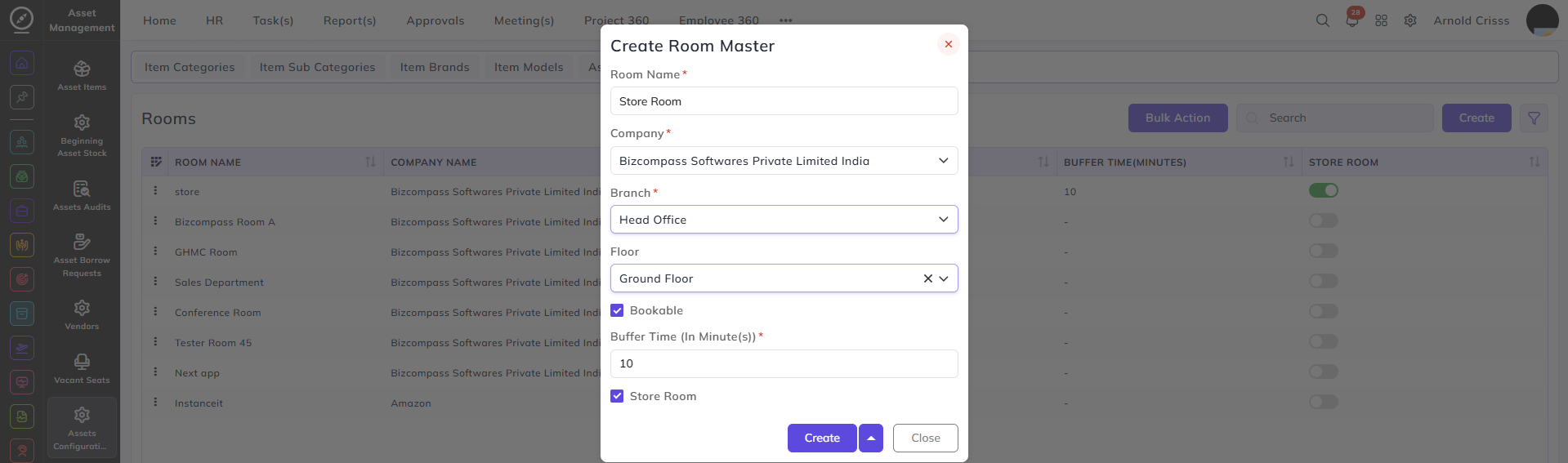
The Bookable and Store Room flag options can be edited after creating the room as well.
With the Bulk Action feature, you can delete multiple rooms at once, streamlining the process.