
Allowed IPs
The Allowed IPs page is a security feature used to restrict system access to specific, trusted networks. By whitelisting IP addresses, you ensure that employees can only log into the HRMS from authorized locations, such as the office network or a secured VPN.
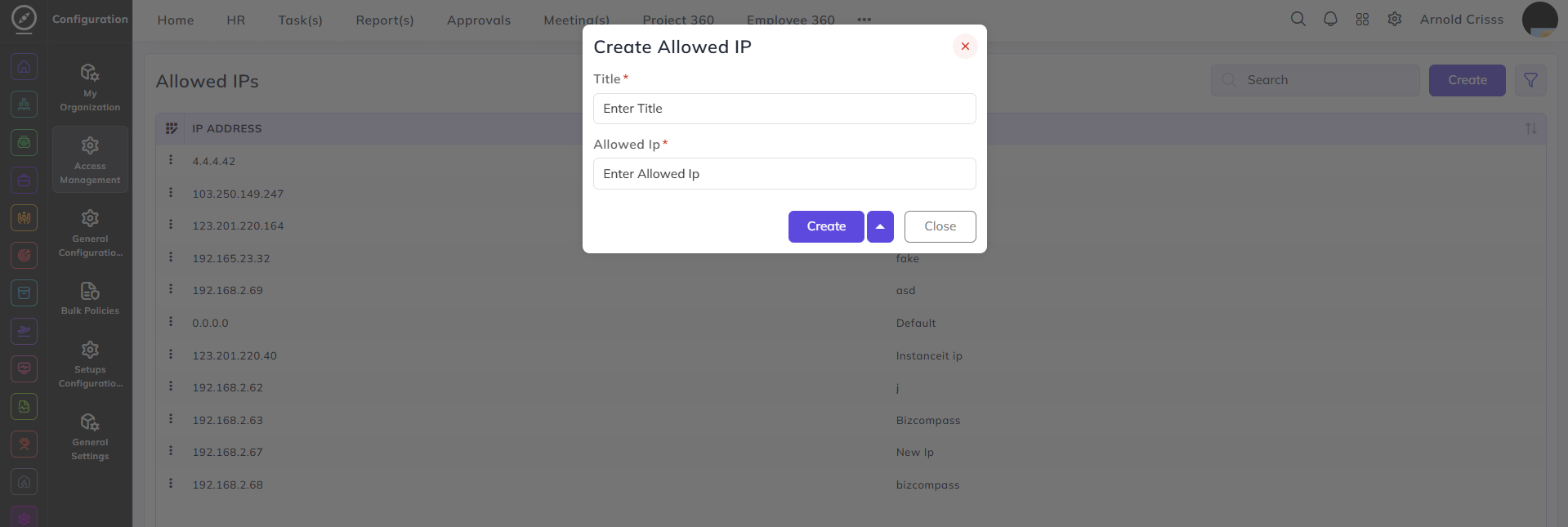
Create Allowed IP:
-
Enter a Title to identify the network (e.g., "Head Office Wi-Fi" or "Main Server").
-
Input the specific Allowed IP address that is permitted to access the system.