
Email Templates
This page is used to create and manage email templates used across different modules in the system. Templates help standardize communication for various events such as letters, notifications, interview flows, and stage-based emails.
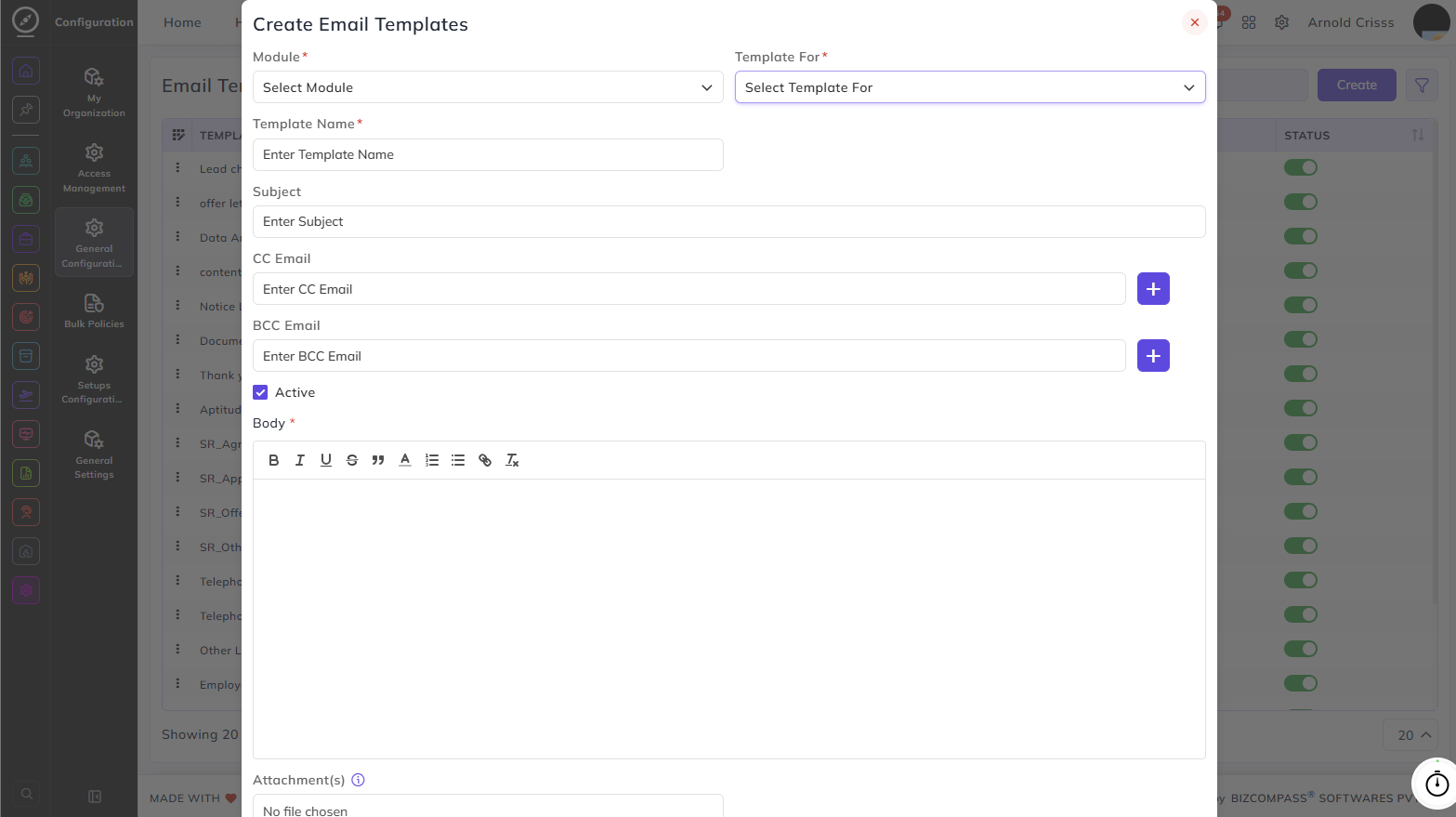
Creating an Email Template:
Module:
Select the module this template belongs to. The available Template For options change based on the module selected:
- Recruitment – Agreement Email, Appointment Letter, Introduction Email, Offer Letter, Online Interview Email, Other Letter, Policy Email, Warning
- People – Employee Layoff Notice, Employee Termination Notice, Experience Letter, Relieving Letter, Resignation Approval, Termination Letter
- CRM – Stage Wise Mail
Template For:
Select the specific purpose or event this template is being created for, based on the selected module.
Template Name:
Enter a name to identify this email template.
Subject:
Enter the subject line for the email.
CC Email:
Enter any CC email addresses to be included when this template is used.
BCC Email:
Enter any BCC email addresses to be included when this template is used.
Active:
Enable this checkbox to make the template available for use across the system.
Body:
Write the email content using the built-in text editor. You can format text, add links, and insert images. Use the { } button to insert built-in tags such as Person Name, Designation, Department, and others for dynamic content.
Attachment(s):
Attach any files that should be included with the email when this template is used.
The Bulk Action button allows you to delete multiple email templates at once.