
Platform Access Policies
The Platform Access Policies page allows you to create security rules that restrictallows access to specific platform components based on a user's IP address. These policies ensure that sensitive modules and pages are only accessible from authorized office networks or secure locations.
Create Platform Access Policies:
-
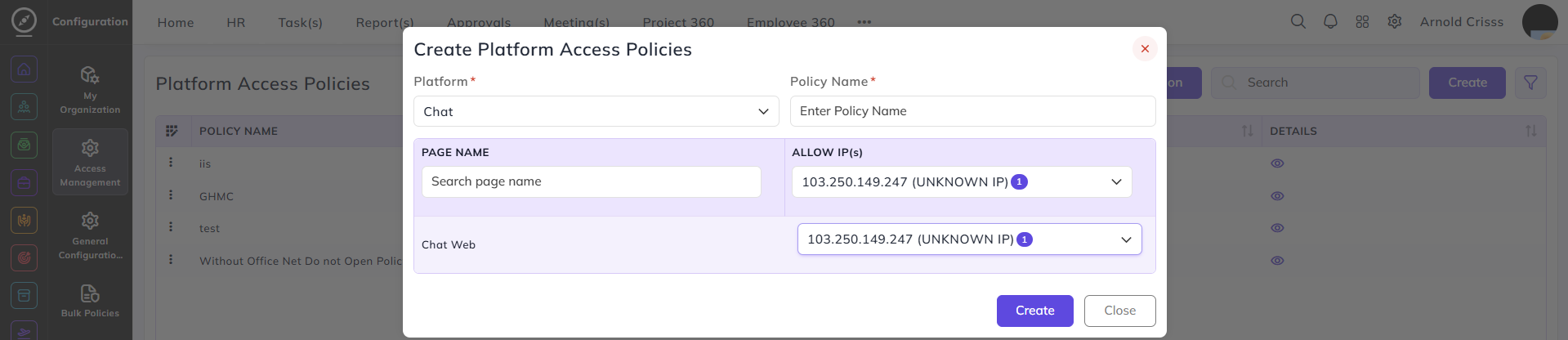
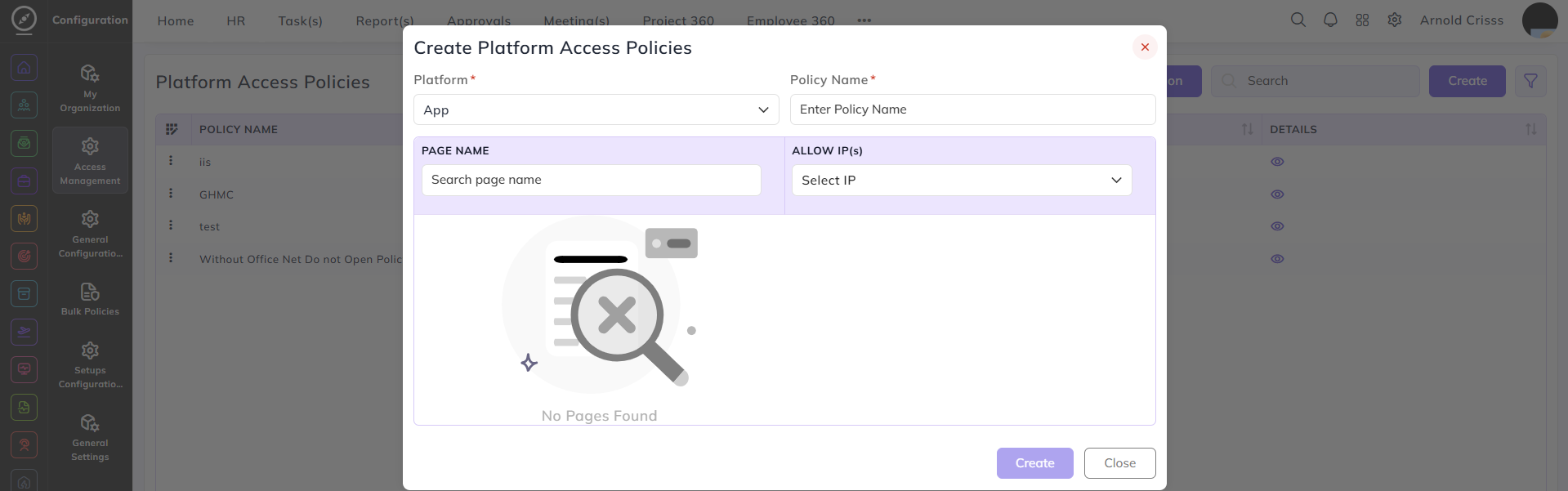
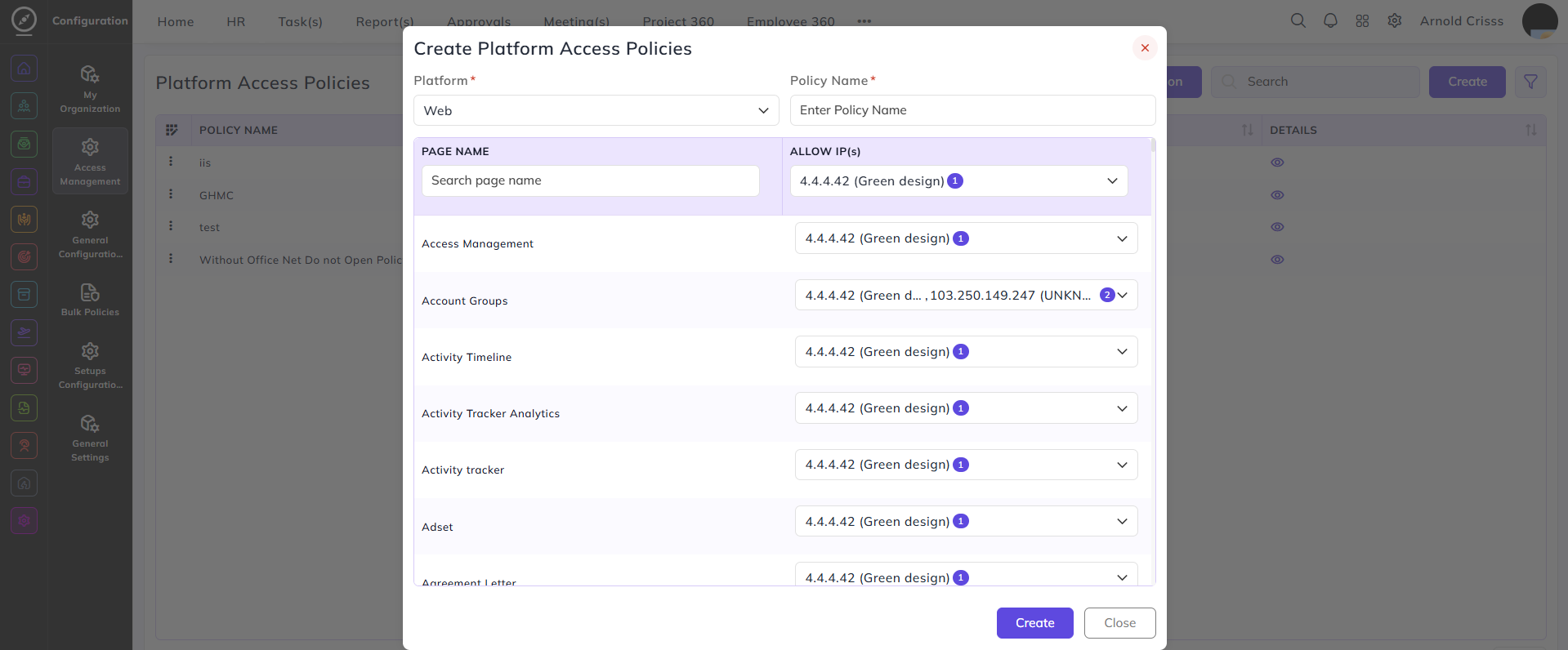
Select the Platform (Chat, App, or Web) to which the security policy will apply.
-
Enter a descriptive Policy Name to identify the restriction.
-
Use the Allow IP(s) column on the right as a global default; selecting an IP here will automatically apply it to all pages within that platform.
-
To assign individual
restrictions,IP(s), use the Page Name search to filter for specific pages. -
If you enter a keyword in the search and select an IP, that restriction will be applied only to the pages matching that keyword, rather than the entire list.
-
For the Web platform, you can scroll through the comprehensive list of all system pages to fine-tune access for each one individually.
- For giving this platform access policy to an employee, go to the Employee Master page, select edit option for any employee. Then, from the Settings tab, we can assign the policy.
- To enable this platform access policy for the organization, we just need to enable it from the organization's General Settings.
The Bulk Action button allows you to delete multiple platform access policies at once, streamlining the management process.