Taxes
Tax Master:
From this page, you can create individual tax entries that can be used across invoicing and billing.
Tax Name:
Enter a name to identify this tax — for example, GST, CGST, SGST, or TDS.
Tax Type:
Select how the tax value is applied:
- Amount — the tax is a fixed amount
- Percentage (%) — the tax is calculated as a percentage of the taxable value
Value:
Enter the tax amount or percentage based on the selected Tax Type.
Active:
Enable this to make the tax available for selection across the system.
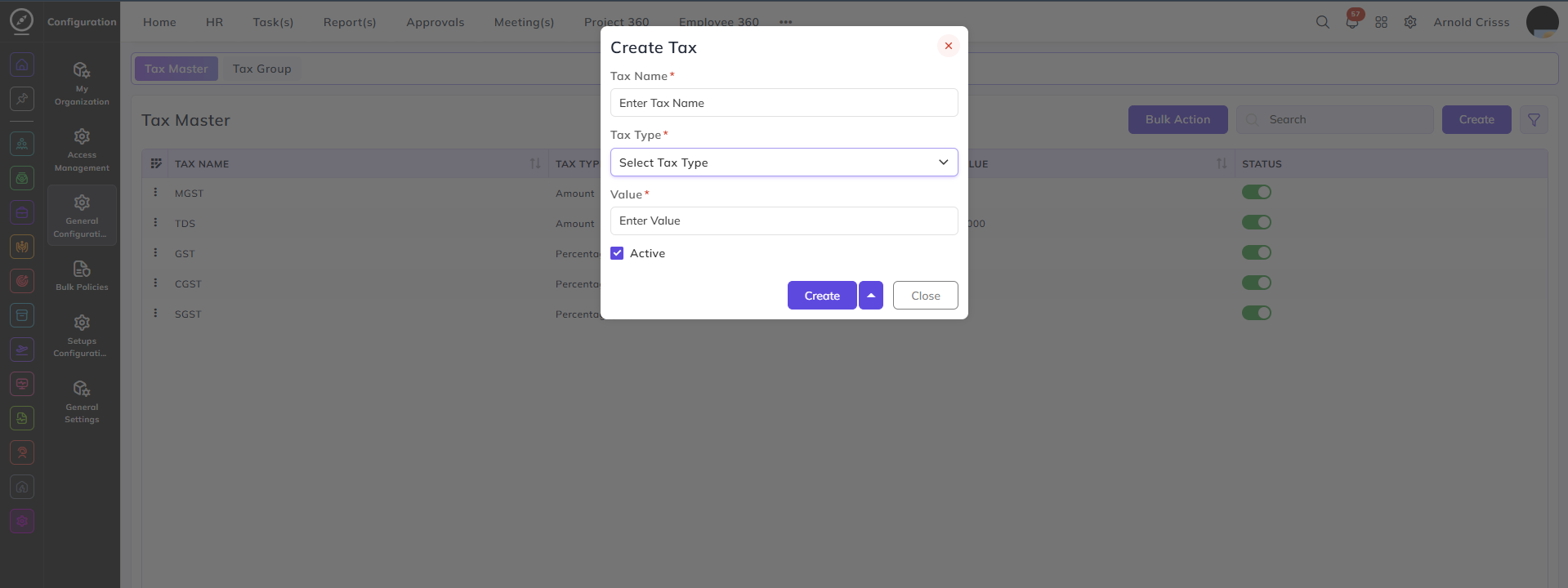
The Active Status can be changed after creating the tax as well.
The Bulk Action feature is used to delete multiple taxes at once streamlining the management process.
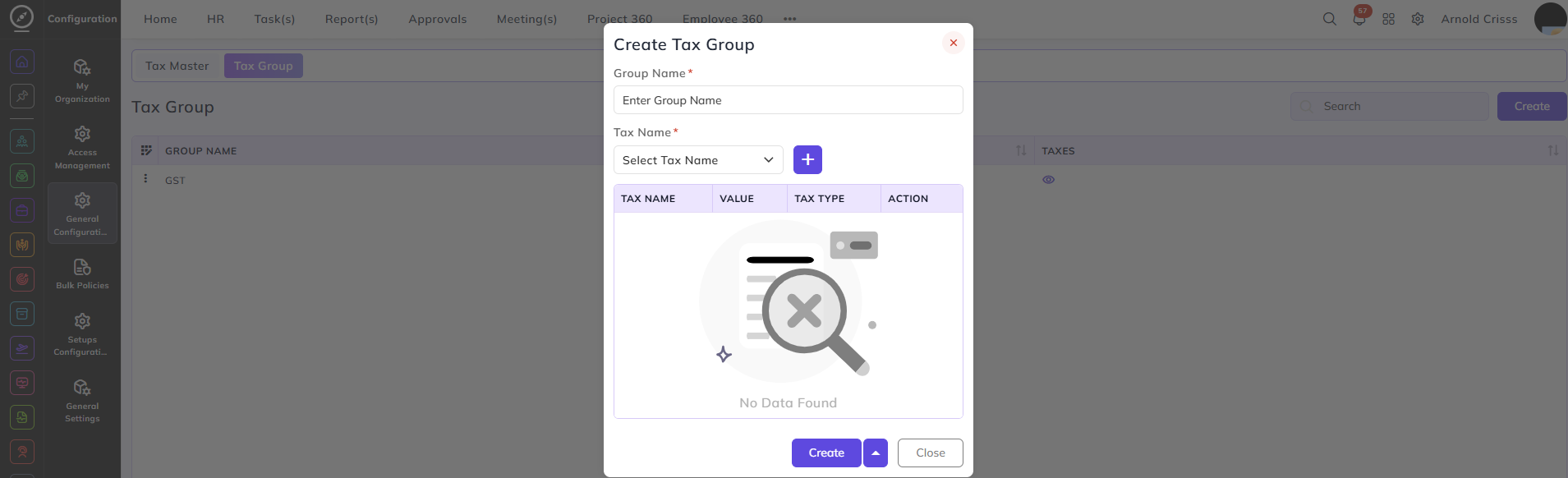
Tax Group:
From this page, you can group multiple taxes together so they can be applied as a single combined tax entry.
Group Name:
Enter a name to identify this tax group — for example, GST.
Tax Name:
Select a tax from the configured Tax Master entries and click + to add it to the group. Multiple taxes can be added to a single group.
The table displays all added taxes with the following columns:
- Tax Name — the name of the tax
- Value — the tax amount or percentage
- Tax Type — whether it is Amount or Percentage
- Action — remove the tax from the group