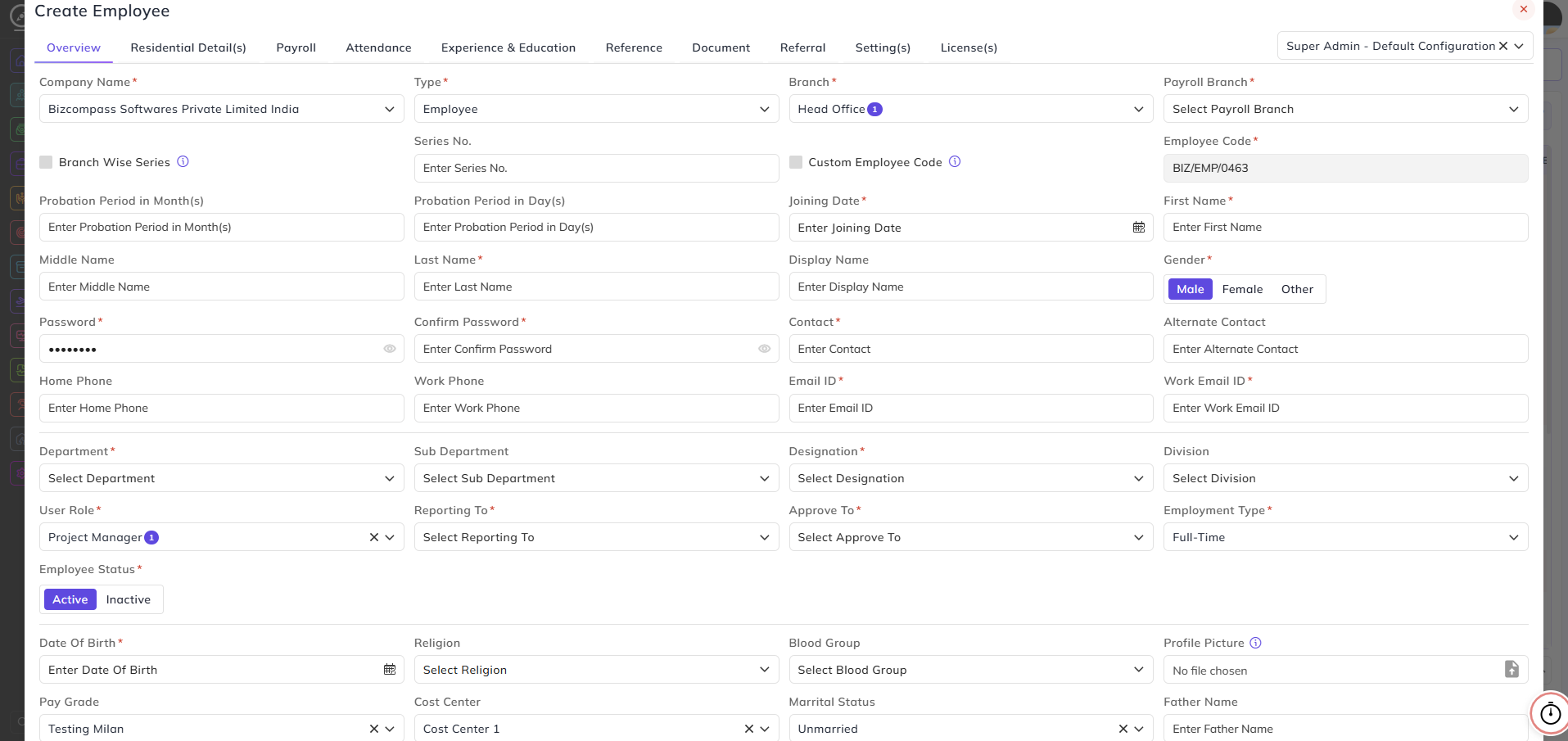
Creating Employee
An employee is created from the Employee Management page. There are two ways for creating an employee:
1) The first way is by clicking the button of Upload File and selecting Import Employee in it. This feature is mostly used when you want to add employees in bulk.
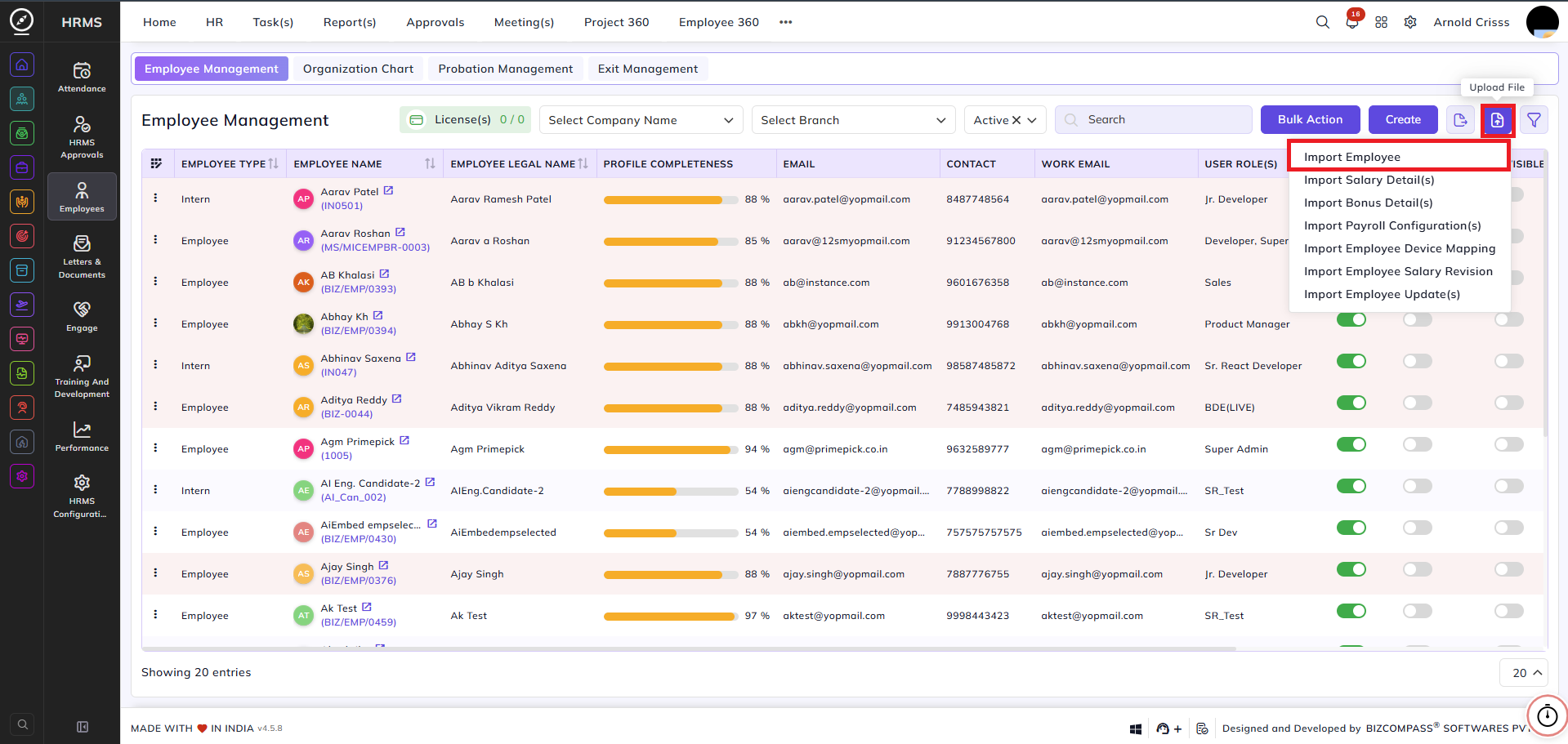
2) The second way is by clicking on the Create button and adding all the details manually.
- The Employee Configuration which was set Default will automatically be added in the top right corner and its details (i.e. password and user role) will be filled. These details can be edited also.
- Select the Company Name, Type, Branch, and Payroll Branch.