DLD Policies
From this DLD (Disciplinary Leave Deduction) page, you can define the Sandwich Rule, Half-Sandwich Rule, No Show Rule, etc. on which the employees will get deducted.
Common Fields:
DLD Rule:
- Specify the name of the DLD rule.
Duration:
- Set the duration till which the rule will be applicable (6 months or 1 year).
Deduction:
- It has three types: All Deduction, Higher Deduction, and Lower Deduction.
- For example, the DLD Type is Sandwich No Show. And the deduction for No Show is Rs. 100 and for Sandwich is Rs. 200, then selecting:
1) All Deduction will deduct Rs. 300 (100+200)
2) Lower Deduction will deduct Rs. 100
3) Higher Deduction will deduct Rs. 200
Apply On Hourly Based Leave:
- Enable this if you want to apply this rule on hourly based leave type.
DLD Type:
Select the DLD Type for your rule. There are multiple DLD Types like:
- No Show
- Short Notice
- Sandwich No Show
- Half Sandwich No Show
- Sandwich Short Notice
- Half Sandwich
- Half Sandwich Short Notice
- Sandwich
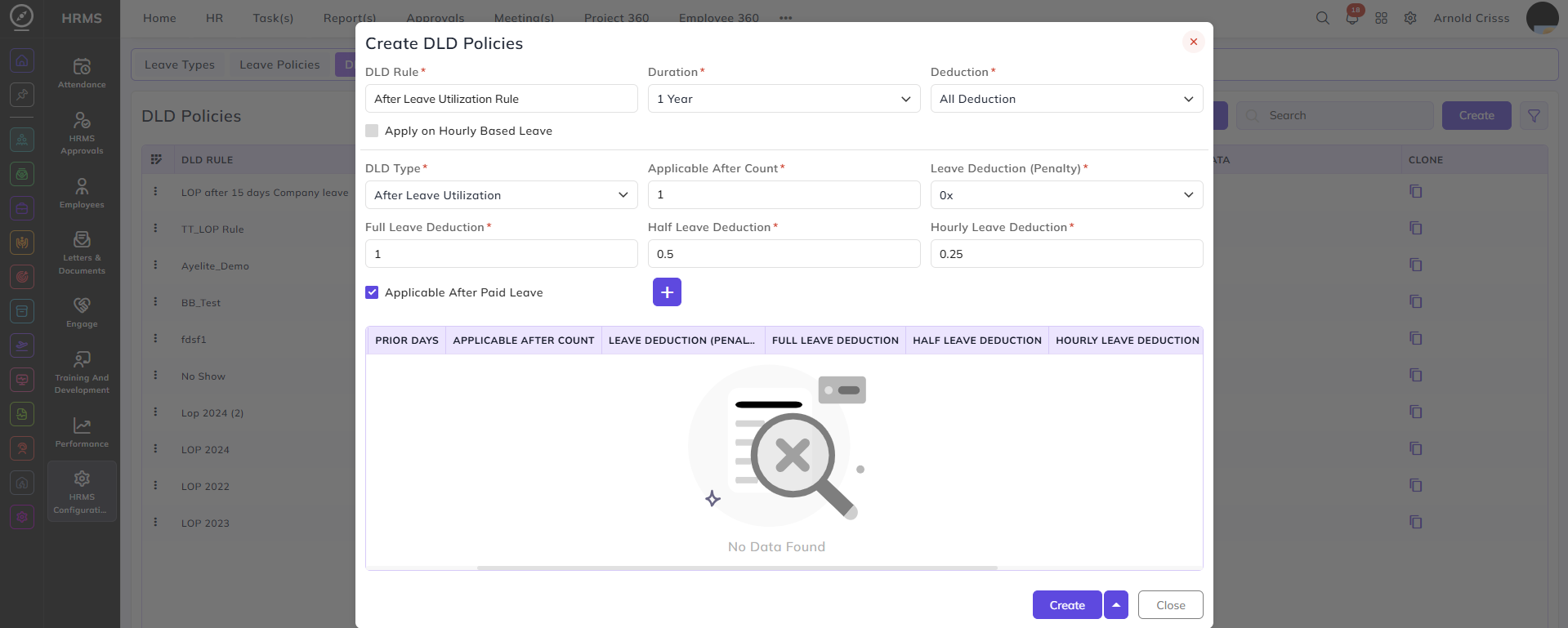
- After Leave Utilization
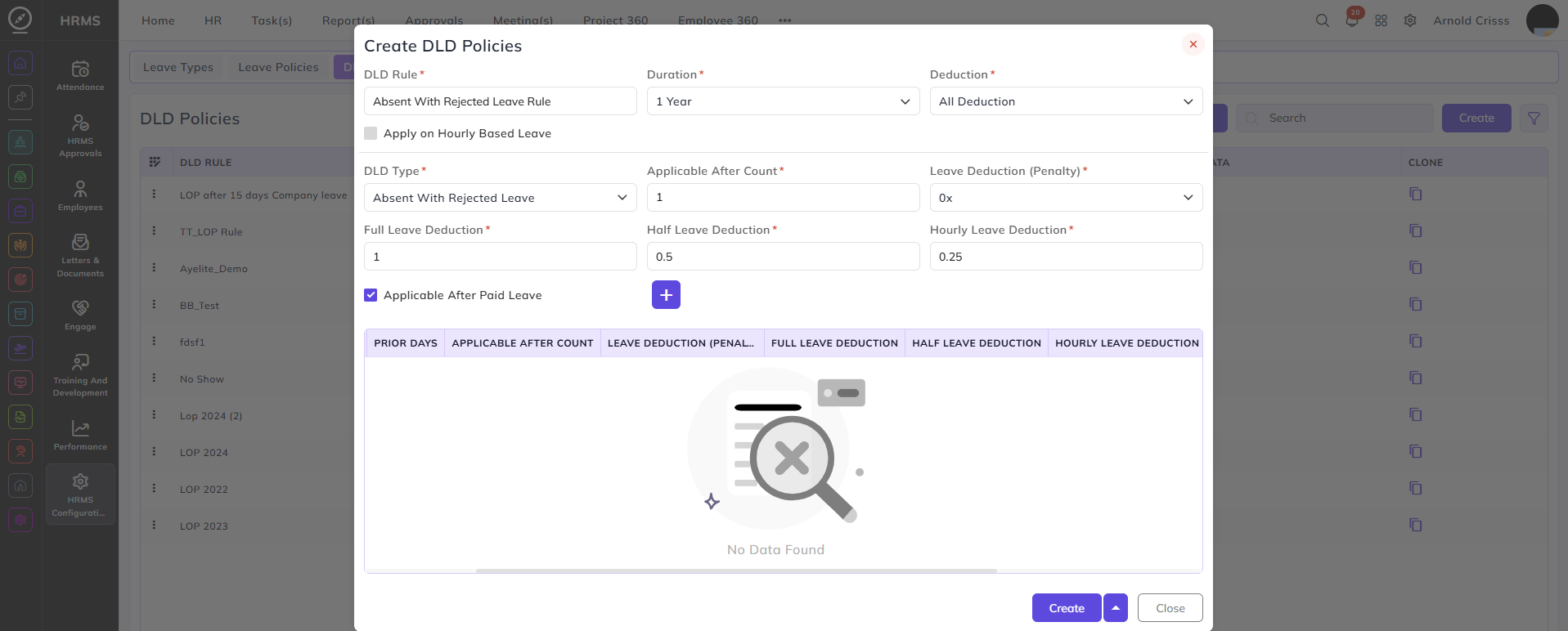
- Absent With Rejected Leave
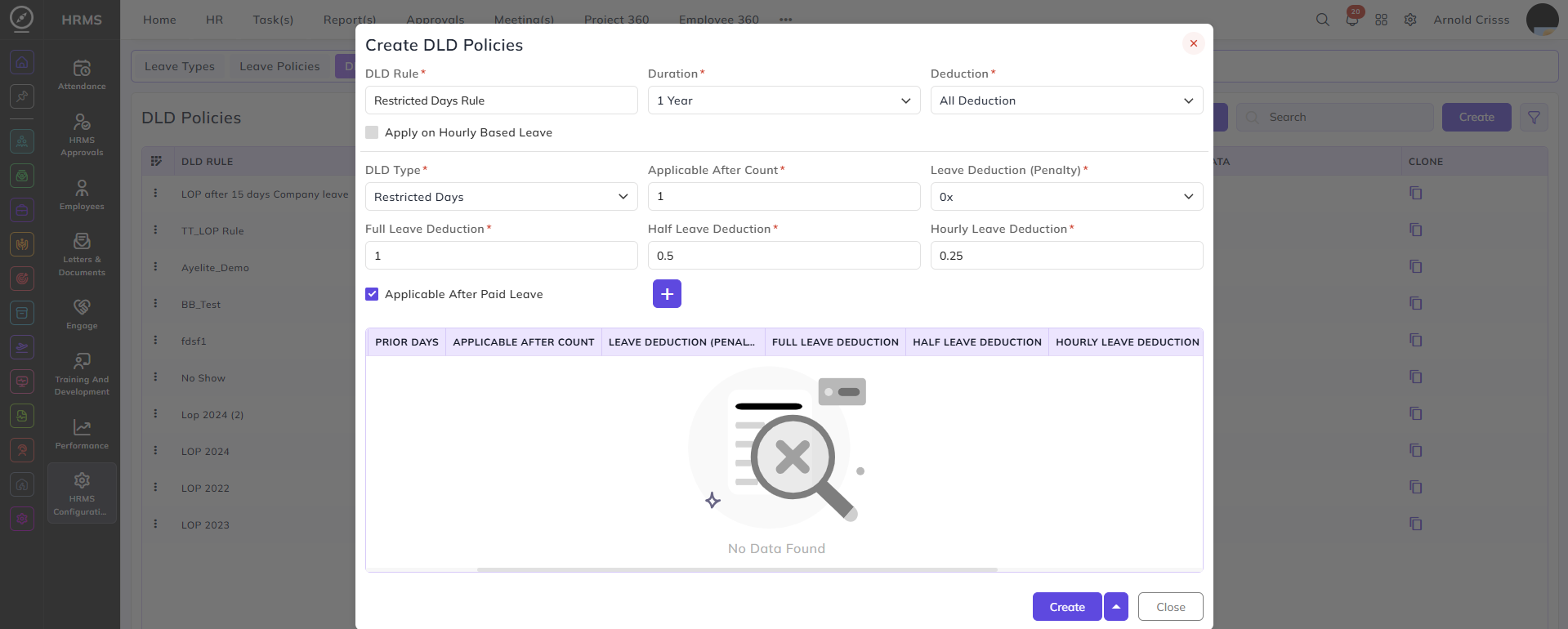
- Restricted Days
Prior Days:
- If the leave taken by the employee falls under the range specified in this field, then only they will get deducted for the DLD Rule.
- For e.g., if the days range specified in this field is 3 and the employee applies for the leave 4 days before the leave, this rule won't be applicable. It will only be applicable if the employee applies for the leave 3 days, 2 days, or 1 day before the leave.
Applicable After Count:
- Enter the count after which the DLD rule will be applicable to the employee.
- For e.g., if the count set is 2, then this rule won't be applicable to the employee for the first time he takes the leave according to the DLD Type. It will be applicable from the second time onwards.
Leave Deduction (Penalty):
Set the penalty for leave deduction for the DLD rule:
- 0x (There will be no extra deduction, just for the day the employee has taken the leave)
- 1x (There will be extra 1 day of deduction, other than that of the day the employee has taken the leave)
- 2x (There will be extra 2 days of deduction, other than that of the day the employee has taken the leave)
- 3x (There will be extra 3 days of deduction, other than that of the day the employee has taken the leave)
Full Leave, Half Leave & Hourly Leave Deductions:
- Full Leave Deductions: Enter the amount which will get deducted from the employee's salary when they apply for the full day leave for the selected DLD Type.
- Half Leave Deductions: Enter the amount which will get deducted from the employee's salary when they apply for the half day leave for the selected DLD Type.
- Hourly Leave Deductions: Enter the amount which will get deducted from the employee's salary when they apply for the hourly leave for the selected DLD Type.
Applicable After Paid Leave:
- Enable this field if you want this rule to be applicable to an employee after they have utilized their Paid Leaves.
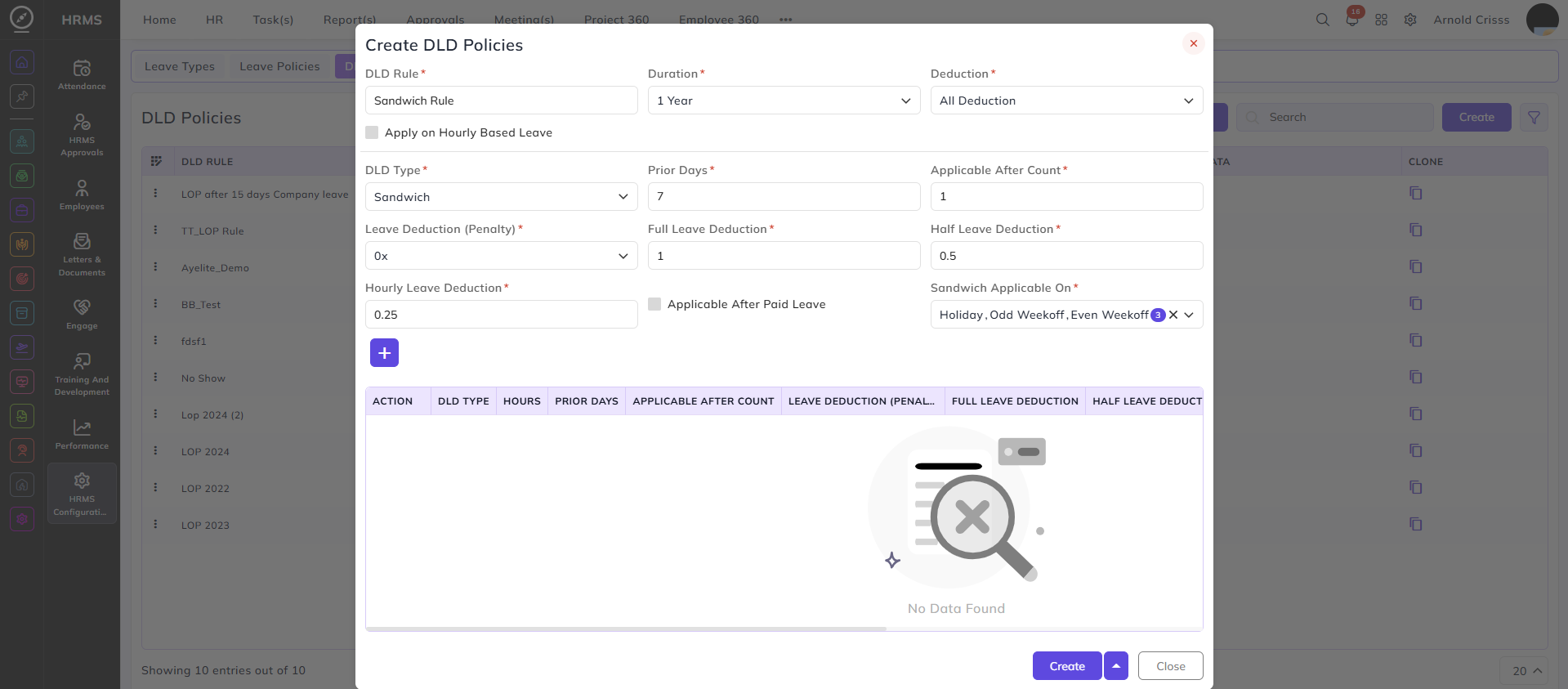
DLD Type- Sandwich:
Sandwich Applicable On:
Select on which days the sandwich leave type will be applicable:
- Holiday (The rule will be applicable when the employee takes leaves before and after a holiday)
- Odd Week Off (The rule will be applicable when the employee takes leaves before and after an odd week off)
- Even Week Off (The rule will be applicable when the employee takes leaves before and after an even week off)
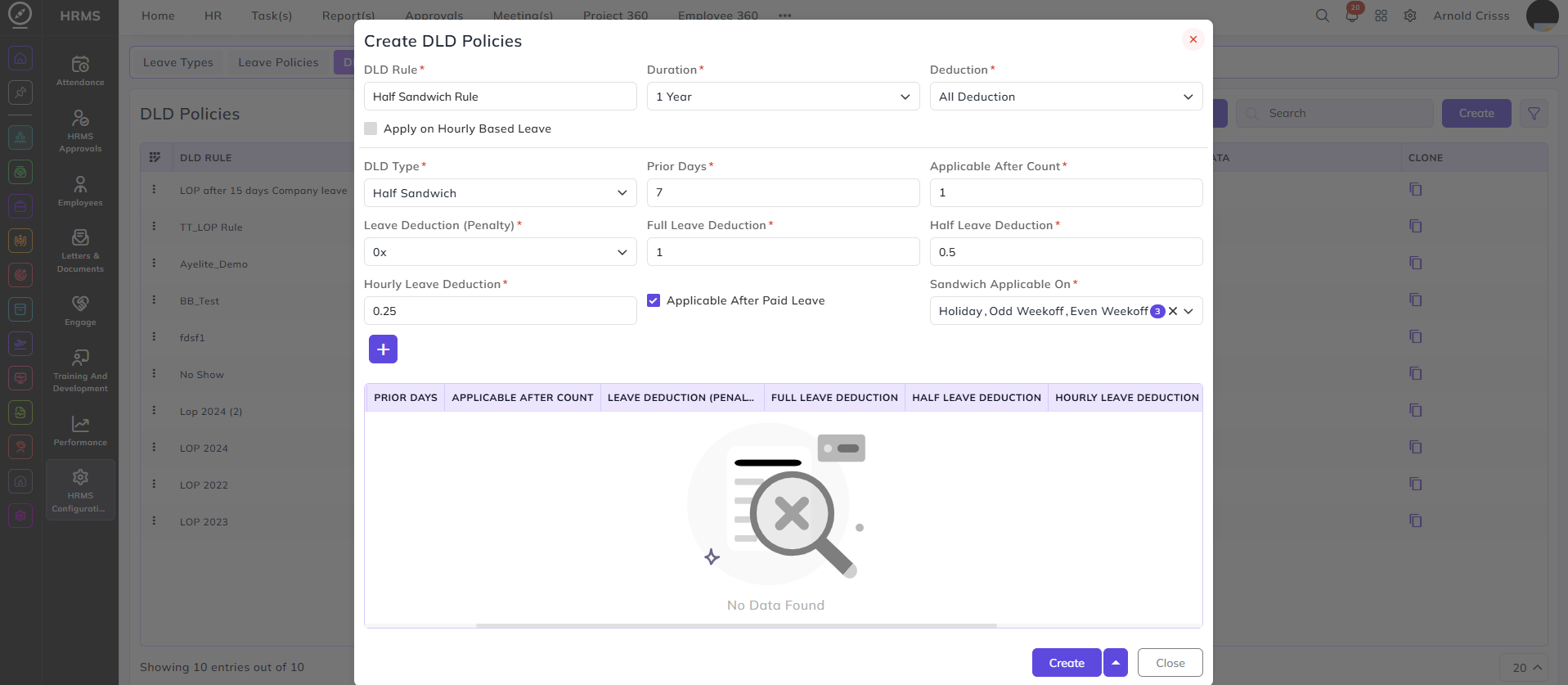
DLD Type- Half Sandwich:
Sandwich Applicable On:
Select on which days the sandwich leave type will be applicable:
- Holiday (The rule will be applicable when the employee takes a leave before or after a holiday)
- Odd Week Off (The rule will be applicable when the employee takes a leave before or after an odd week off)
- Even Week Off (The rule will be applicable when the employee takes leaves a before or after an even week off)
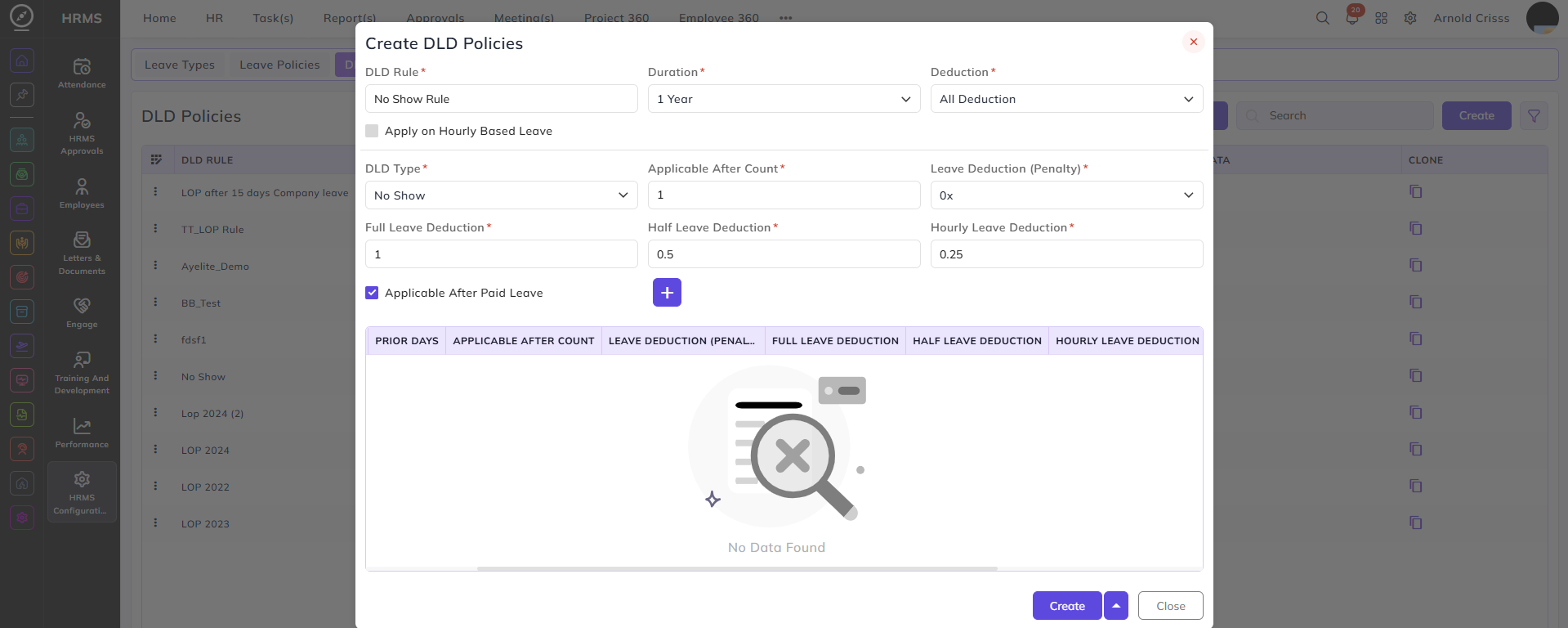
DLD Type- No Show:
- It means when an employee has already taken a leave in the past but have not applied for that leave.
DLD Type- Short Notice:
- It means when an employee applies for a leave within the hours range specified before the leave.
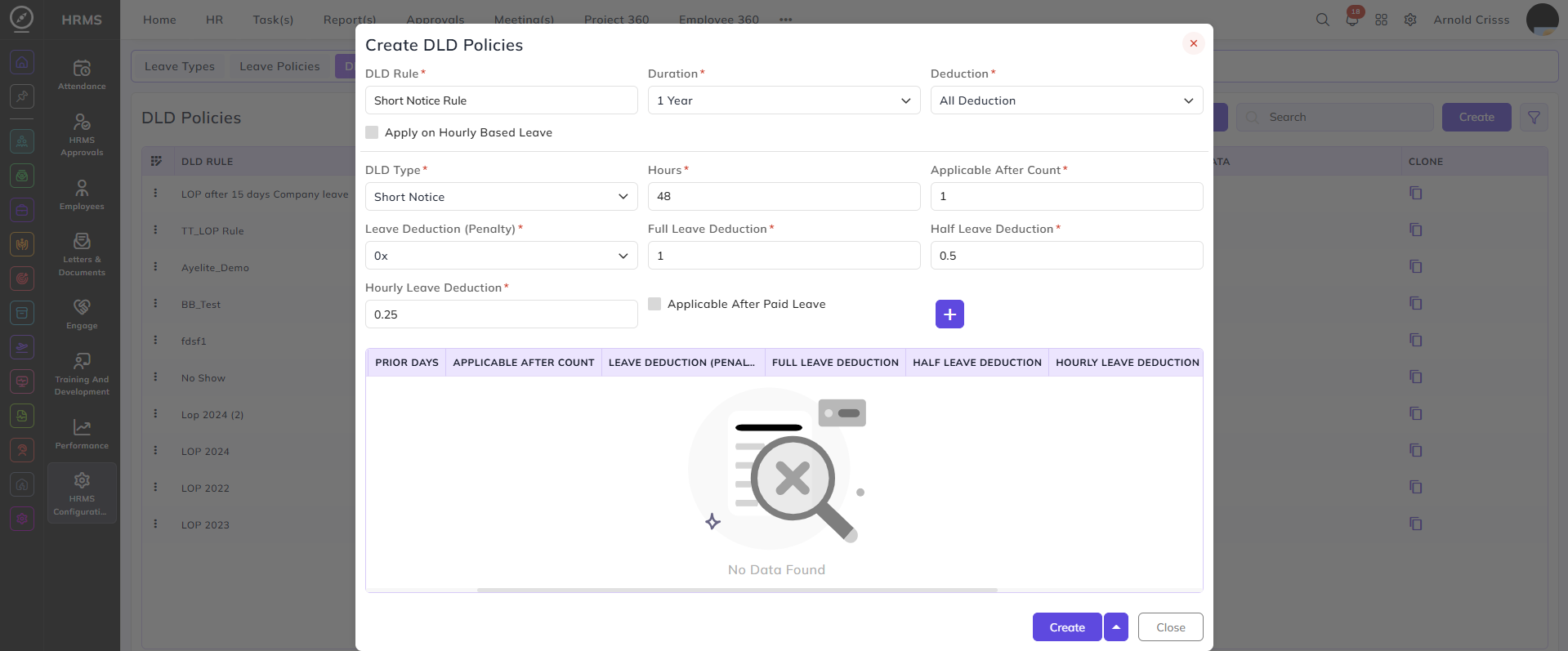
DLD Type- After Leave Utilization:
- It means when an employee takes a leave after his/ her paid leaves are utilized.
DLD Type- Absent With Rejected Leave:
- It means when an employee has applied for a leave and it got rejected, still the employee is absent on that day.
DLD Type- Restricted Days:
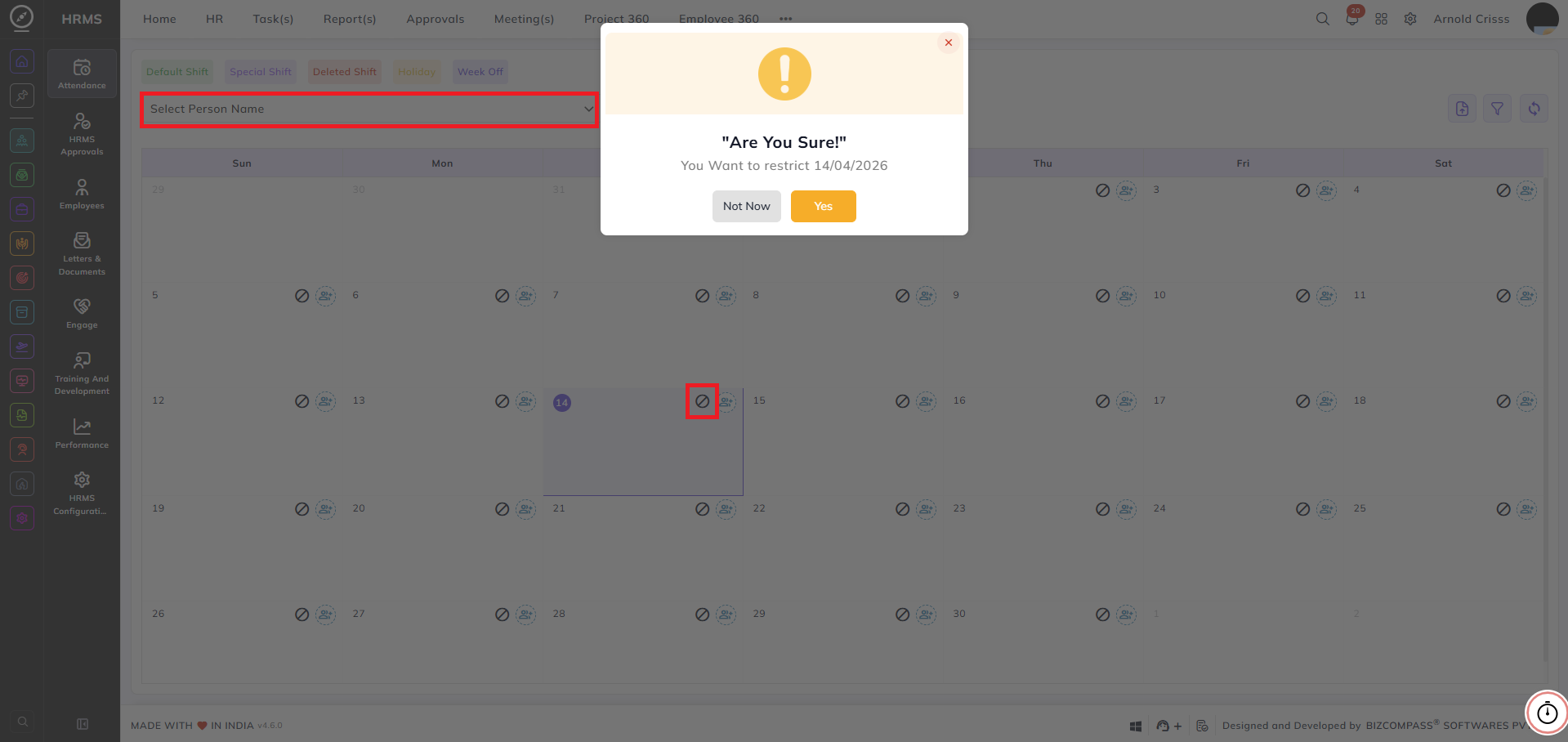
- It means when an employee takes a leave on day(s) which are Restricted by the organization.
The Bulk Action button allows you to delete multiple DLD Policies at once, streamlining the management process.
- The organization can restrict days from the Special Shift Calendar for selected employees.