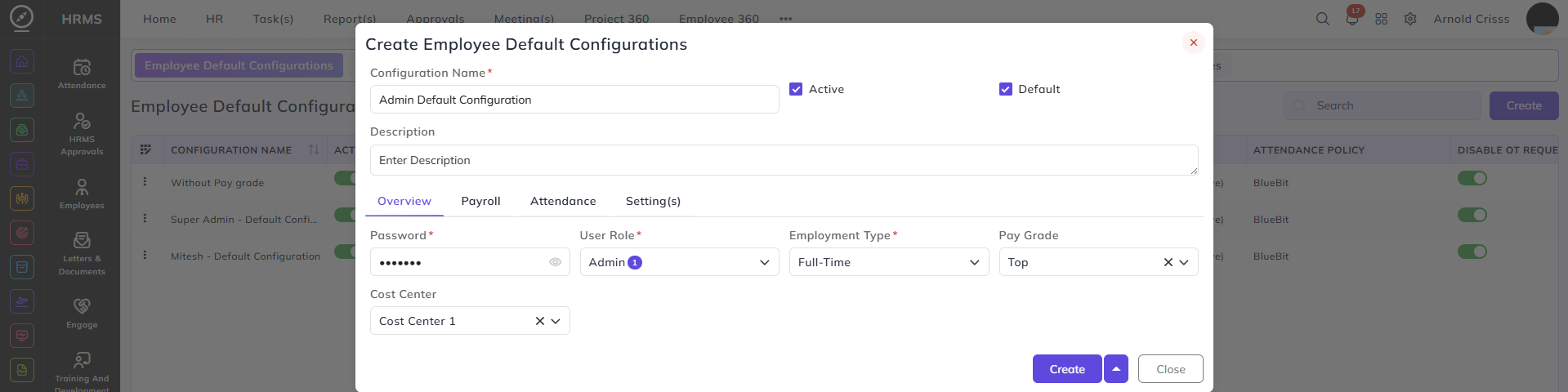
Employee Default Configurations
From this page, you can create Employee Default Configurations which can be optionally added while creating a new employee.
- You can choose to make this configuration Default or Active.
- You can add multiple fields in the configuration like Overview, Payroll, Attendance, and Setting(s).
Overview:
- Enter the Password to be assigned to the employee.
- Select the User Role and Employment Type for the employee.
- Optionally select the Pay Grade and the Cost Center.