
Periodic Review Configurations
From this page, you can configure automated periodic review schedules for employees. Two types of reviews can be set up — Performance Reviews and Managerial Reviews — each with their own configuration options.
Creating a Periodic Review Configuration:
1) Performance Review:
Days For Start Performance Review:
Enter the number of days after an employee's joining date from which the performance review should begin. For example, entering 30 means the review will be triggered 30 days after the employee joins.
Performance Review Person:
Enable this checkbox to assign a specific reviewer person for the review. When enabled, an additional Reviewer Person field appears where you can select the individual responsible for conducting the review.
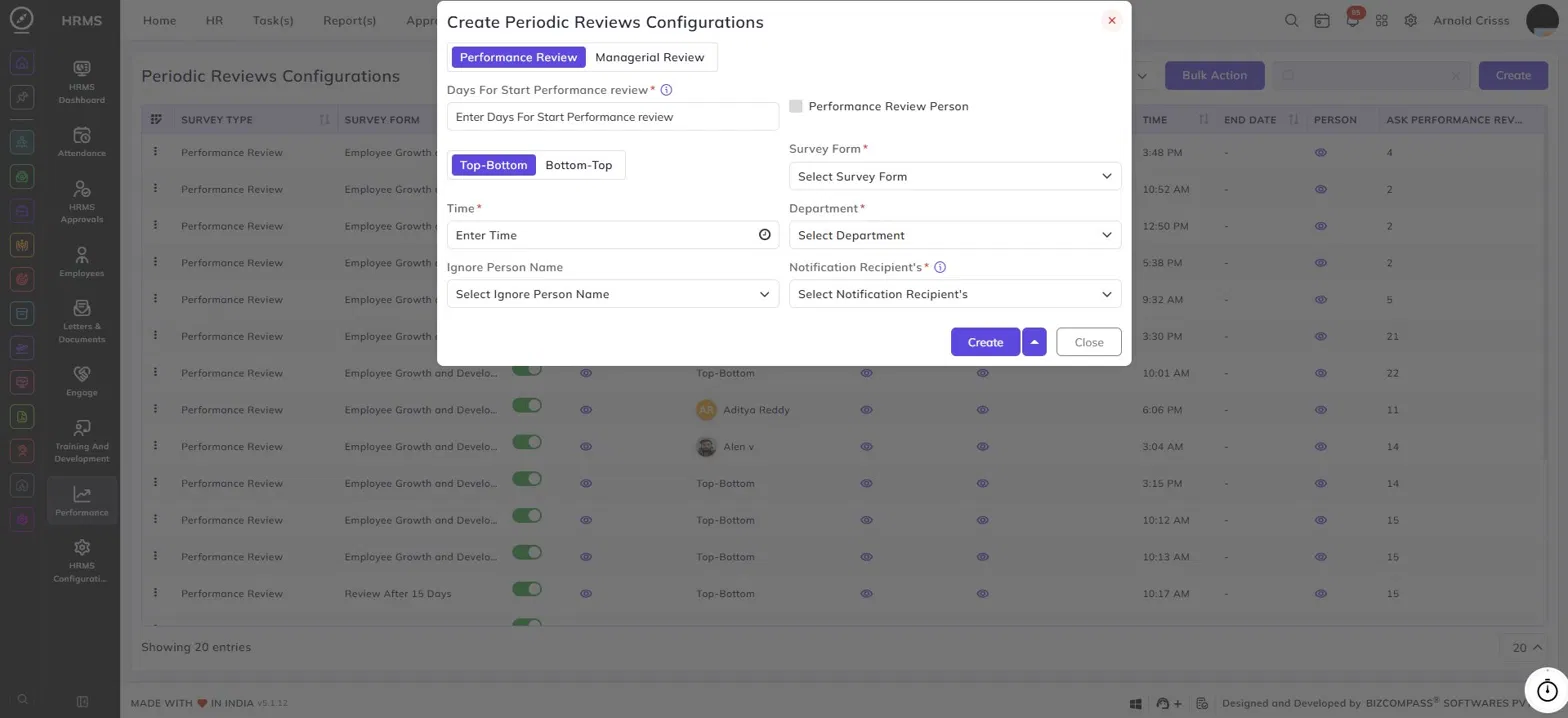
Review Direction:
Select the direction in which the review form will flow between employees in the reporting hierarchy:
- Top-Bottom — The person above fills the review form for the person below them in the hierarchy. For example, if Employee B manages Employee C and Employee D, then B will fill the performance review form for both C and D.
- Bottom-Top — The person below fills the review form for the person above them in the hierarchy. So Employee C and Employee D will fill the performance review form for Employee B.
Survey Form:
Select the survey form to be used for this performance review.
Time:
Enter the time at which the review notification or trigger should go out.
Department:
Select the department for which this review configuration applies.
Reviewer Person:
This field appears only when Performance Review Person is enabled. Select the specific person who will conduct the review.
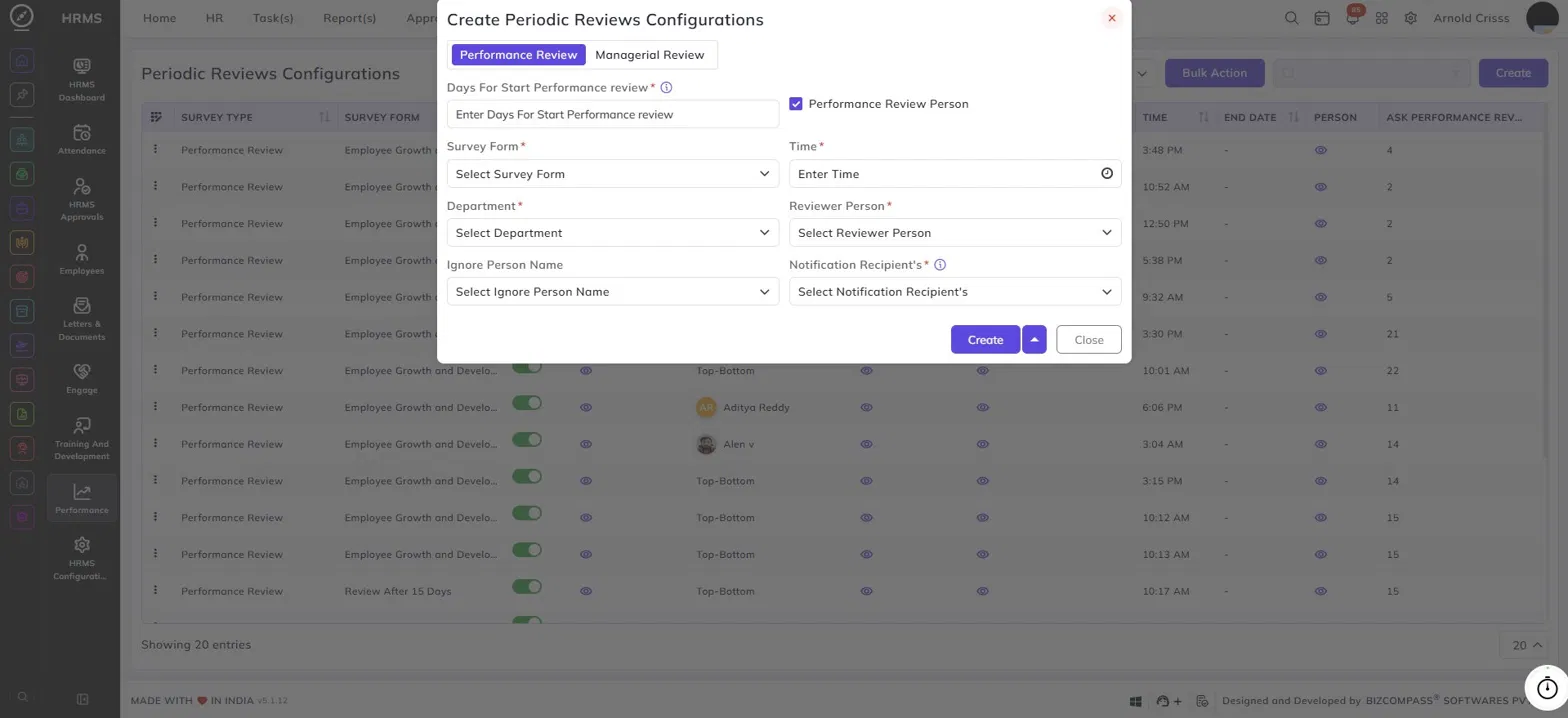
Ignore Person Name:
Select any employee(s) who should be excluded from this review configuration.
Notification Recipient's:
Select the person(s) who should receive notifications related to this review.
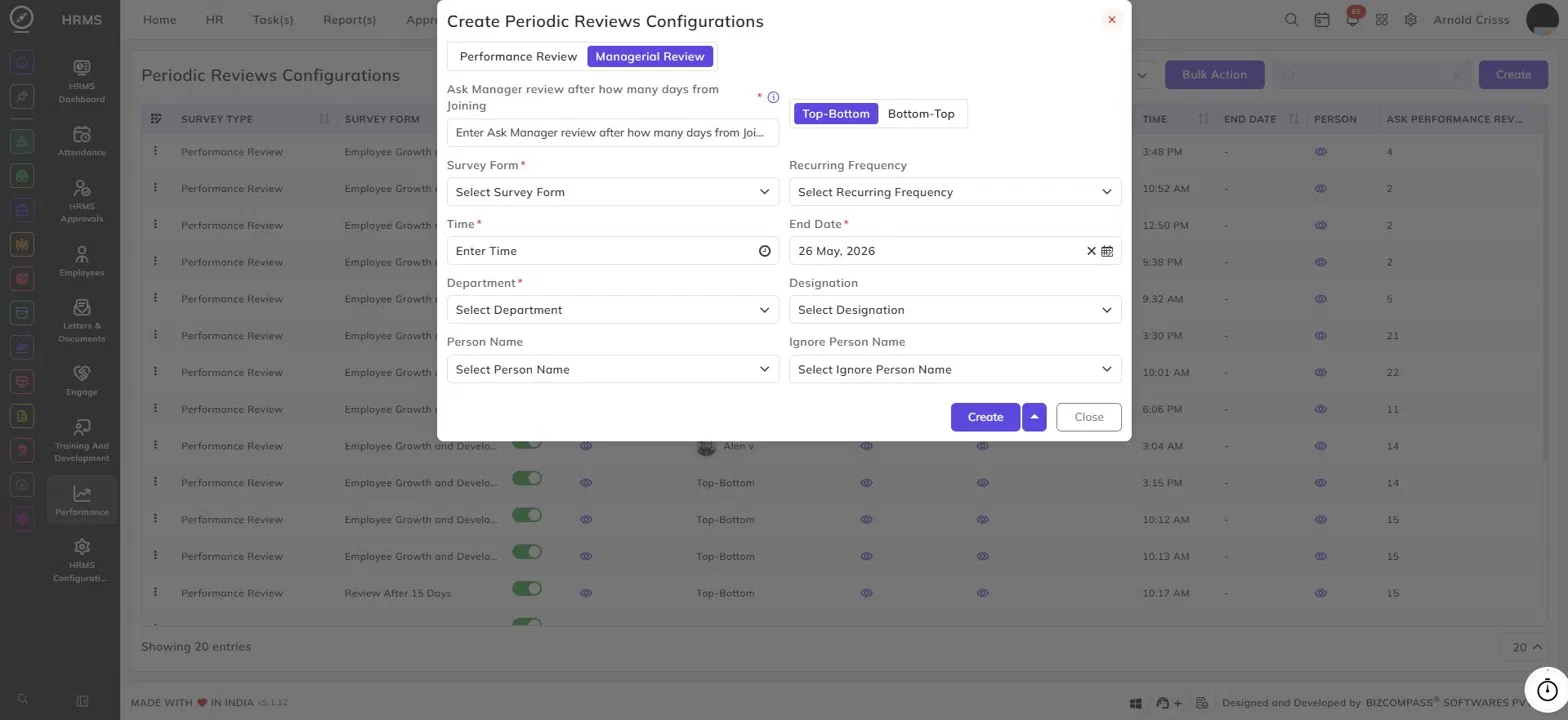
2) Managerial Review:
Ask Manager Review After How Many Days From Joining:
Enter the number of days after joining at which the manager review should be triggered for the employee.
Review Direction:
Select Top-Bottom or Bottom-Top to define the direction of the review, same as described above for Performance Reviews.
Survey Form:
Select the survey form to be used for the managerial review.
Recurring Frequency:
Select how frequently the managerial review should recur — for example, monthly, quarterly, or annually.
Time:
Enter the time at which the review should be triggered.
End Date:
Select the date on which this review configuration should stop recurring.
Department:
Select the department for which this review configuration applies.
Designation:
Select the designation to which this review configuration should apply.
Person Name:
Select specific employee(s) to include in this review configuration.
Ignore Person Name:
Select any employee(s) who should be excluded from this review configuration.
The Bulk Action button allows you to delete multiple configurations at once.