
Default Project Users
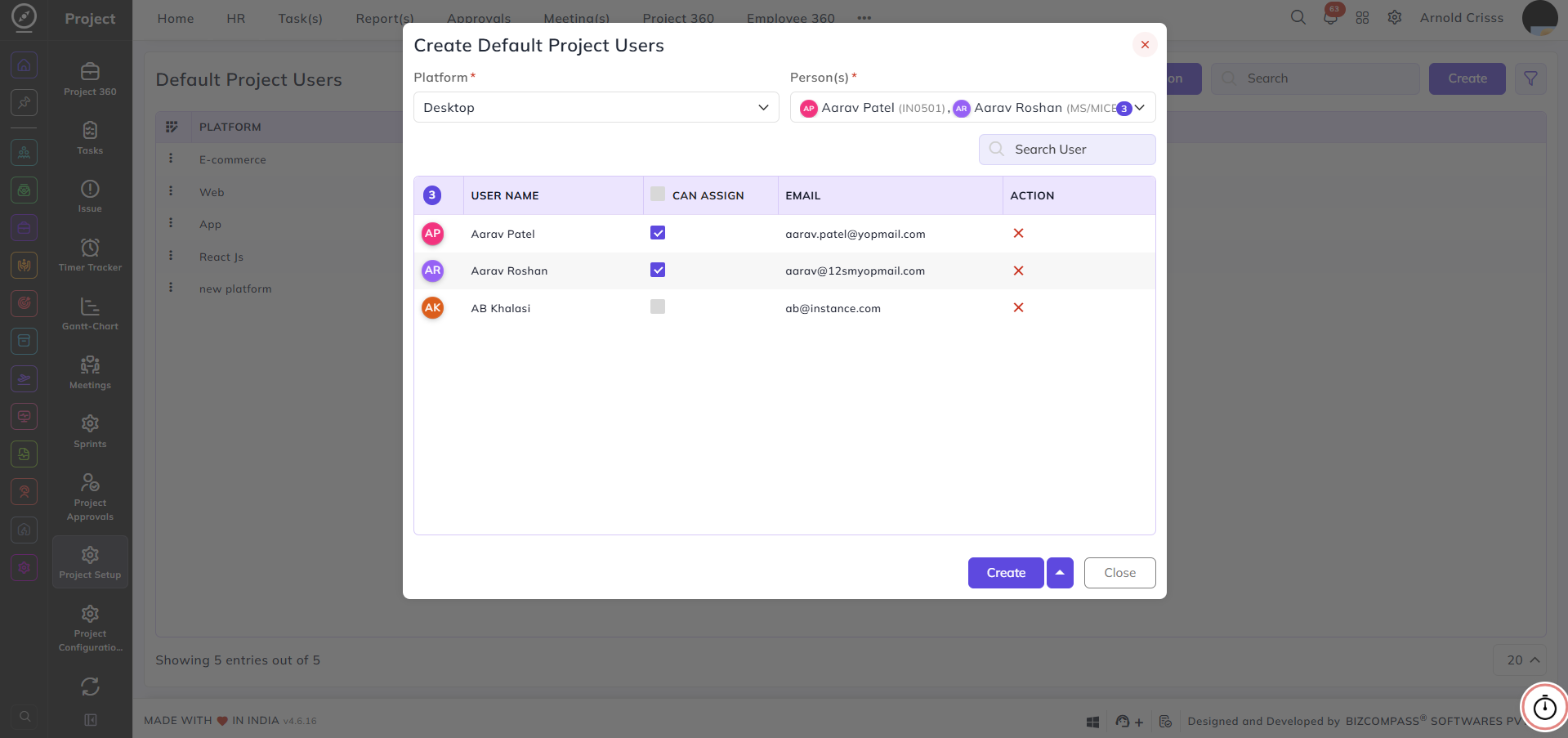
From this page, you can configure default users to be automatically added to a project based on the platform. This ensures that the relevant team members are pre-assigned to a project whenever it is created under a specific platform, saving time on manual user assignment.
Platform:
Select the platform for which the default users are being configured — for example, Desktop, Web, or E-commerce.
Person(s):
Select the users to be added as default members for the selected platform. You can search for users using the search bar within the dropdown.
Once users are selected, they appear in the table below with the following details:
User Name:
The name of the selected user.
Can Assign:
Enable this checkbox to allow the user to assign tasks to others within the project.
Email:
Displays the user's email address.
Action:
Click the remove icon to delete a user from the default list.
With the Bulk Action feature, you can delete multiple default project users at once, streamlining the management process.