
Project Categories
From this page, you can create categories to organize and classify projects based on the domain.
The Project Category will define the setup flow and workflow for the Project.Project.
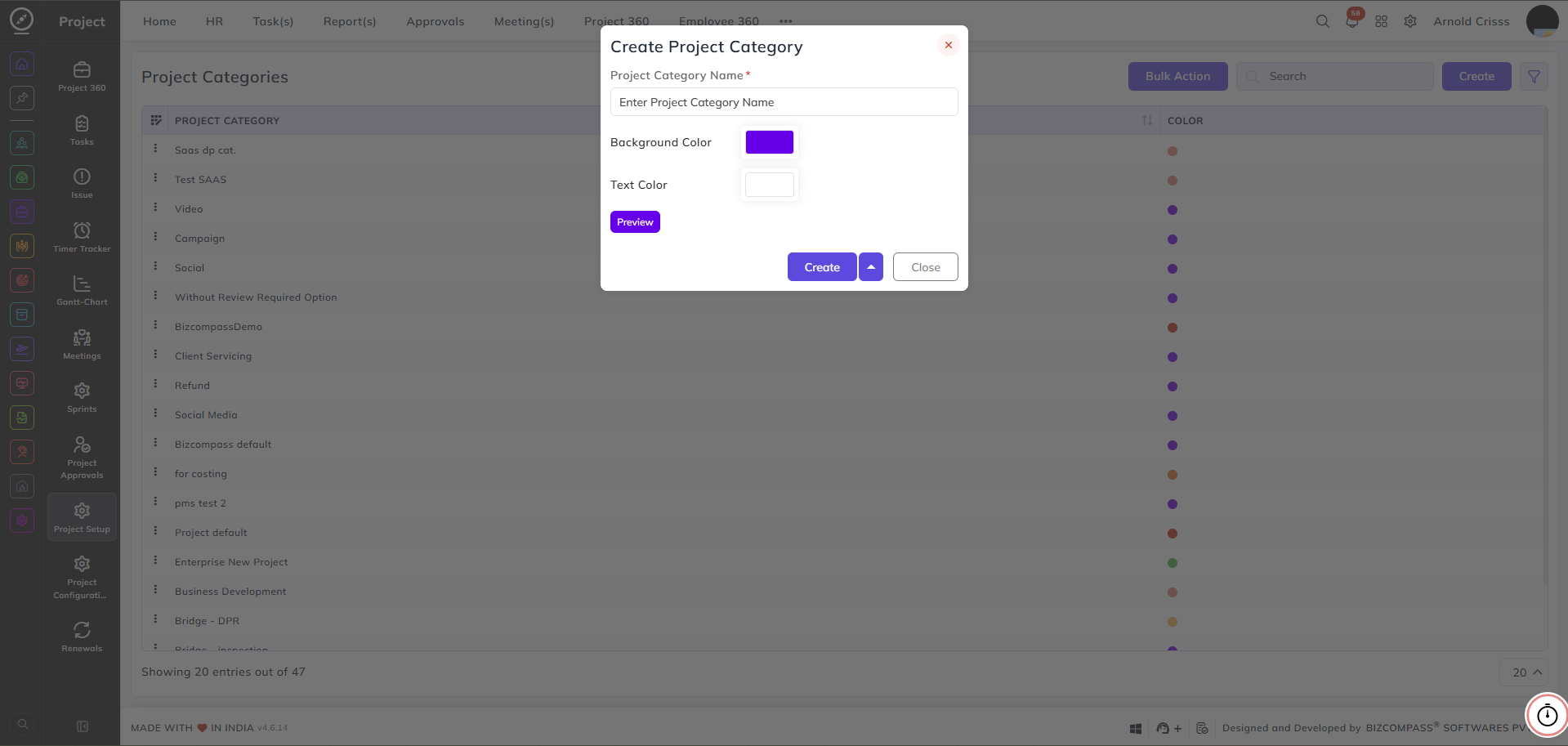
Project Category Name:
Enter a name to identify this project category — for example, SaaS, Campaign, or Social Media.
Background Color:
Select a background color to visually distinguish this category across the system.
Text Color:
Select a text color to ensure readability against the chosen background color.
Preview:
Click to see how the category label will appear with the selected background and text color combination before saving.
With the Bulk Action feature, you can delete multiple project categories at once, streamlining the management process.