
Project Status, Priority & Severity
From this page, you can create and manage the statuses, priorities, and severities used across your projects and modules.
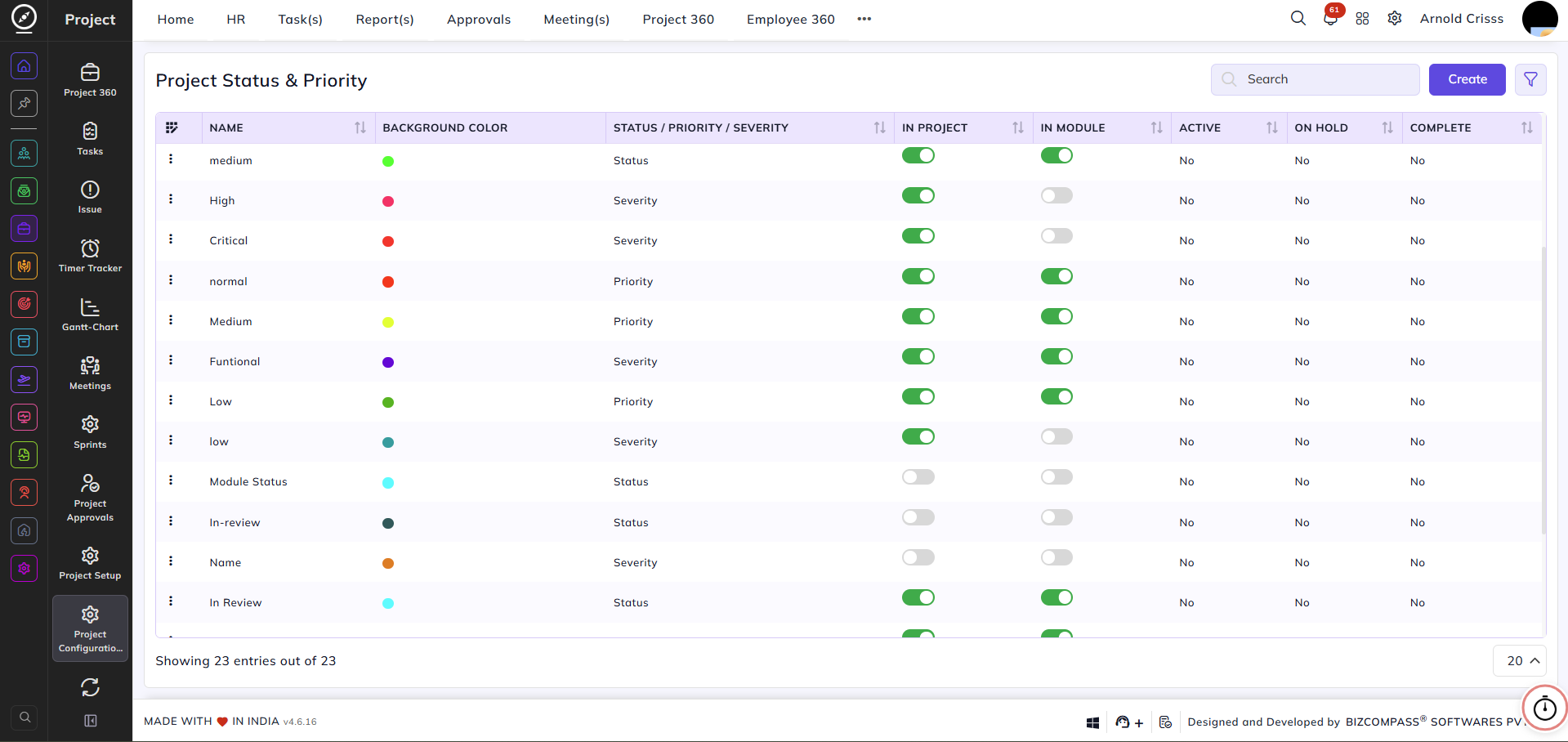
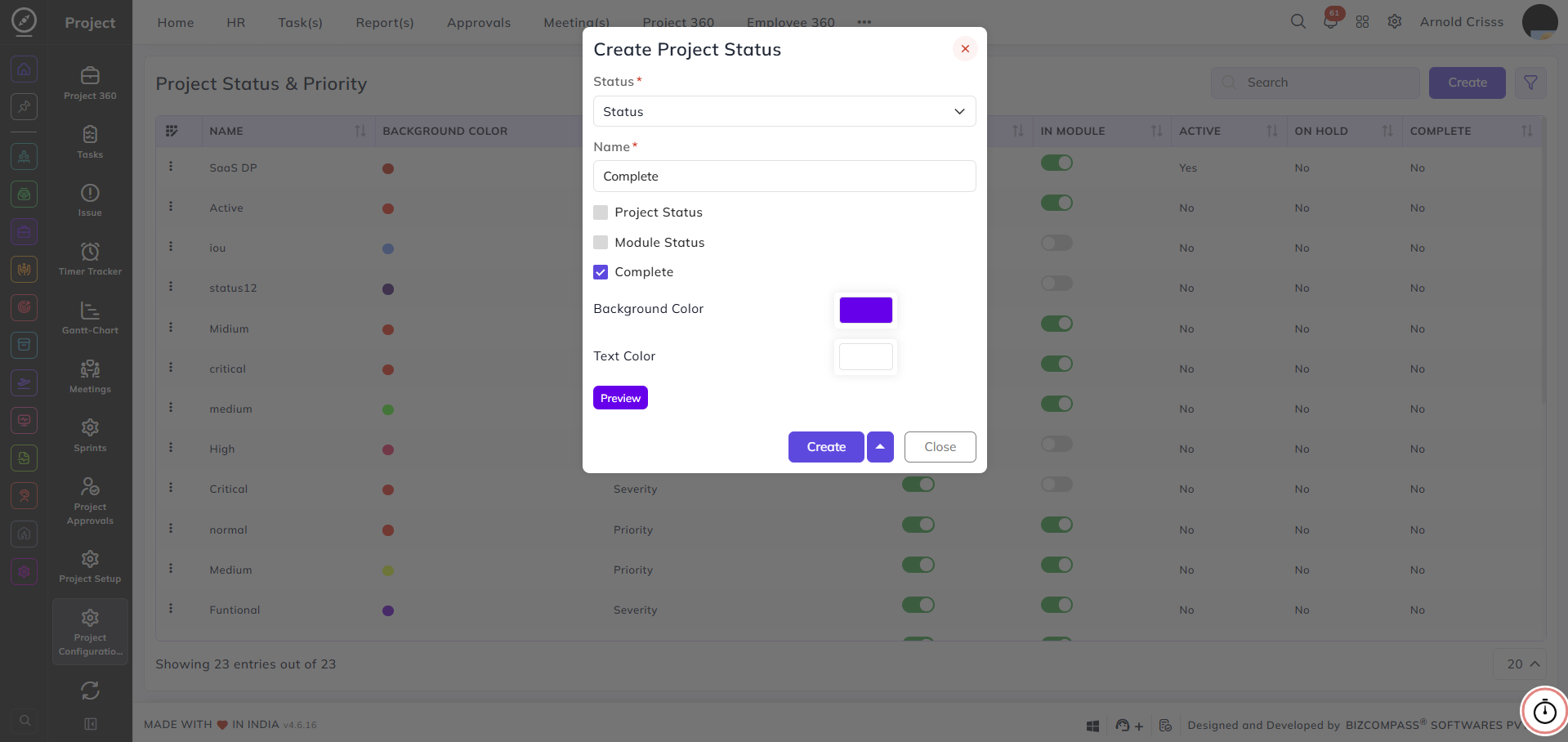
Status:
Select the type of entry being created — either Status, Priority, or Severity.
Name:
Enter a name for the status, priority, or severity — for example, In Progress, High, or Functional.
Project Status:
Enable this checkbox to make this entry available as a project-level status.
Module Status:
Enable this checkbox to make this entry available as a module-level status.
The following three flags are available only when the Status type is selected, and are used to mark the special role of a status in the project lifecycle:
Active:
Enable this to designate this status as the active state of a project.
On Hold:
Enable this to designate this status as the on-hold state of a project.
Complete:
Enable this to designate this status as the completed state of a project.
Note: The Active, On Hold, and Complete flags are one-time configurations. Each flag can only be assigned to a single status at a time. Once a flag is enabled for a status, it will no longer appear as an option when creating or editing other statuses. To reassign a flag to a different status, it must first be disabled on the status it is currently assigned to.
Background Color:
Select a background color to visually identify this status across the system.
Text Color:
Select a text color for the status label.
Preview:
Click Preview to see how the status label will appear with the selected colors before saving.
The Project Status and Module Status flags can be edited after creating any entry (Status, Priority, Severity) as well from the flag buttons.