Renewals
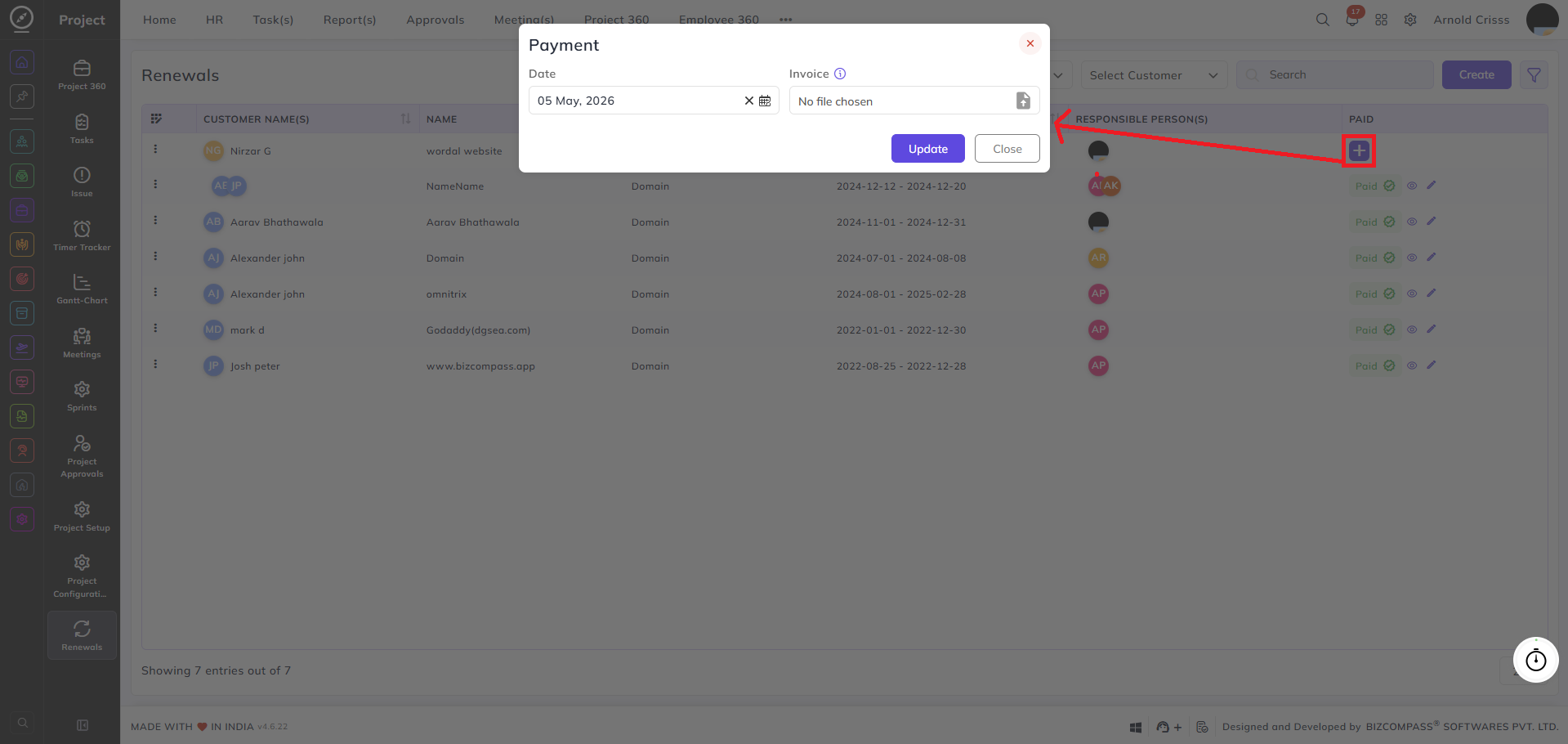
From this page, you can create and manage renewals for customer domains and other recurring services. Renewals help track tenure periods, payment status, and upcoming expiry reminders for each customer.
The renewals list displays all records with each entry showing the customer name, renewal name, type, domain tenure period, responsible person, and payment status. You can filter the list by paid status (Paid / Unpaid), status (Expired / Expiring Soon), and customer name.
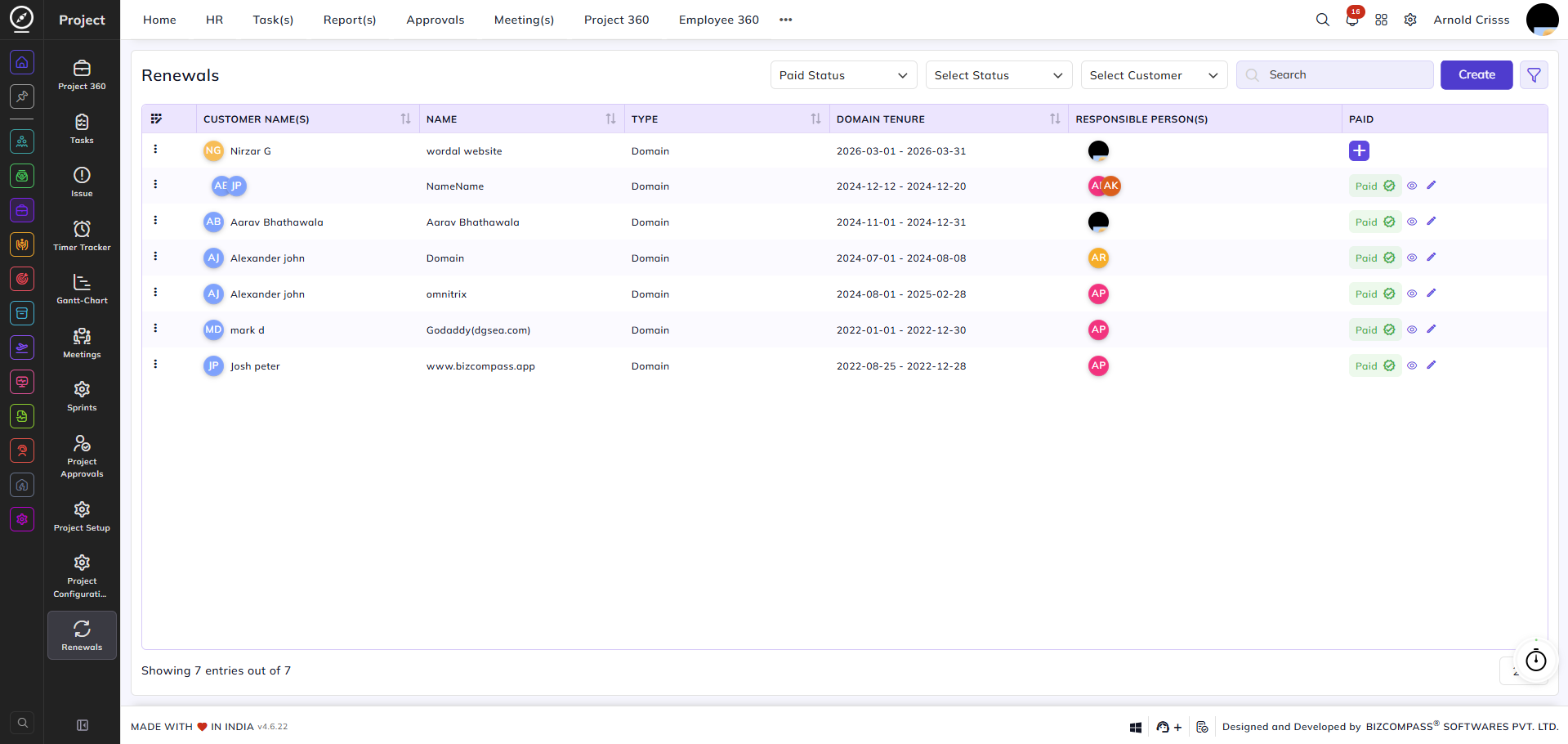
Creating a Renewal:
Customer Name:
Select the customer this renewal belongs to.
Name:
Enter a name for the renewal.
Charge:
Enter the charge amount for this renewal.
Tenure:
Enter the tenure period for this renewal.
Responsible Person:
Select the team member responsible for managing this renewal.
Type:
Select the type of renewal (e.g., Domain). You can also create new types from here.
Paid:
Check this box if the renewal has been paid. When enabled, the following additional fields appear:
- Date: Set the date of payment.
- Invoice: Upload the invoice file for this renewal.
Reminder:
Check this box to enable a reminder for this renewal. When enabled, the following additional fields appear:
- Reminder: Select the employee(s) to be reminded.
- Reminder Before Days: Enter how many days in advance the reminder should be triggered before the end date of the tenure.
Remark:
Add any additional notes or remarks regarding this renewal.
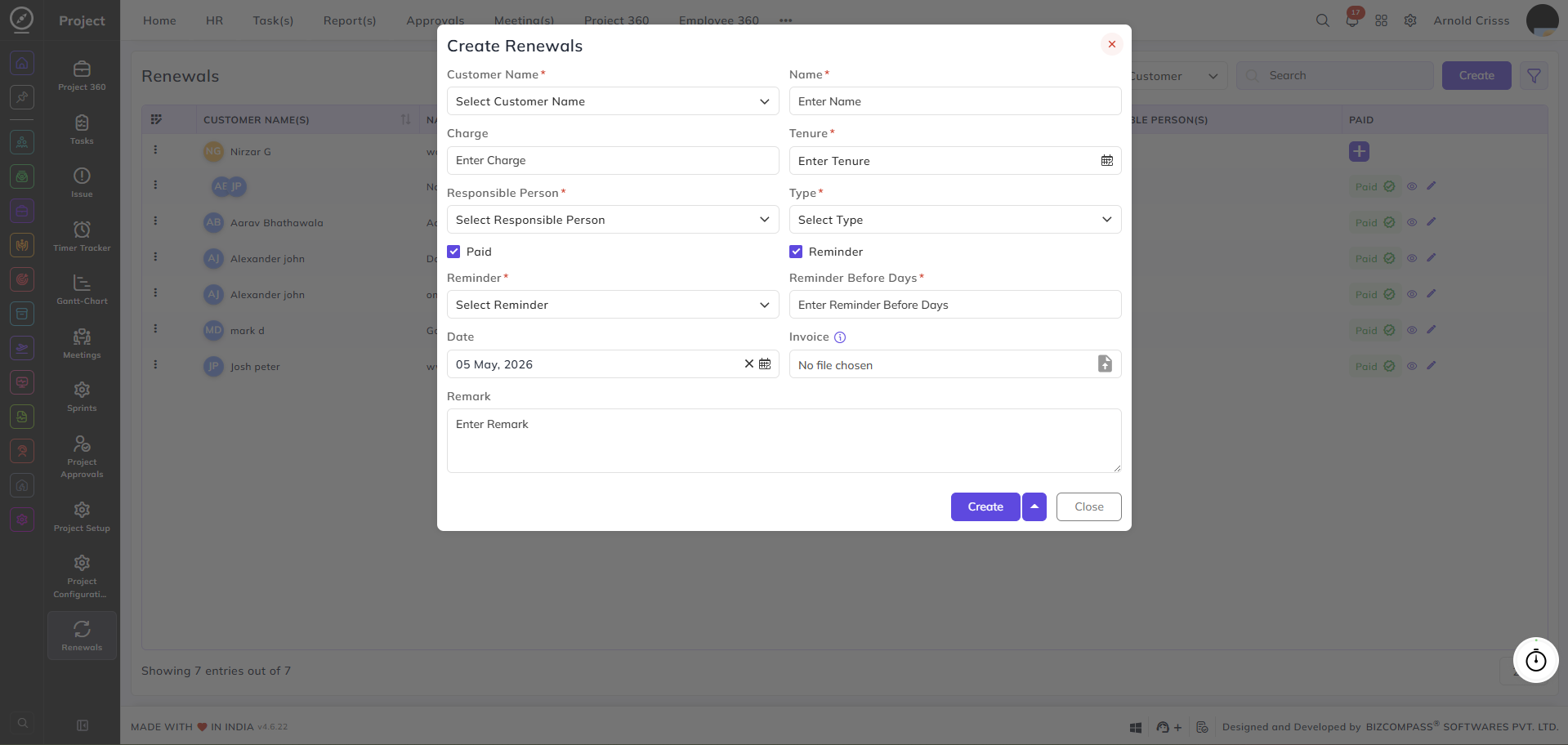
Payment:
You can add payment details after creating the renewal as well. Click the + icon in the Paid column of any renewal record to open the Payment dialog. Here you can enter the payment Date and upload the Invoice file for that renewal. Click Update to save the payment details.