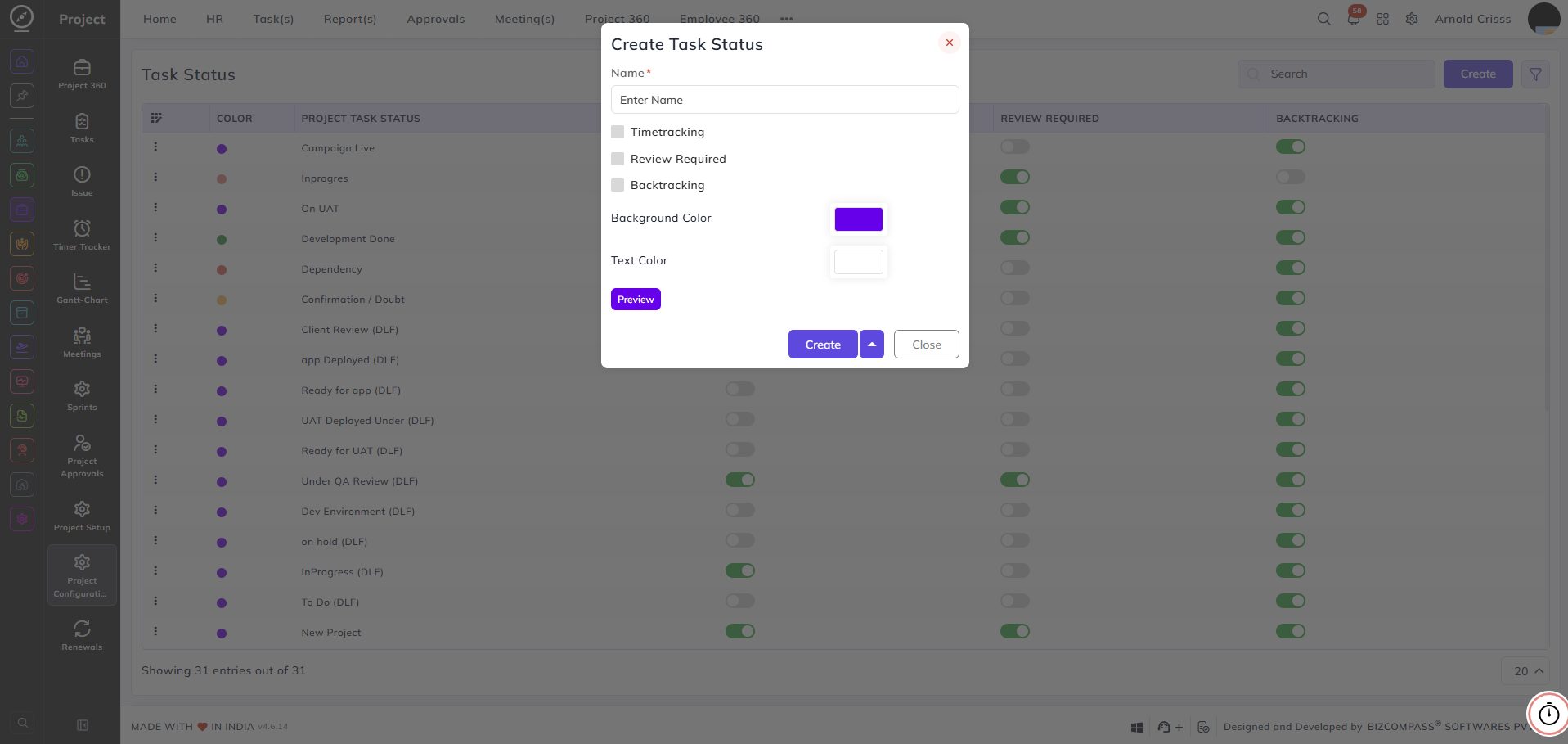
Task Status
From this page, you can create and manage the task statuses used across your projects. These statuses help teams track the progress of tasks through various stages of the workflow — for example, In progress, On UAT, Development Done, or Client Review.
Name:
Enter a name to identify the task status — for example, Campaign Live or Ready for App.
Timetracking:
Enable this checkbox if time tracking should be active when a task is in this status.
Note: If the Timetracking flag is not enabled for any of the stages, it will show an error in the Task Flow. It should be enabled for at least one stage.
Review Required:
Enable this checkbox if tasks in this status require a Review before progressing further. The Reviewer Role can be configured while creating the Task Flow.
Backtracking:
When enabled, all stages that come after this stage in the todo flow can be moved back to this stage. This allows tasks at any later stage to be returned to this point in the flow if needed.
Background Color:
Select a background color to visually distinguish this status in the task board and lists.
Text Color:
Select a text color to ensure readability against the chosen background color.
Preview:
Click the Preview button to see how the status label will appear with the selected colors before saving.