
Test Scenarios
From this page, you can create and manage test scenarios (test cases) used for quality assurance across your projects. Test scenarios define the conditions to be verified, the validation criteria, and the expected outcome for each test.
The test scenarios created here can be assigned to tasks and modules to ensure quality during development.
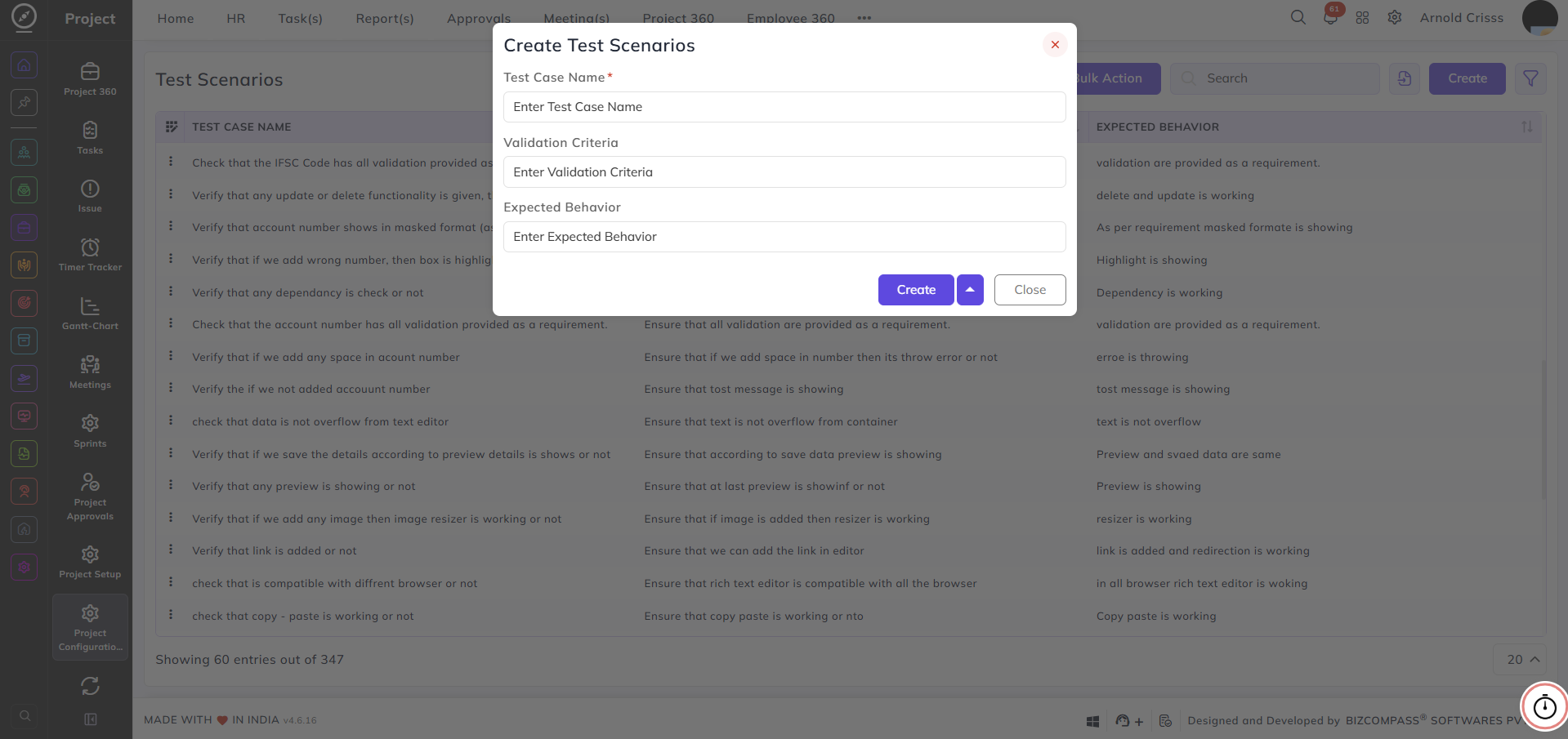
Test Case Name:
Enter a name or description for the test case — for example, Verify that account number shows in masked format.
Validation Criteria:
Enter the condition or criteria that needs to be validated for this test case.
Expected Behavior:
Enter the expected outcome when the test case is executed successfully.
Import Test Cases:
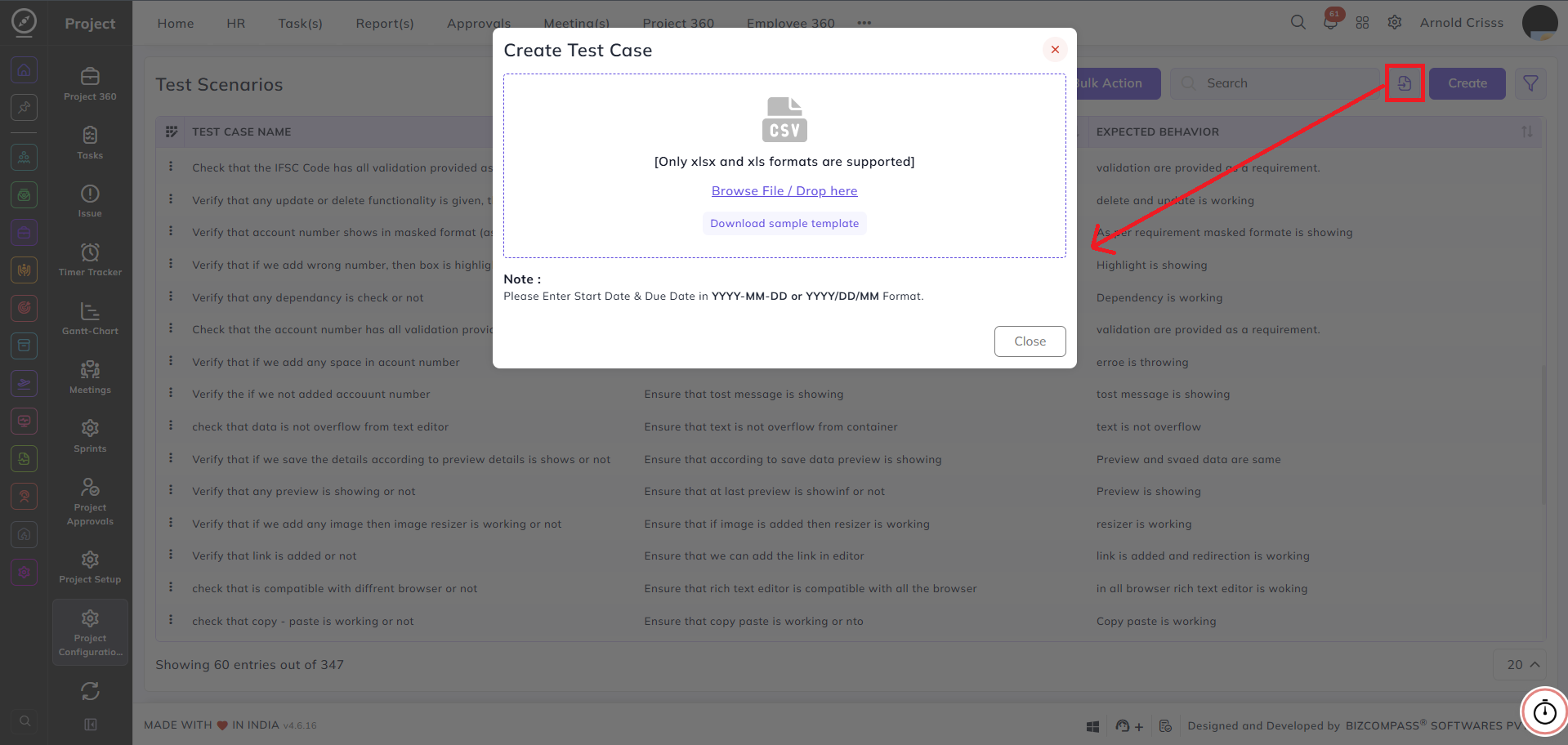
Test cases can also be imported in bulk using a spreadsheet file. Click the Import icon (next to the Search bar) to open the Import Test Cases dialog.
Browse or drag and drop your file into the upload area. Only .xlsx and .xls file formats are supported. A Download Sample Template link is available to help you structure your file correctly before importing.
With the Bulk Action feature, you can delete multiple test scenarios at once, streamlining the management process.