Timer Tracker
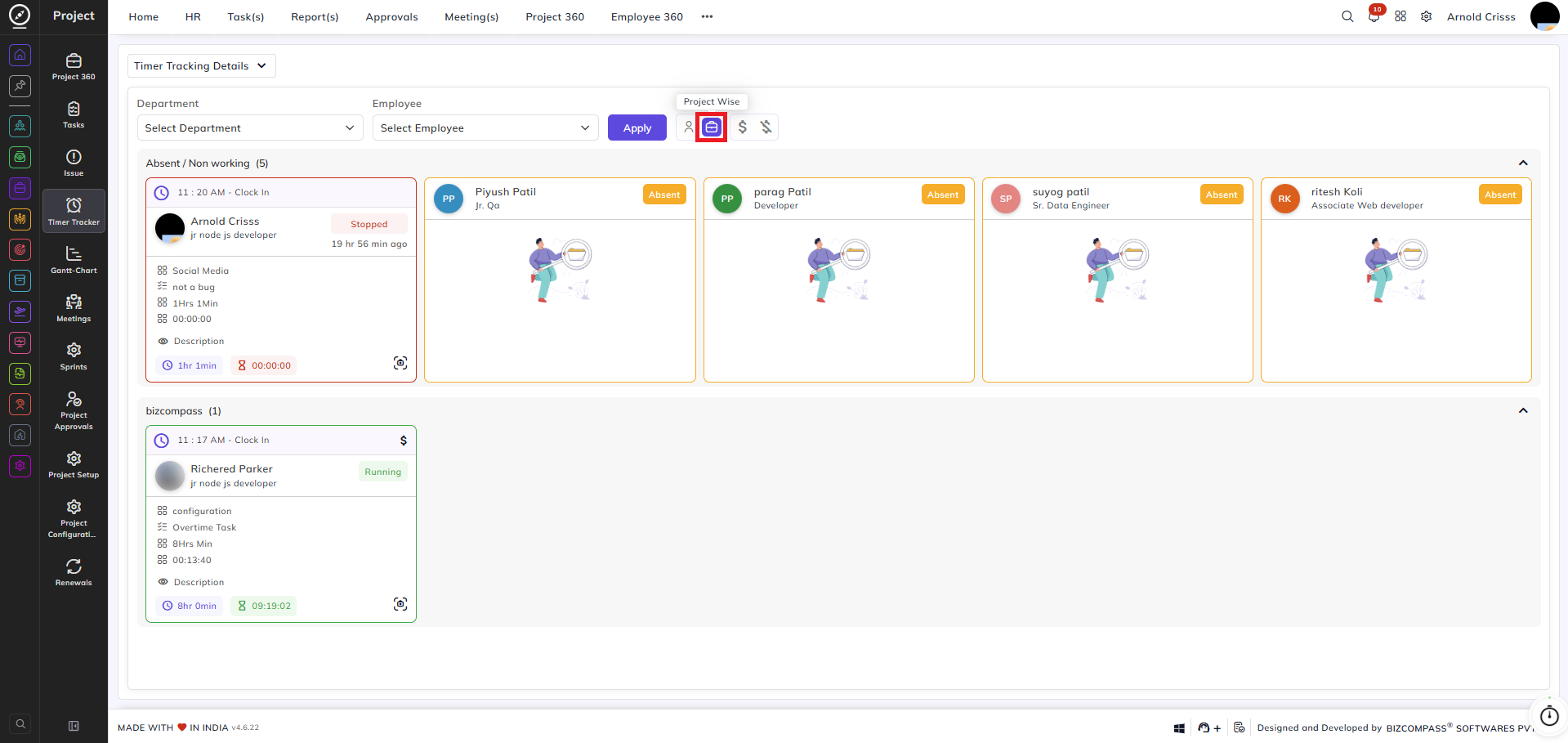
From Project->Timer Tracker, you can monitor the real-time timer activity of all employees across projects. Each employee card displays their current timer status, active task, module, estimated hours, elapsed time, and a description field.
You can filter the view by Department and Employee using the dropdowns at the top. Additionally, the following view toggles are available:
- Employee Wise: View timer activity grouped by employee.
- Project Wise: View timer activity grouped by project.
- Billable: Filter to show only billable timer entries.
- Non-Billable: Filter to show only non-billable timer entries.
Click Apply to apply the selected filters.
Employees are grouped under their respective project or absence status. Employees who are absent or not currently working appear under the Absent / Non Working section. Active timers are shown with a Running status highlighted in green, while stopped timers display a Stopped status. Each card shows the clock-in time, employee name, designation, module, task name, estimated hours, and the current elapsed timer value.