
Primary and Secondary Sources
The Primary and Secondary Sources pages are used to track and manage the source of candidates during the recruitment process. It allows you to define the primary and secondary sources through which candidates are identified, such as job portals, references, employee referrals, social media, and more. These sources are added while creating a new candidate or candidate inquiry.
Candidate Primary Source:
The Candidate Primary Source page refers to the main source through which a candidate has been sourced. Selecting the right primary source helps recruiters determine the most effective channels for attracting candidates.
-
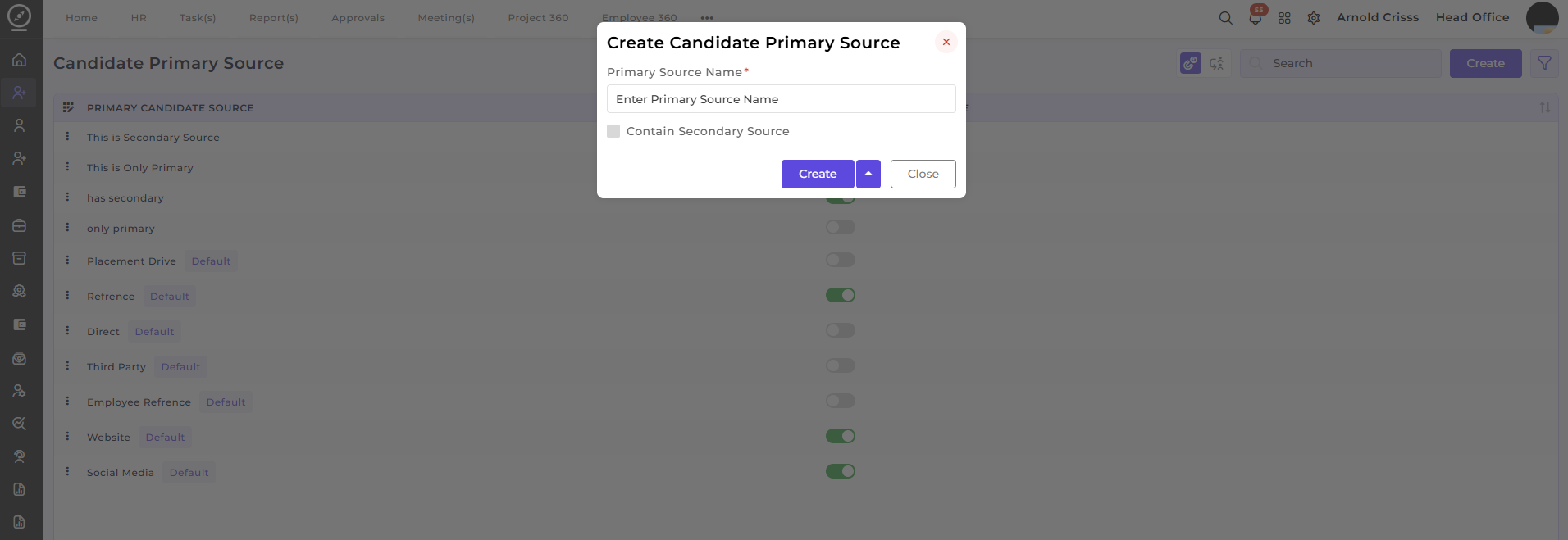
Creating Primary Source:
-
Primary Source Name: Enter the name of the source (e.g., "Job Portal", "Referral", "Placement Drive").
-
Contain Secondary Source: You can enable the option to associate a secondary source with this primary source. For example, if the primary source is a "Job Portal", the secondary source could be "LinkedIn" if the candidate came through both.
-
Create: Click Create to add the primary source to the system.
-
You can navigate to Candidate Secondary Source page by clicking on the Secondary Source button shown below.
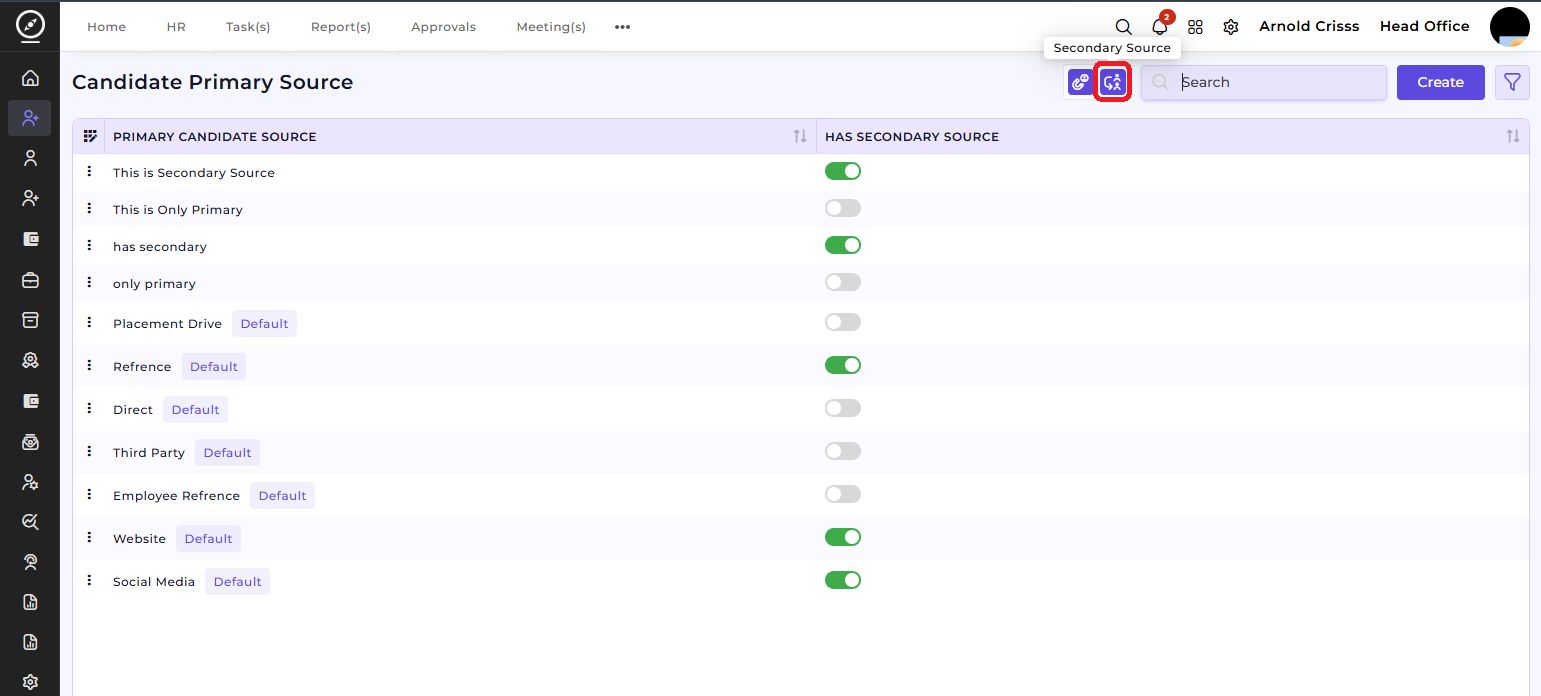
Candidate Secondary Source:
The Candidate Secondary Source provides additional context on where the candidate was found, supplementing the primary source. For example, a candidate may be referred by an employee but applied through a job portal. This allows for more detailed tracking of candidate acquisition channels.
-
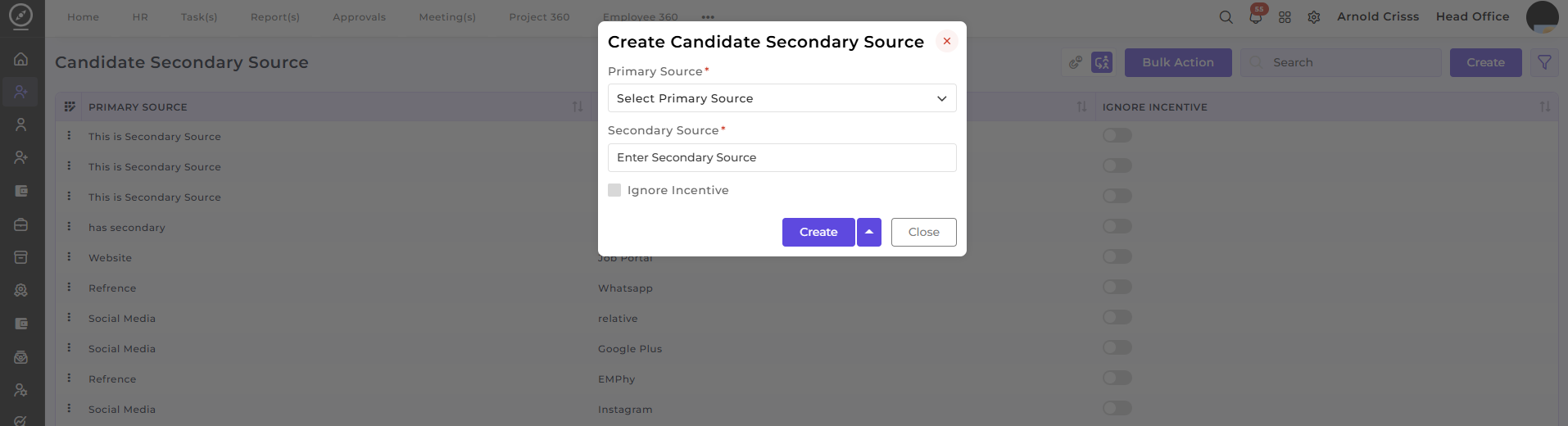
Create Secondary Source:
-
Primary Source: Select the related primary source from the drop-down menu.
-
Secondary Source: Enter the secondary source (e.g., "Google Plus", "Instagram", "WhatsApp").
-
Ignore Incentive: Enable this if the secondary source does not involve any incentives.
-
Create: Click Create to add the secondary source.
-
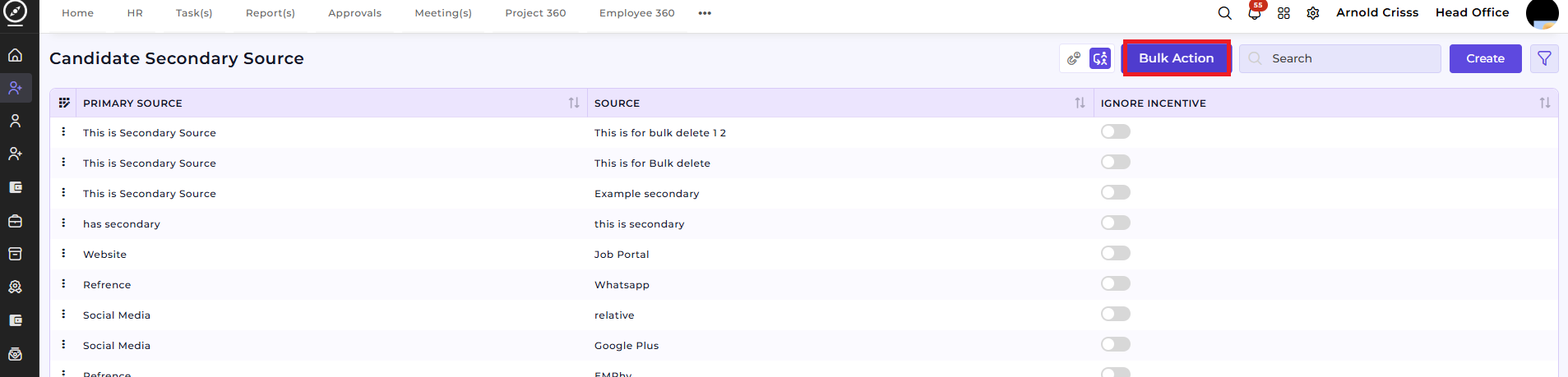
Bulk Action Feature:
The Bulk Action feature allows you to manage multiple sources at once. For instance, you can delete multiple sources (both primary and secondary) simultaneously, making the source management process faster and more efficient. Select the entries you want to delete and use the bulk action to remove them.
How This Feature Helps:
The Primary and Secondary Sources feature playshelps a critical role in the recruitment process by helping you track the effectiveness of your candidate sourcing channels. It allows you to:
Organizeorganize candidate sources to understand which platforms are the most effective for attracting top talent.Link secondary sourcesto primary sources for better candidate data management.Track and reporton the most successful sourcing methods, allowing you to refine your recruitment strategy.Use bulk actionsto quickly delete or update sources for better management of your data.
This ensures that your recruitment process is transparent and data-driven, making it easier to optimize sourcing strategies and improve the overall candidate acquisition process.