
Candidate Status
The Candidate Status page is used as follow-up or candidate's current status or taken follow-up. All the configurations like Interview Conducted, Next Follow-Up, etc. are set up by Bizcompass. They are one-time configurations and can't be used for another status.
For e.g., Trial configuration is set on for Trial Period status. This configuration can't be set on for another status.
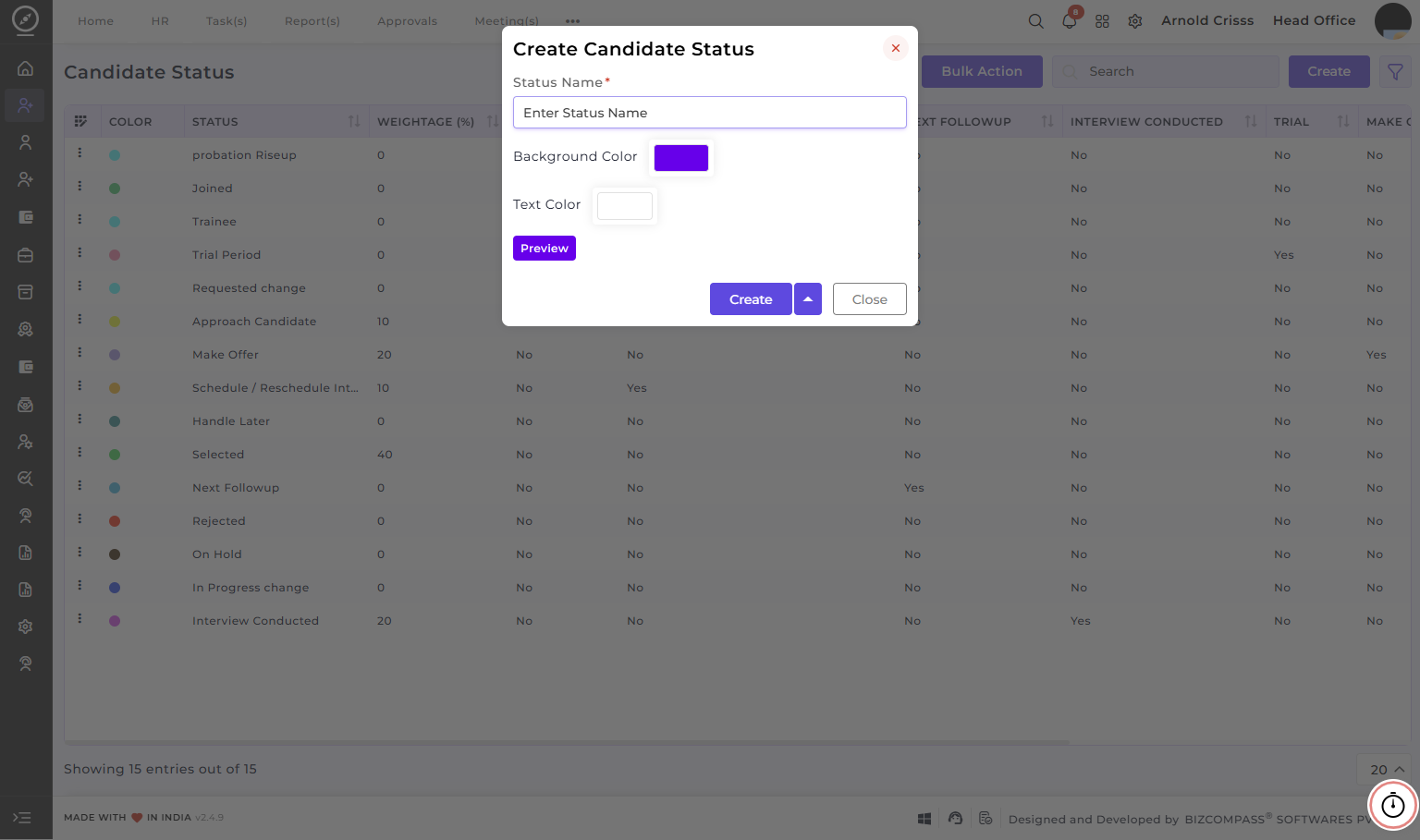
Create Candidate Status:
-
Enter the Status/Follow-up Name that represents a specific status type in the recruitment process, such as Selected, Rejected, Interview Conducted, Made Offer, etc.
-
Optionally choose a Background Color and Text Color that represents the status visually (this can be used while reviewing applications at application list view).
- Preview the status look before creating it.
The Bulk Action button allows you to delete multiple candidate statuses at once, streamlining the management process.