
Documents
This page is used to manage all types of documents required during the Document Collection stage of the Joining Stage.
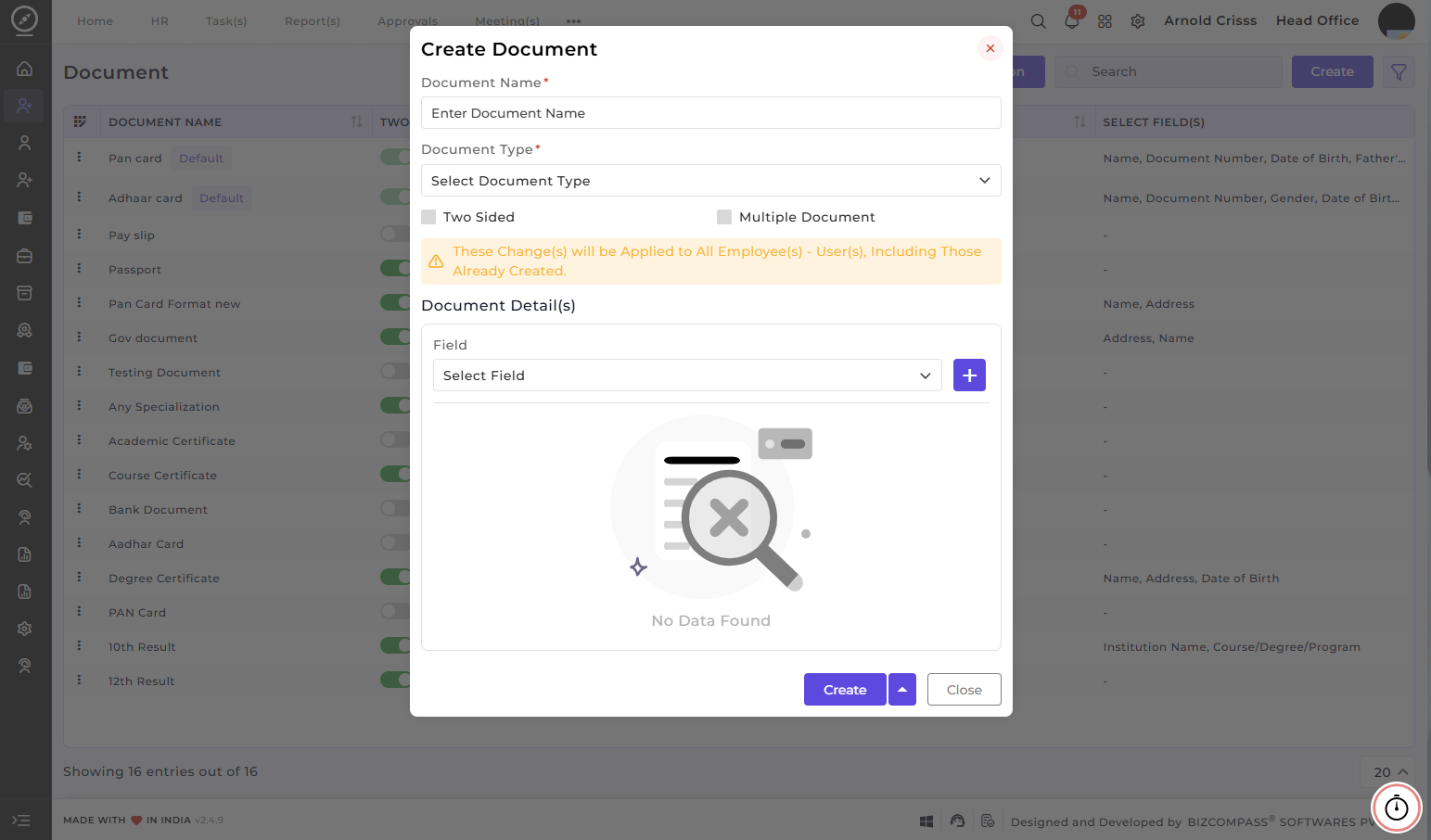
Create Document:
- Specify the name of the Document (e.g., Passport, Pan Card).
- Select the Document Type (Government, Academic Certificate, Any Other).
- Enable the Two-Sided option if the document has details on both sides.
- Enable the Multiple Document option if multiple copies of the same document are needed.
- Select the Fields required for each document (e.g., Name, Date of Birth, Address).
You can pick from existing fields or add new ones.
With the Bulk Action feature, you can delete multiple documents at once, streamlining the process of managing and maintaining recruitment process.
This feature is optional. If your company does not require document collection through the system, you can skip configuring it.