
Employee Referral Program
The Employee Referral Program page is used to manage and create referral programs where existing employees can refer potential candidates. Referrals made by employees are tracked in the system and reflected on the Candidate Inquiry page under the entry source Referral. This feature helps incentivize employees to recommend qualified candidates from their network.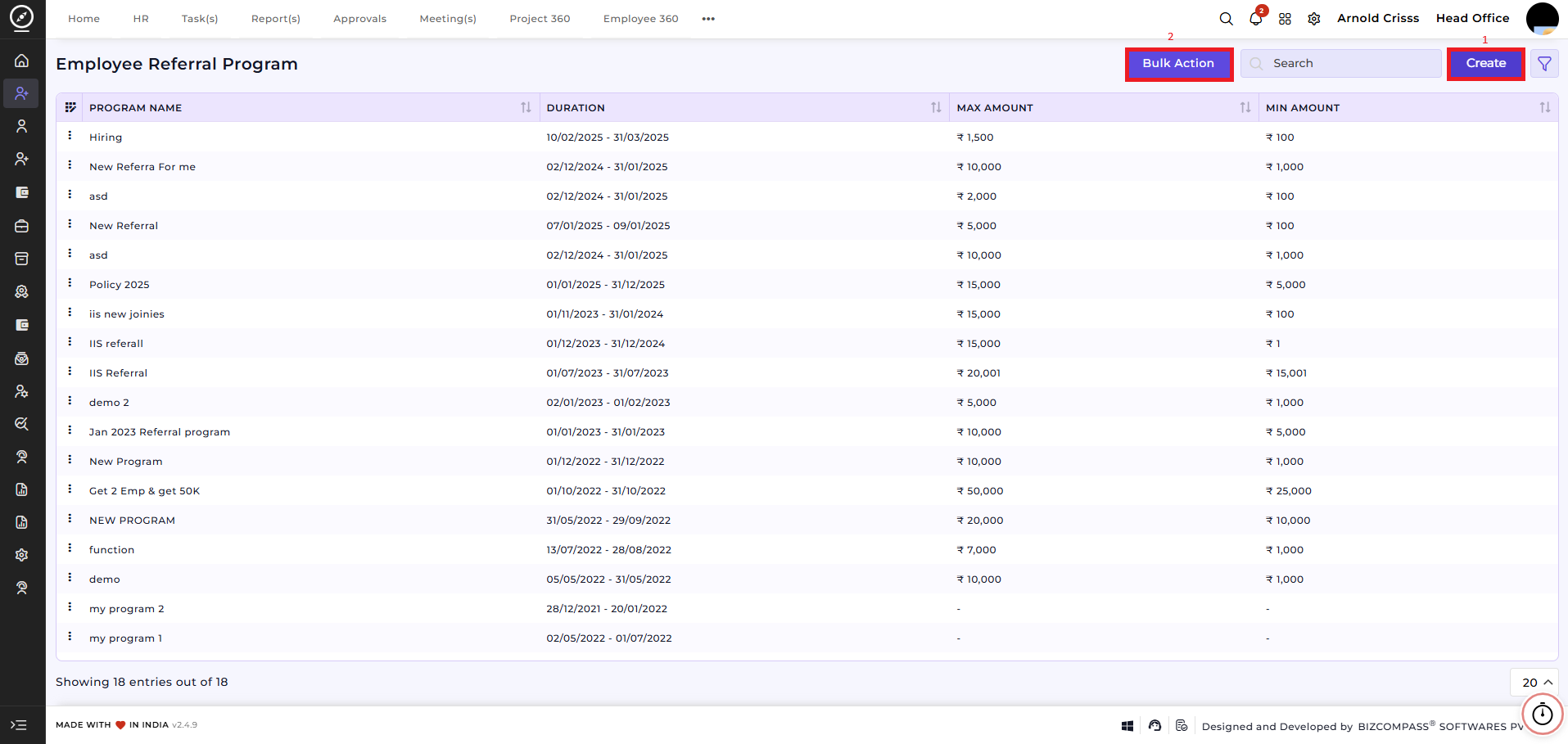
1) Create Referral Program:
-
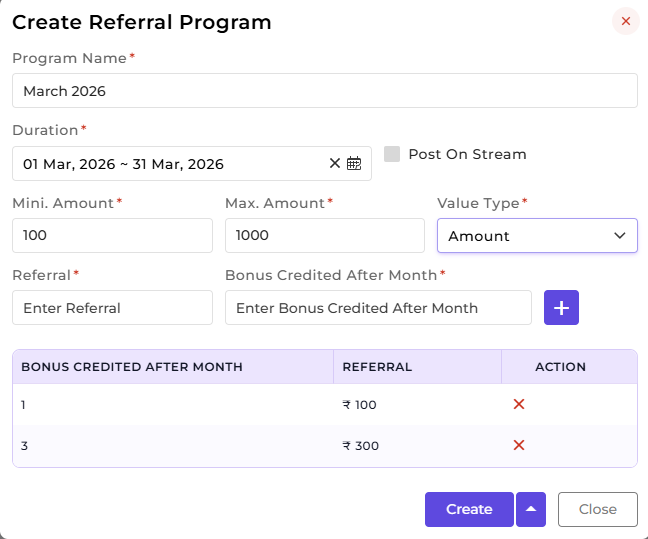
Program Name: Enter a name for the referral program, e.g., "March 2026 Referral Drive."
-
Duration: Specify the start and end date for the program.
-
Post on Stream: Optionally, enable this to post the program on the internal stream for visibility.
-
Minimum and Maximum Amount: Define the reward range for successful referrals.
-
Value Type: Select the type of value (percentage or amount).
-
Referral: Enter the amount for a successful referral.
-
Bonus Credited After Month: Specify the month(s) when the referral bonus is credited. Multiple entries can be added using the + button, e.g., Month 1 – ₹100, Month 3 – ₹300.
2) Bulk Action:
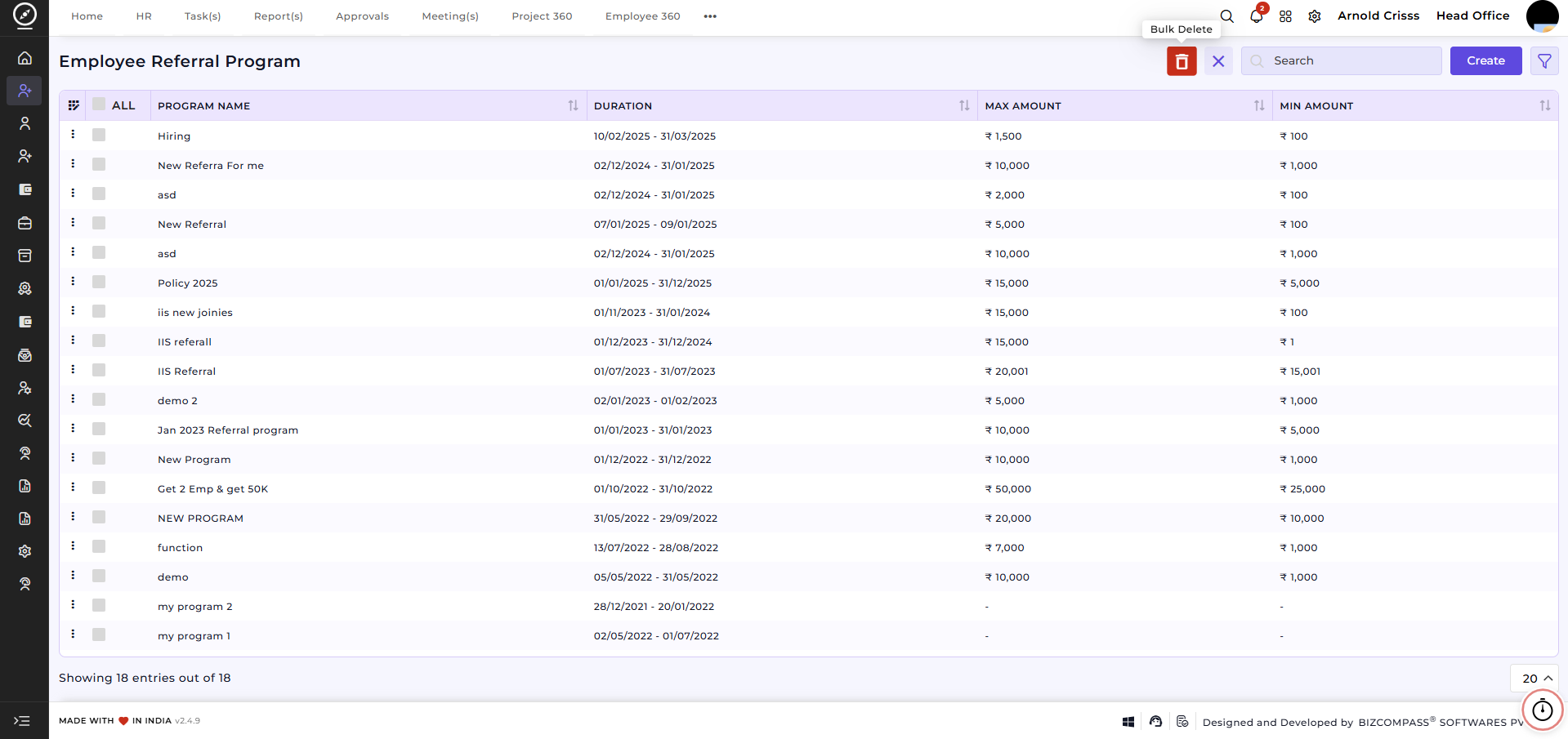
With the Bulk Action feature, you can delete multiple employee program referrals at once, streamlining the process of managing and maintaining recruitment process.
How This Feature Helps:
-
Tracks all employee referrals in a structured manner.
-
Ensures timely bonus allocation for successful referrals.
-
Encourages employee participation in hiring top talent.
-
Simplifies management and monitoring of referral programs across the company.
This feature is optional; it can be configured only if your company wants to run employee referral programs.