Interview Stages
The Interview Stage page is used to configure the different stages (e.g., telephonic interviews, aptitude test) of the interview process in the recruitment procedure. This allows you to create and manage various interview stages such as telephonic interviews, technical rounds, coding tests, and face-to-face interviews. These stages ensure that each candidate goes through a structured and consistent interview process, making the recruitment procedure transparent and organized.
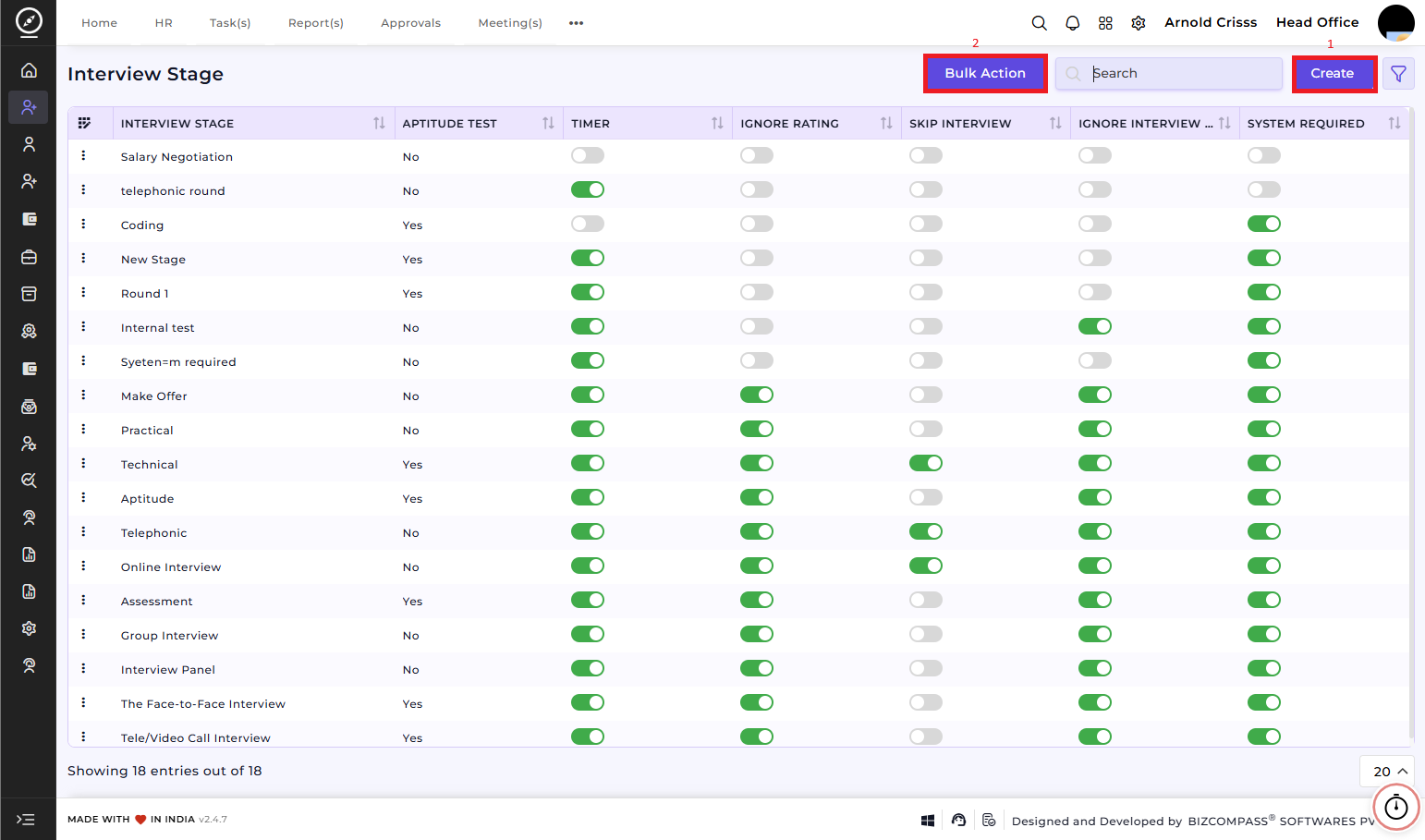
1) Create Interview Stage:
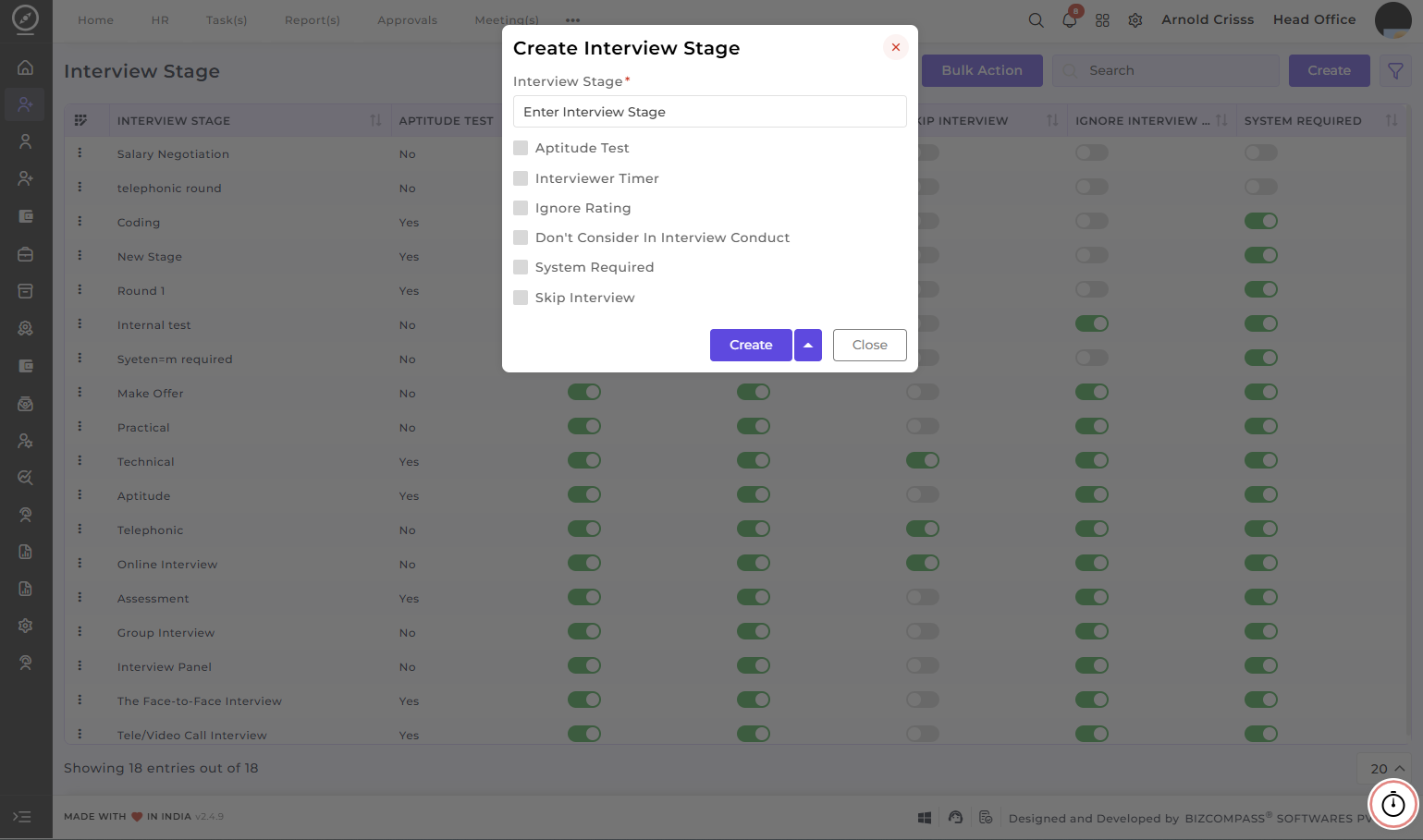
To create a new interview stage:
-
Enter the Interview Stage
Name:Specify thenameof the stage.. -
Enable the
AddAptitude Test:SelectYesoption if the stage involves an aptitude test.This can be used for stages where candidates need to complete an online or written test. -
Choose the Interview Timer
:ChooseYesoption to set a timer for the interview. This is helpful for managing the duration of the interview and ensuring that each candidate is given the appropriate amount of time. -
Enable the Ignore Rating
:Enable thisoption if you wish to skip the rating process for this particular interview stage.This can be used when the stage does not require a rating or evaluation of the candidate. -
Enable the Don't Consider in Interview Conduct
:Enable thisoption if this stage should not be considered when conducting the final evaluation of the candidate. -
Enable the System Required
:Enable thisoption if a PC is required for that stage. This option is generally enabled for aptitude or online interview stages. -
Enable the Skip Interview
:Enable thisif you wish to give the option of skipping this stage during the interview procedure flow if needed to the recruiters. Create:Once all the details are filled in, click theCreatebutton to add the interview stage to the system.
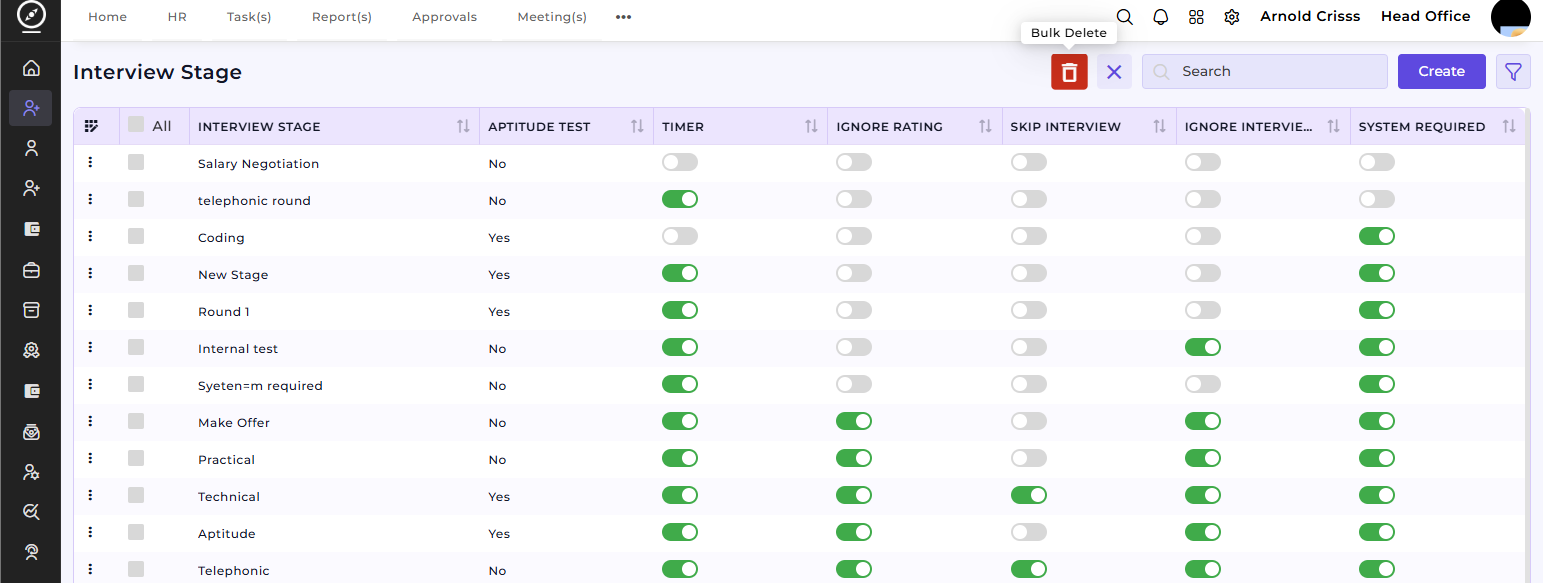
2) Bulk Action:
The Bulk Action button allows you to delete multiple interview stages at once, streamlining the management process.