
Joining Stages and Joining Procedure Flow
The Joining Stage page is used to configure the different stages of the onboarding process in the recruitment procedure. This allows you to create and manage various joining stages such as background verification, explain and send policy, document collection, and account creation. These stages ensure that each candidate goes through a structured and consistent onboarding process, making the recruitment procedure transparent and organized.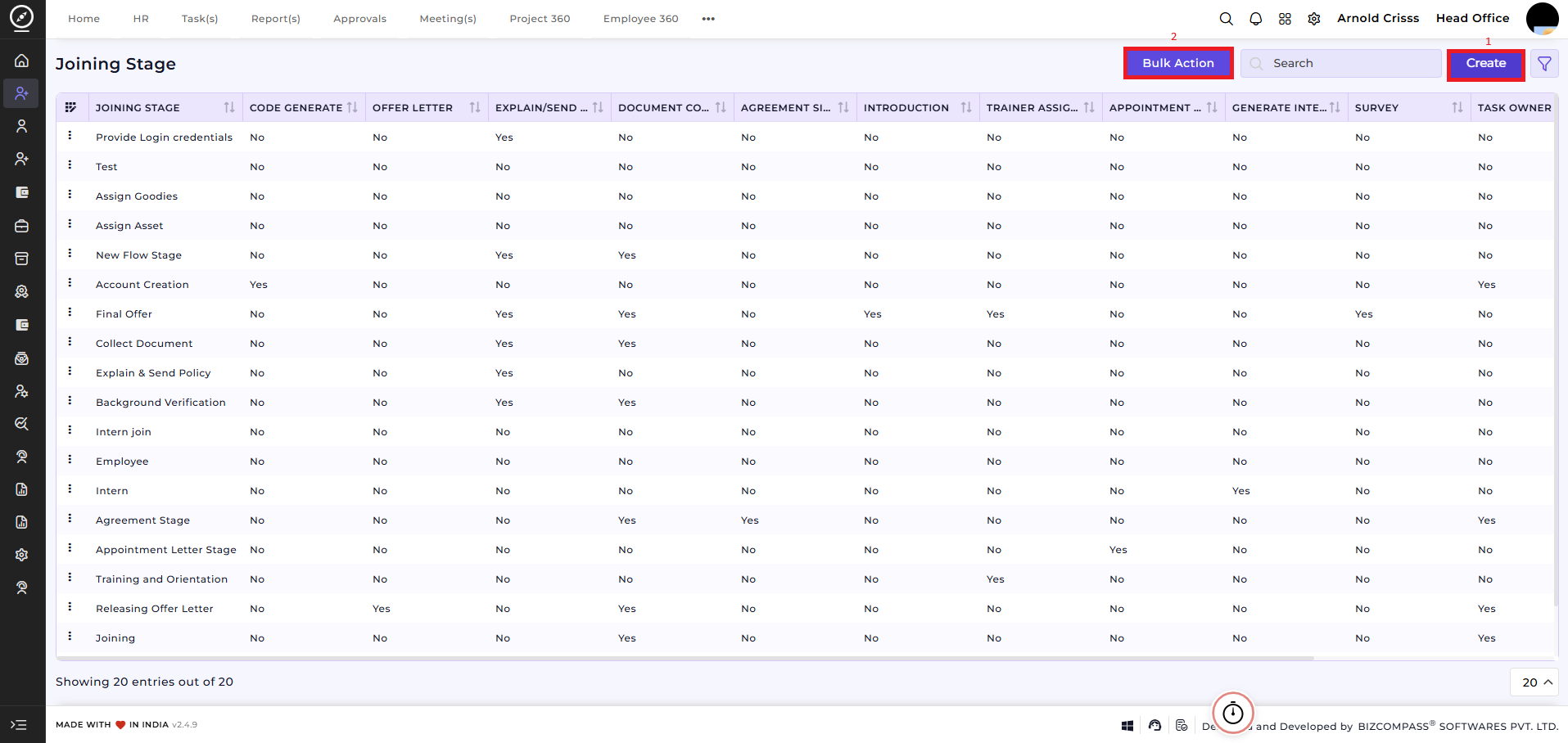
1) Create Joining Stage:
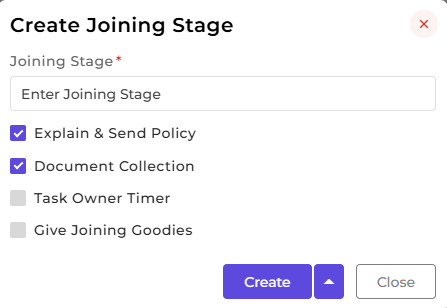
To add a new joining stage:
- Enter the joining stage name.
Flag Options:
- Explain & Send Policy: Select this if you want to send company policies to the candidate and explain them during the joining process.
-
Document Collection: Enable this to track and collect all required documents from the candidate.
-
Task Owner Timer: Use this option to set deadlines for specific tasks assigned to responsible HR personnel.
-
Give Joining Goodies: Check this to ensure the candidate receives welcome kits or joining goodies.
-
After filling in the joining stage name and selecting the required options, click Create to add the stage to the system.
2) Bulk Action:
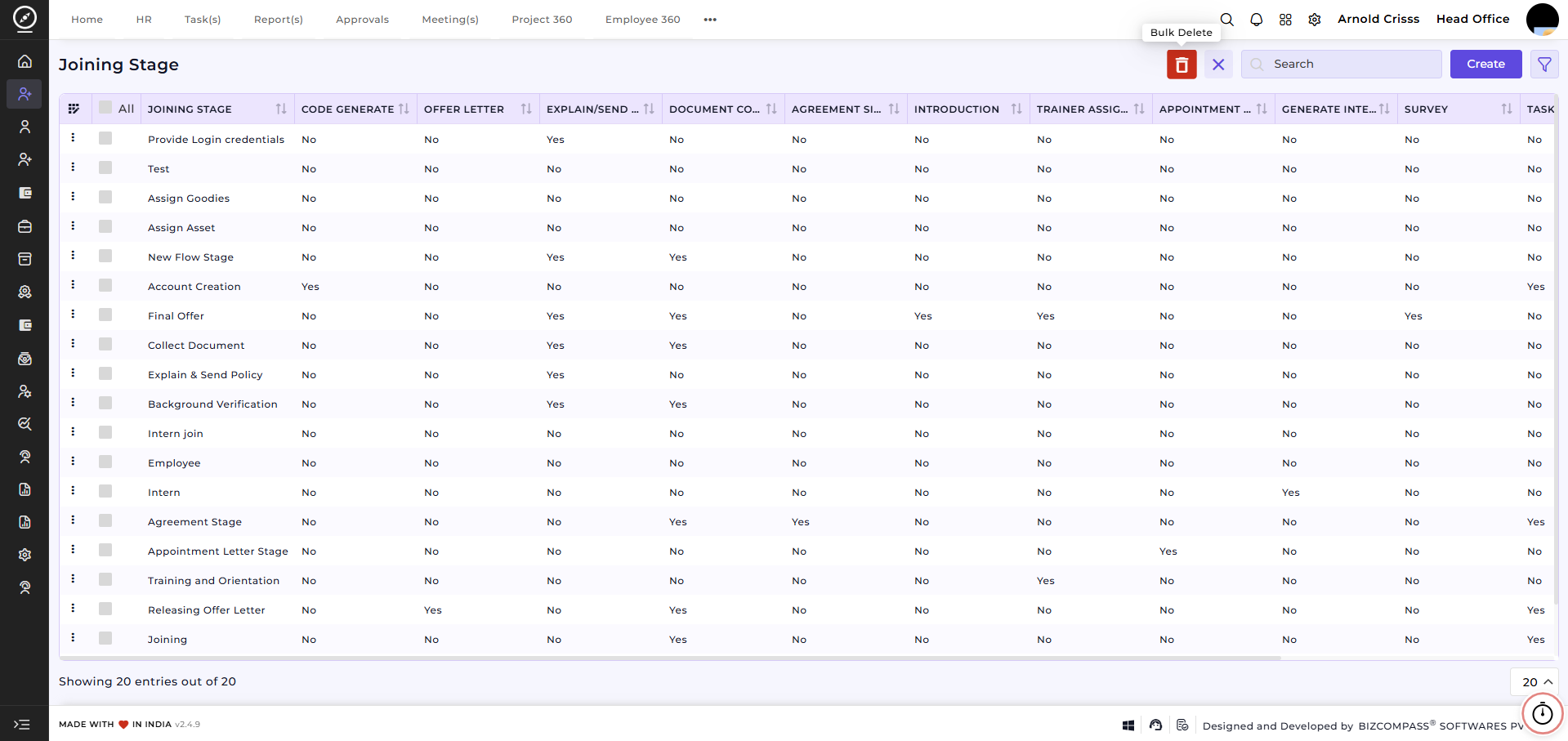
The Bulk Action button allows you to delete multiple joining stages at once, streamlining the management process.
Interview Procedure Flow:
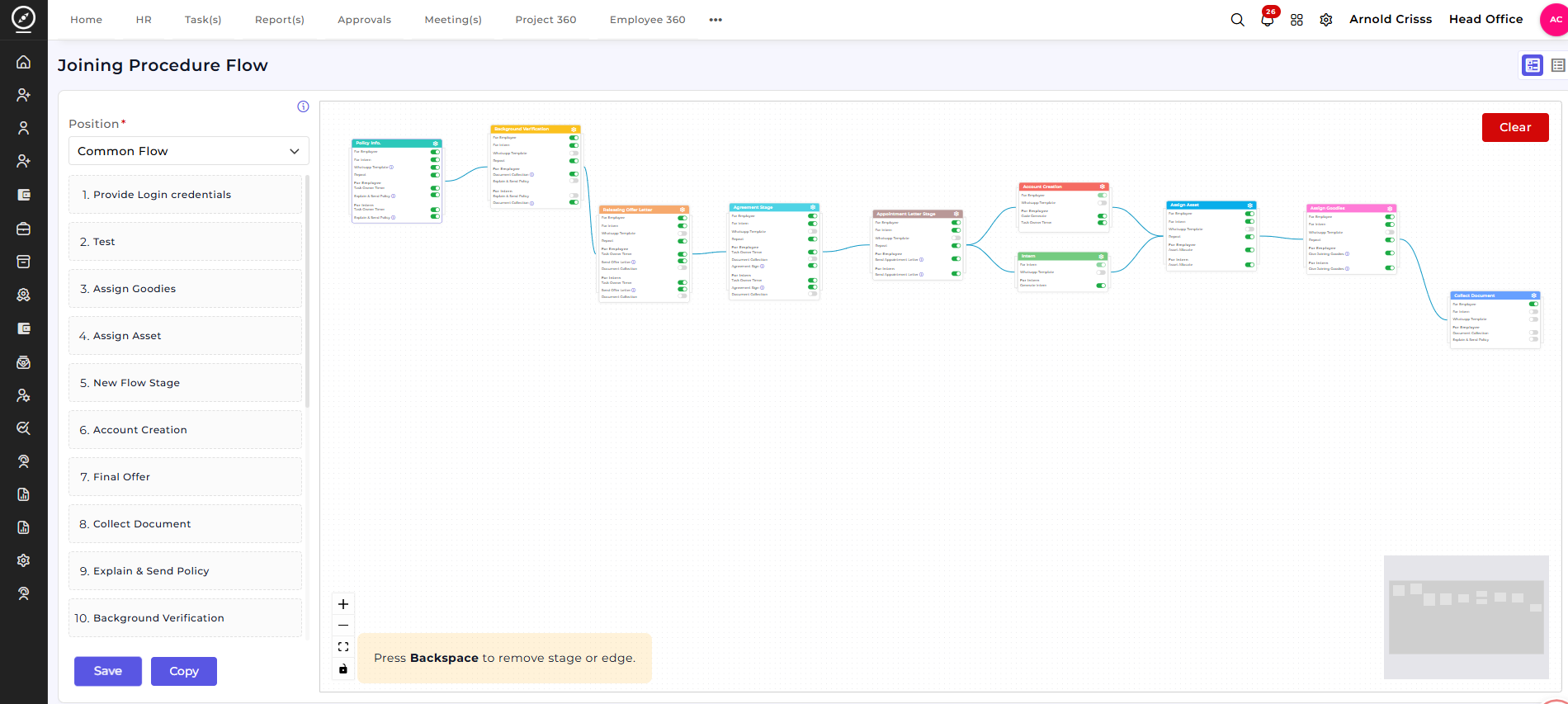
The Joining Procedure Flow defines the complete onboarding journey for a candidate after selection. It provides a dynamic visual workflow builder that allows HR teams to design, configure, and manage every step involved in the employee joining process in a structured and sequential manner.
Overview:
This screen displays a visual flow of all onboarding stages connected in sequence for a selected position.
-
Select a Position / Flow (for example, Common Flow).
-
View all onboarding stages arranged visually from start to end.
-
Each stage represents a specific onboarding activity.
-
Stages are connected to clearly define the execution order.
-
Use Save, Copy, or Clear actions to manage the flow.
The left panel lists all available stages, while the main canvas shows the connected onboarding workflow.
Customizable Stages:
The joining process consists of multiple configurable stages, such as:
-
Explain & Send Policy
-
Background Verification
-
Issuing Offer / Appointment Letters
-
Account Creation
-
Assign Asset
-
Assign Goodies
-
Collect Documents
-
Final Offer Confirmation
These stages are fully customizable and can be created or managed separately, allowing organizations to adapt the onboarding flow to their internal processes without changing the workflow structure.
Visual Workflow Builder:
The visual builder allows administrators to:
-
Add onboarding stages to the flow
-
Connect stages to define execution order
-
Rearrange stages as required
-
Remove stages or connections easily
-
Clearly visualize the entire joining process in one screen
This ensures transparency and clarity across all onboarding steps.
Stage Configuration:
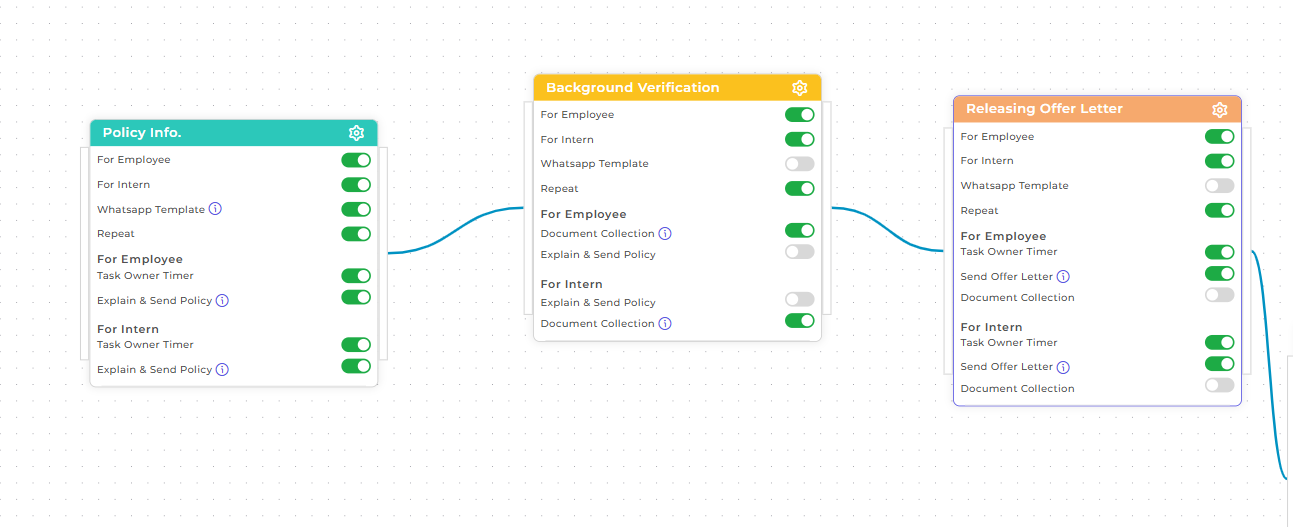
Clicking on any stage opens the configuration panel, where all essential details for that onboarding stage can be defined.
In this configuration, you can specify whether the stage applies to an Employee, an Intern, or both. This allows the same joining flow to behave differently based on the candidate’s selection type.
-
Enable or disable the stage separately for Employee and Intern.
-
Configure stage-specific actions such as Policy Sharing, Background Verification, or Offer Letter Release.
-
Choose whether the stage should Repeat if required.
-
Enable WhatsApp Templates for automated communication.
-
Control Document Collection based on the candidate type.
-
Enable Explain & Send Policy where applicable.
-
Turn on Task Owner Timer to track task completion time for HR or responsible teams.
Each stage can be configured independently while remaining connected within the overall joining workflow.
How this feature helps:
The stage-level configuration ensures flexibility and precision in the onboarding process.
It helps HR teams to:
-
Handle Employee and Intern onboarding within a single workflow
-
Customize actions based on candidate type
-
Automate communication and document collection
-
Maintain consistency while allowing process flexibility
-
Reduce manual follow-ups and onboarding delays
This ensures a streamlined, adaptable, and well-controlled joining process aligned with organizational requirements.