
Opening Status
The Opening Status page allows you to track and manage the progress of each job opening. While managing an opening on the Opening page, you can assign a status such as Open, On-Hold, Completed, or Closed.
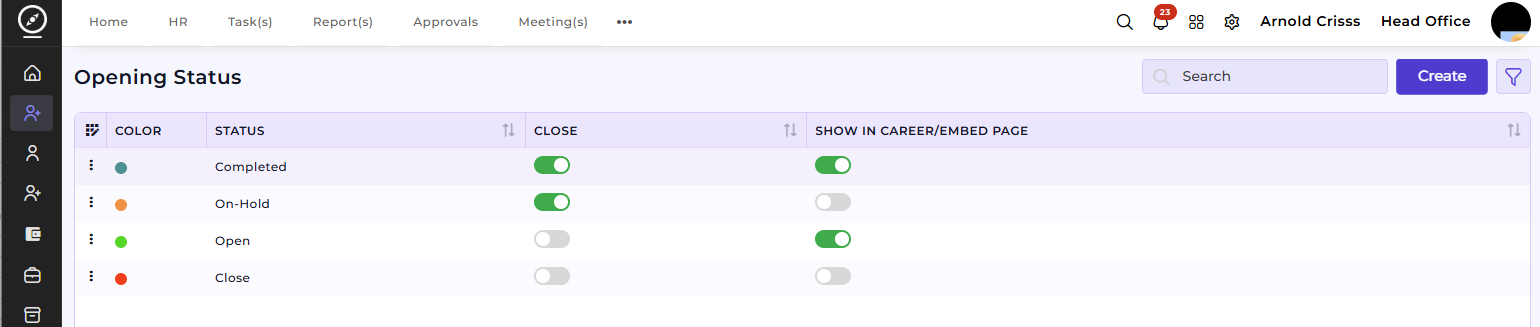
Create Opening Status:
-
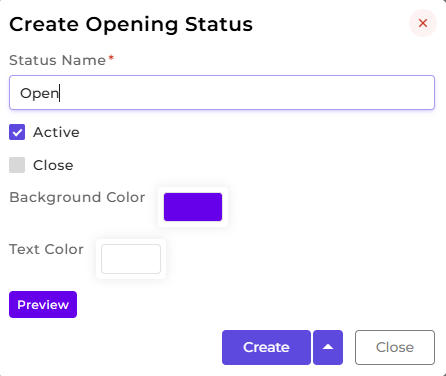
Enter a Status Name to define a new opening status.
-
Optionally, assign a Color to easily differentiate statuses visually.
- Preview the status look before creating it.
-
Click Create to save the new status, which will now be available to assign to any opening.
This feature provides a clear and standardized way to track the progress of all openings. It allows recruiters and managers to quickly see the current status of any position on the Opening Page.