
Opening
Openings
This feature is used to create job openings in the recruitment module. Using Openings, you can define the role, department, experience, salary, recruiter, and screening questions for hiring.
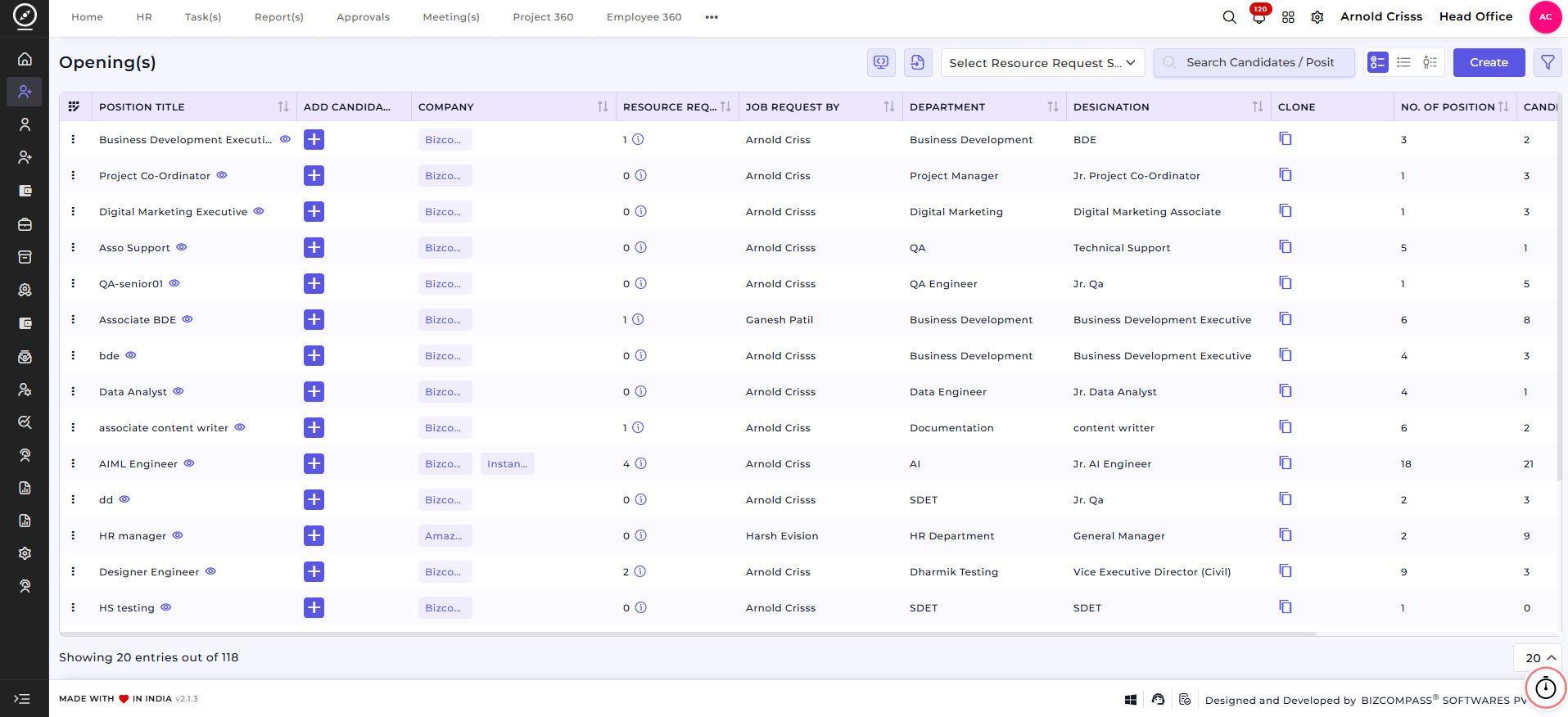
The opening is created using:
- Position Title
- Department
- Designation
- Experience Range
- Salary Details
- Company & Branch
- Recruiter
- Opening Questions
Create Opening(s)
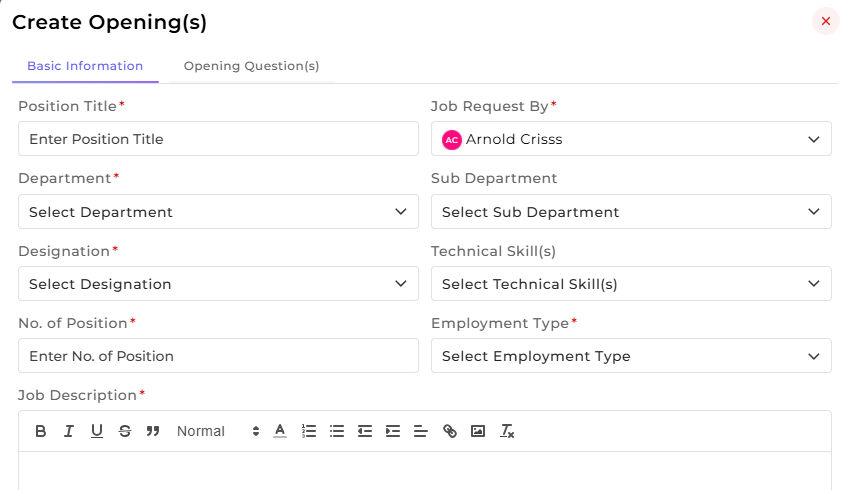
On this page, you can create a new job opening.
1. First, enter the 'Position Title'. For Example:
- Business Development Executive
- QA Engineer
- Digital Marketing Executive
2. Select 'Job Request' By (the person who requested the hiring).
3. Select the 'Department' and 'Sub Department'.
4. Select the 'Designation' for the position.
5. Select the required 'Technical Skill(s)' for the role.
6. Enter the 'Number of Positions' required.
7. Select the 'Employment Type'. For Example:
- Full-time
- Part-time
- Contract
8. Add the 'Job Description' explaining the role and responsibilities.
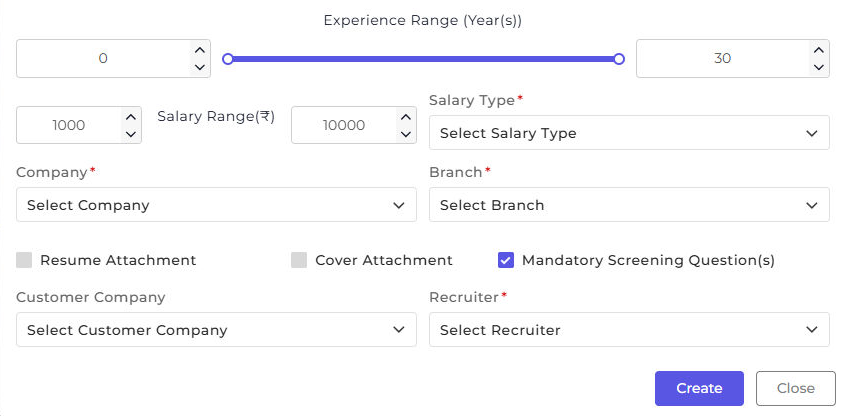
9. Set the 'Experience Range' (Years).
10. Enter the 'Salary Range' and select the 'Salary Type'.
11. Select the 'Company'. Based on the selected company, choose the 'Branch'.
12. Enable 'Resume Attachment' or Cover Attachment if required and Select the 'Recruiter' who will manage this opening.
13. Click 'Create' to save the opening.
 Now you can also create Opening questions. Let's see how:
Opening Question(s)
This section is used to add screening questions for the opening.
1. Select the 'Question Type' : Set or Individual
2. Enable 'Sectional Cut Off' if required.
3. Select the 'Question Set' (if Set is selected).
4. Choose the 'Question Selection Type' : Manual or Auto
5. Select the 'Opening Question(s)'.
6. The 'Total Mark(s)' are calculated automatically. Then you can Enter the 'Passing Mark(s)'.
7. Click 'Create' to save the opening with questions
How this feature helps
The Openings feature ensures that every job requirement is clearly defined before recruitment begins.
It reduces confusion, standardizes hiring criteria, and helps recruiters screen candidates effectively, by capturing role details, experience, salary, and screening questions.
This feature improves hiring accuracy, saves time, and ensures only suitable candidates move forward in the recruitment process.
Once an Opening is created, it becomes the reference for:
- Adding candidates
- Applying screening questions
- Tracking hiring progress
This ensures recruitment activities remain aligned with the original job requirement.