
Policy Master
The Policy Master page is designed to help organizations create, manage, and enforce company policies across different HR and operational processes. Policies can be applied to multiple stages of an employee’s lifecycle, such as joining (bond, company rules), data privacy, or shift schedules.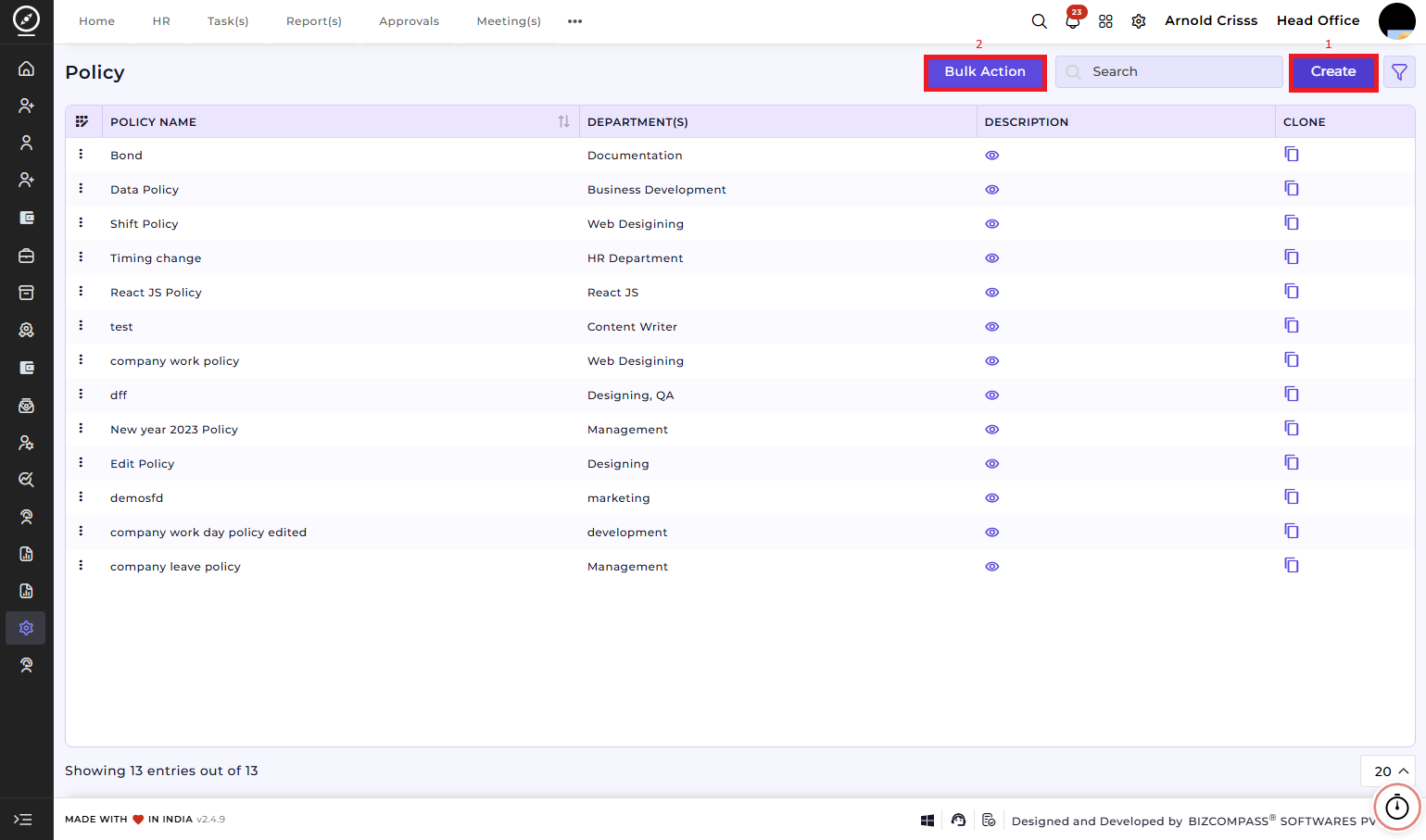
1) Create Policy:
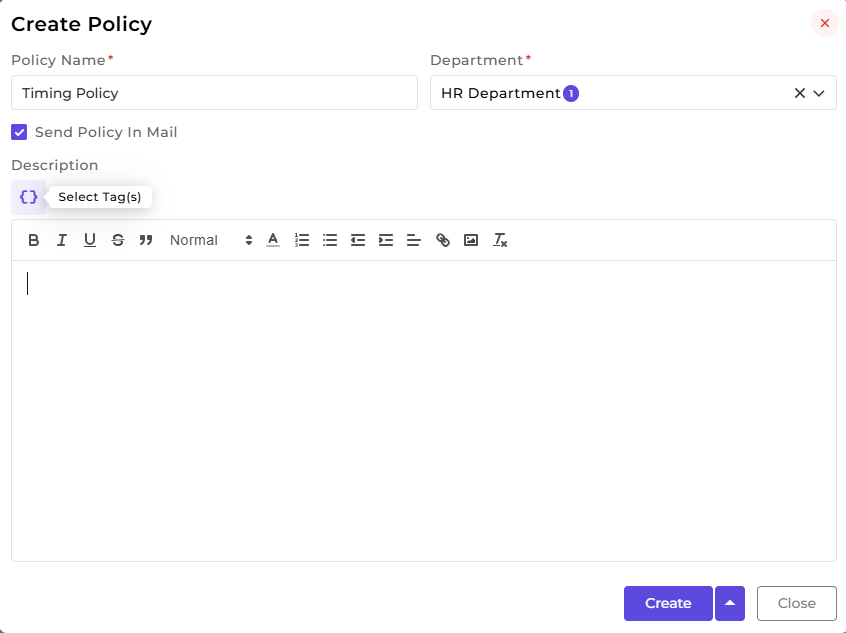
To create a new policy, click Create and fill in the required details:
-
Policy Name – Enter a descriptive name for the policy.
-
Department – Select the department this policy applies to.
-
Send Policy in Mail – Enable this option if you want the policy to be emailed automatically to relevant employees.
-
Description – Write the full policy content here. You can use dynamic placeholders (tags) such as:
-
Company Name, Company Address
-
Branch Name, Branch Address
-
Department Name, Designation Name
-
Employee Name, Employee Address
-
Company Stamp
This ensures that the policy content is personalized for each employee or branch.
-
2) Bulk Action:
With the Bulk Action feature, you can delete multiple policies at once, streamlining the process of managing and maintaining recruitment process.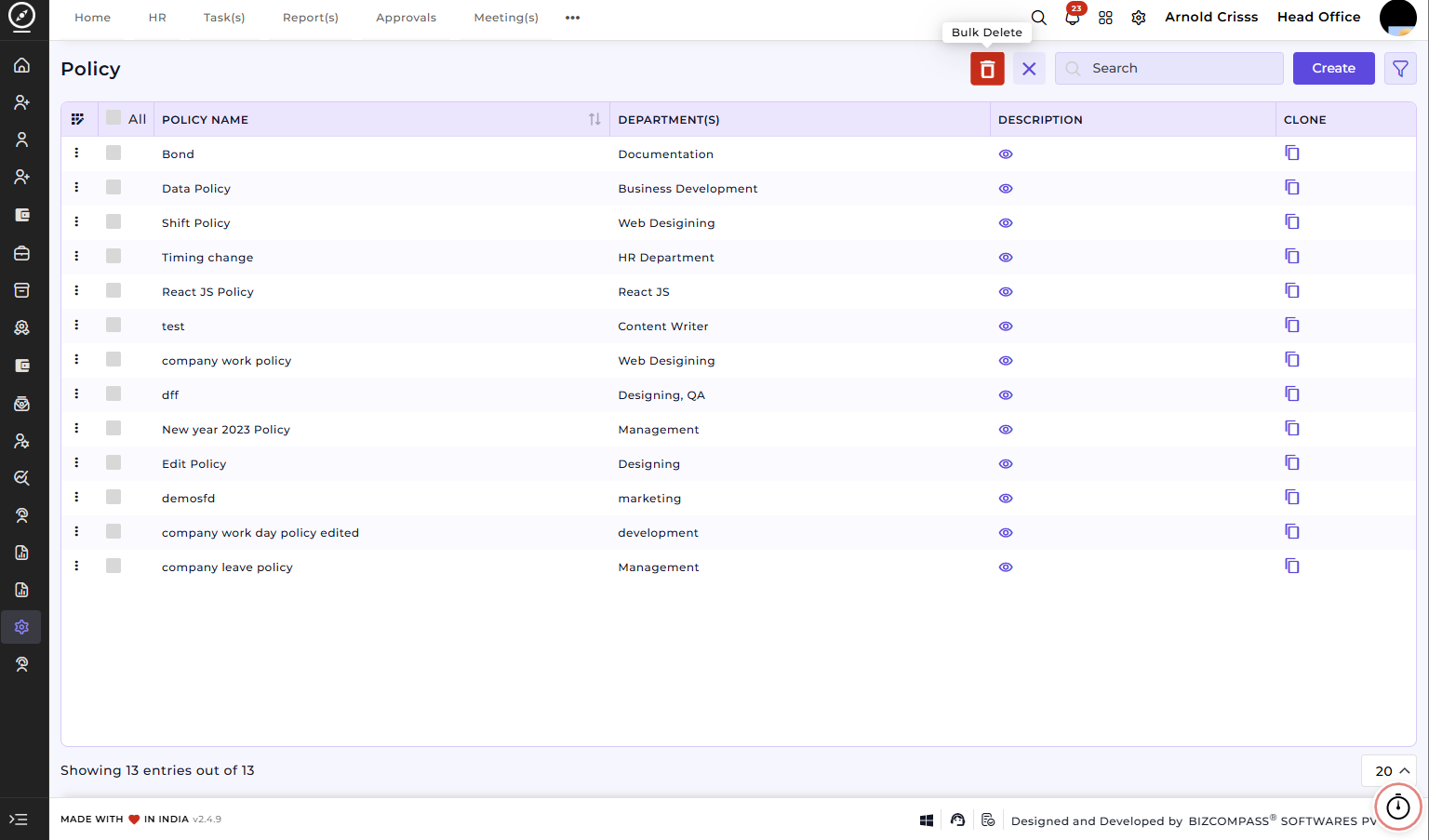
How This Feature Helps:
The Policy Master feature ensures that all employees have access to standardized and up-to-date guidelines. It helps HR and management:
Maintain compliance with company and legal requirements.Share important rules and instructions at relevant stages (joining, onboarding, shift scheduling, data handling).Automate communication of policies via email.Track and manage policies across departments and branches efficiently.