
Questions Answers
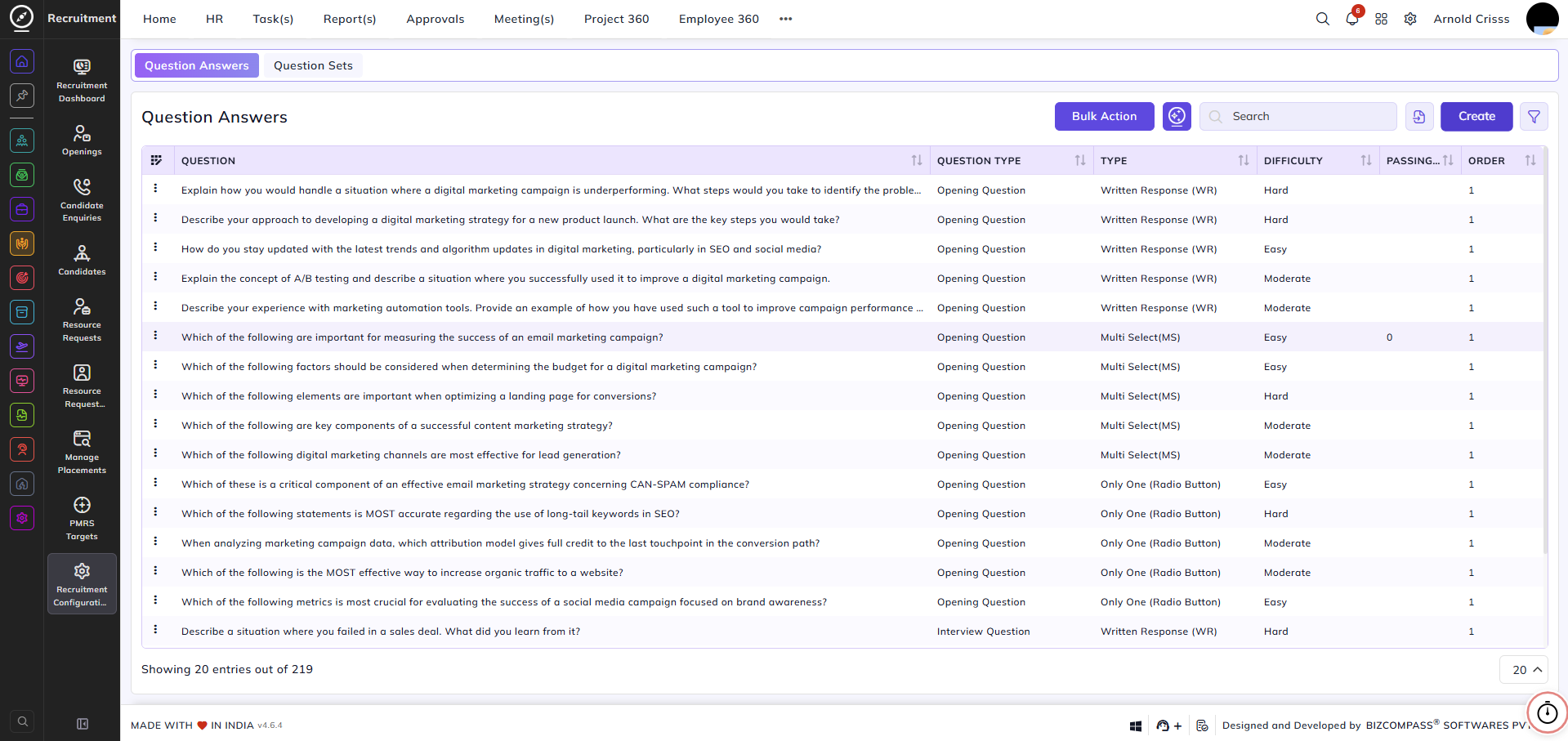
The Question Answers page is used to create questions.
- Opening Questions – Related to the position and application type
- Interview Questions – Questions the interviewer should ask during the interview
- Aptitude Questions – Questions that will be asked in the aptitude test
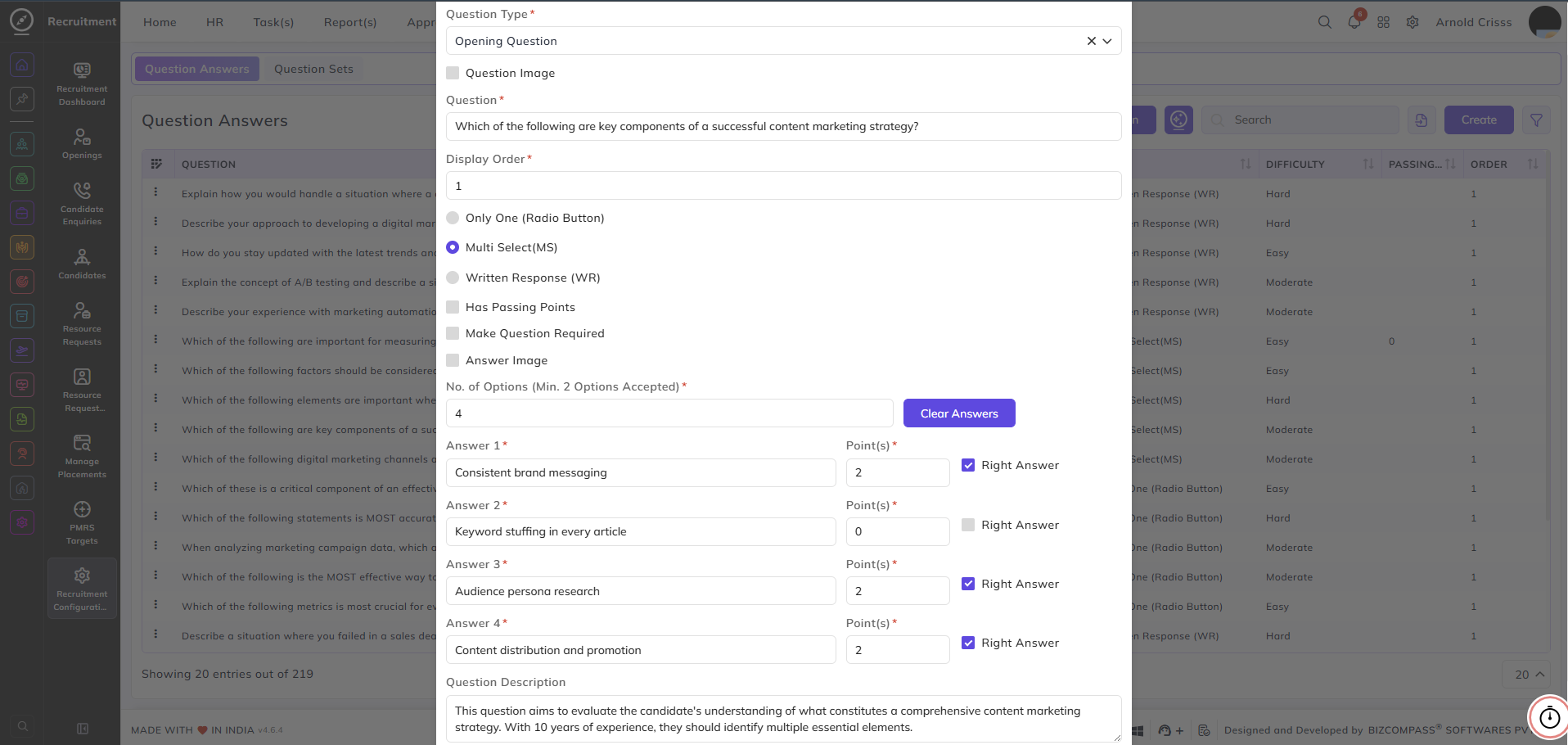
Create Question(s):
-
Choose the Question Type to be added (Opening Question, Interview Question or Aptitude Question)
Aptitude Questions – Have Difficulty and Time to Answer (in minutes) selection.
Interview Questions – Have only Difficulty selection.
Opening Questions – We can mark question as required if needed.
- Type the Question you want to ask the candidate. If you want to add an image to the question, select Question Image and upload the file in Image for Question.
-
Specify the Display Order of this question during the test or interview.
-
Select the Answer Type:
-
Only One (Radio Button)
-
Multi Select (MS)
-
Written Response (WR)
-
-
If the question has passing points, select it and enter the value in the Passing Points field.
- Based on the selected answer type, add the answers.
-
- For Only One and Multi Select, answers can also be added as images if required.
To add options, enter the total number in No. of Options (Min. 2 Options Accepted) and then fill the answers and specify the points for that question and mark the correct answer as Right answer. - Example:
Question: What is 1 + 1?
Options: 0, 1, 2 (So need to write 3 at No. of Options (Min. 2 Options Accepted))
Correct Answer: 2 (Need to mark as select as Right answer for this option)
- For Only One and Multi Select, answers can also be added as images if required.
-
- You can also add a Description for the question. (Example: This question checks basic addition knowledge)
Import Question(s):
You can import the questions in .xlsx or .xls formats from here. Moreover, you can download the Sample Template for questions.

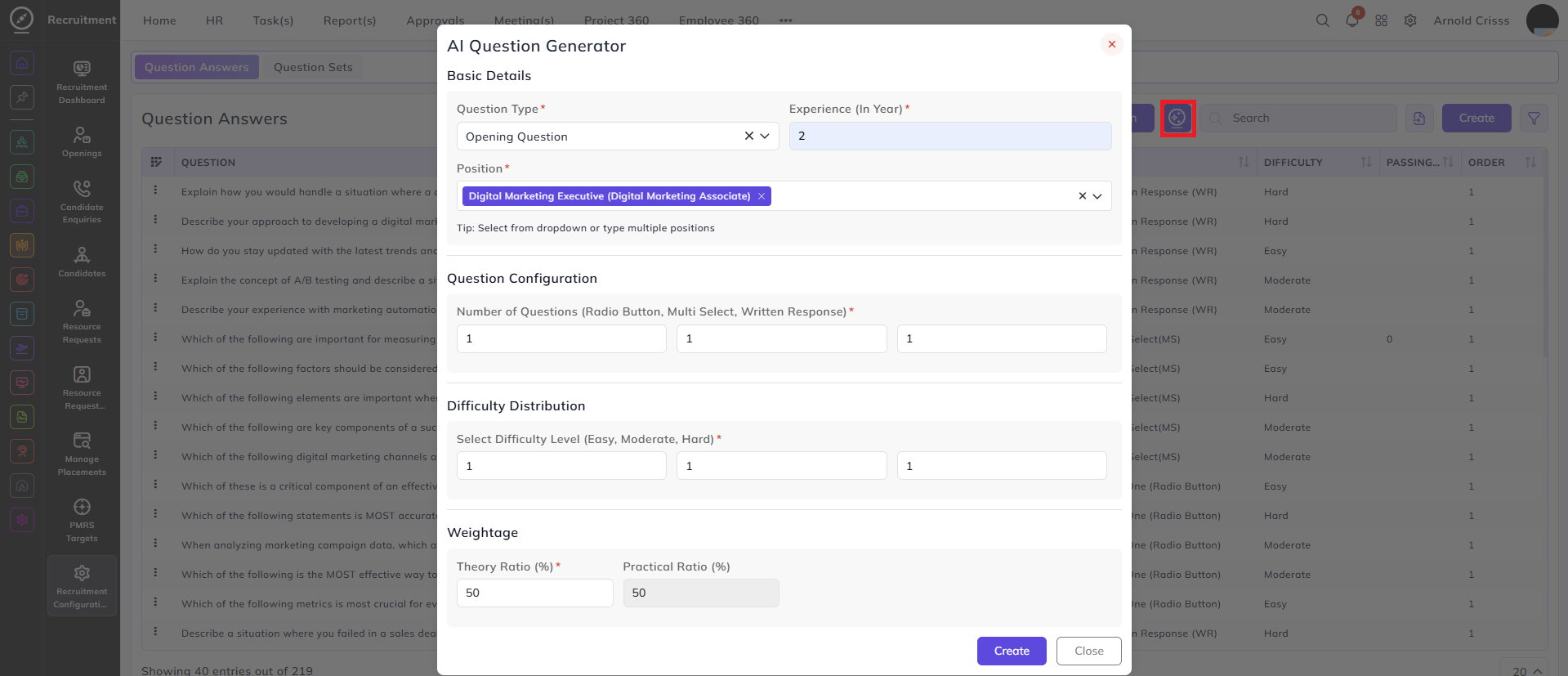
AI Question Generator:
The AI Question Generator can automatically generate relevant questions based on question type, position, experience level, and other parameters including Question Configuration, Difficulty Distribution and Weightage (Theory Ratio (%) and Practical Ratio (%)). This tool helps you save time by providing question suggestions that align with the job opening’s requirements.
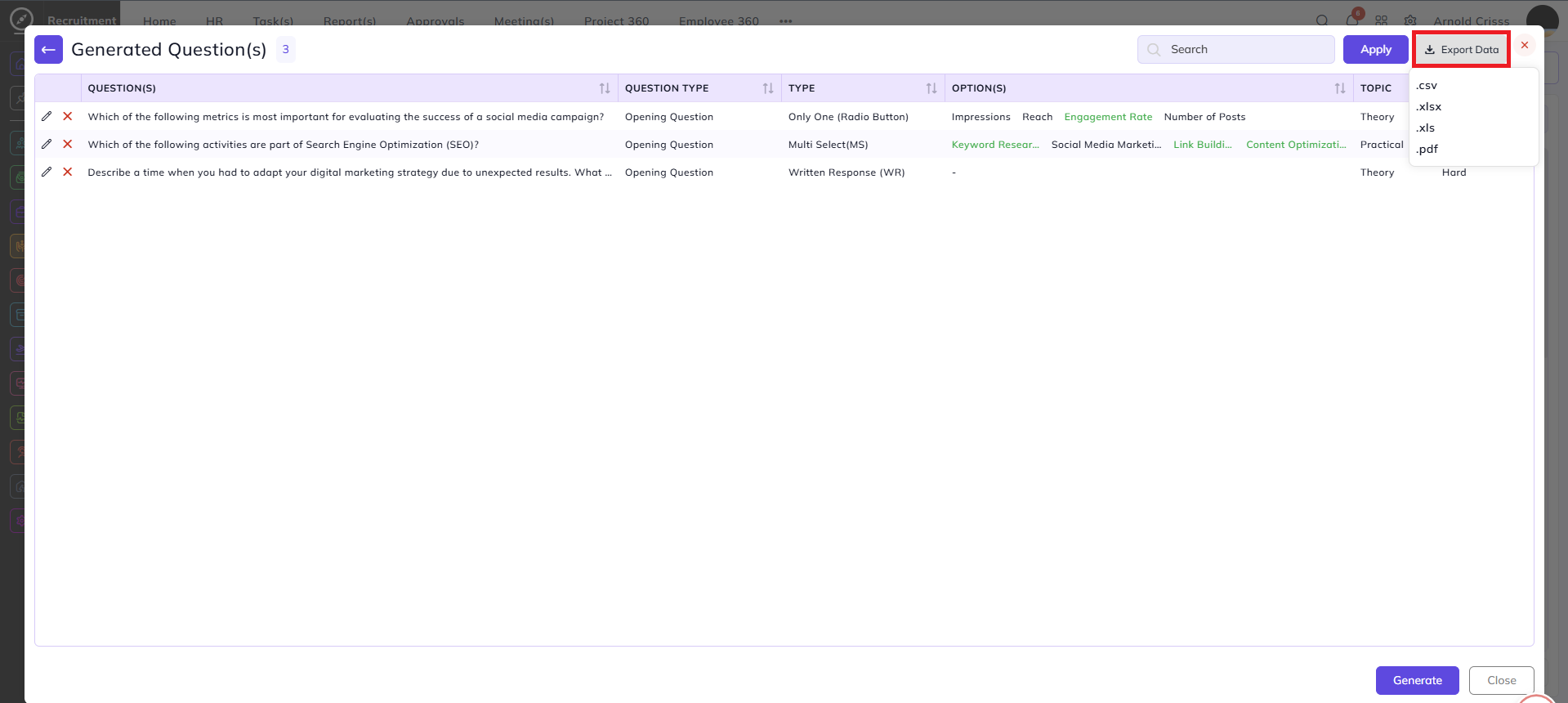
Once the questions are generated, you can also Export them as shown below:
With the Bulk Action feature, you can delete multiple questions at once, streamlining the process of managing and maintaining the question bank for openings.