
Questions and Question Set
The Question Master Page is used to define and manage the questions that will be used in the recruitment process, particularly in creating an Opening. This page allows you to add multiple types of questions like Opening Questions, Interview Questions and Aptitude Questions to ensure that candidates are thoroughly evaluated during the hiring process.
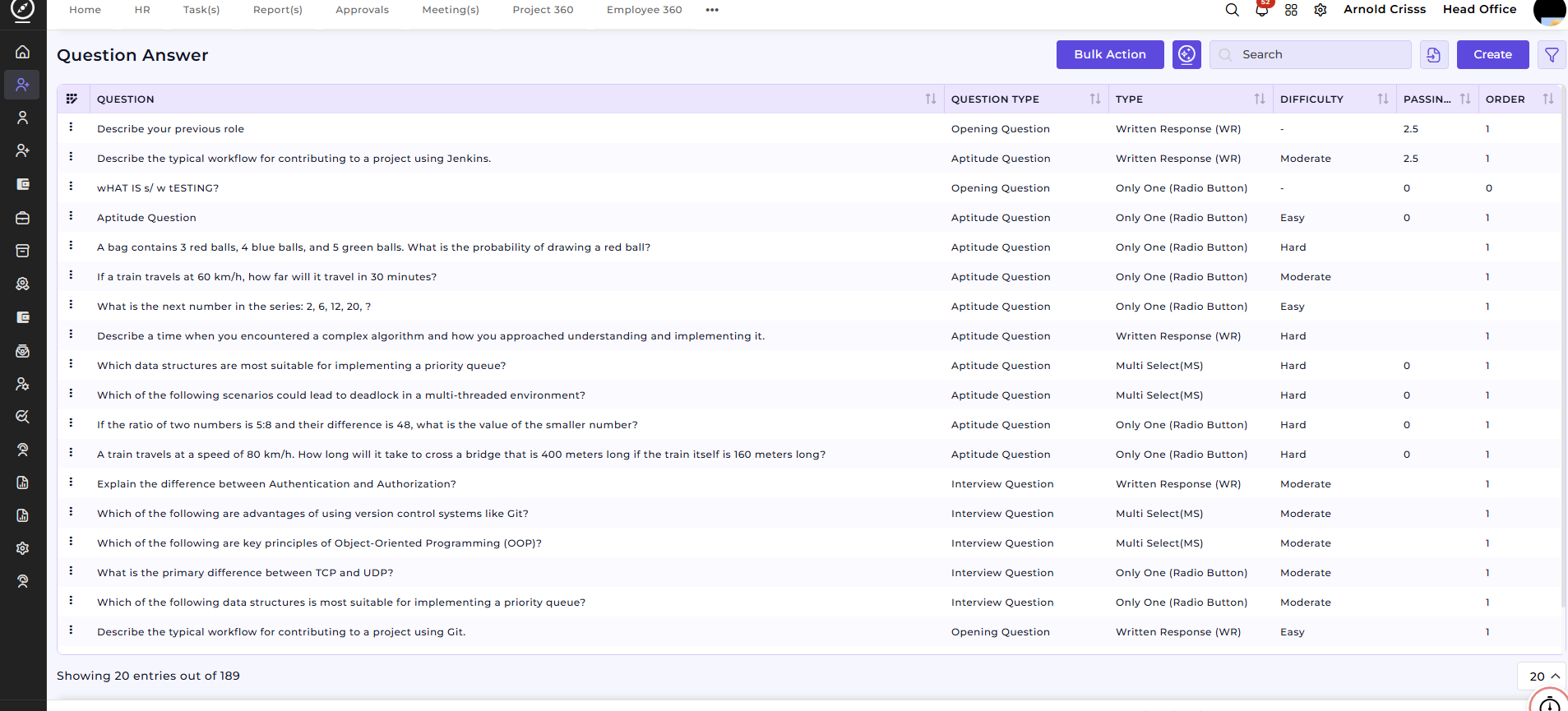
Create Opening Question(s):
This section is used to create Opening Questions that will be associated with job openings. These questions are designed to screen candidates before they proceed to the interview stage.
-
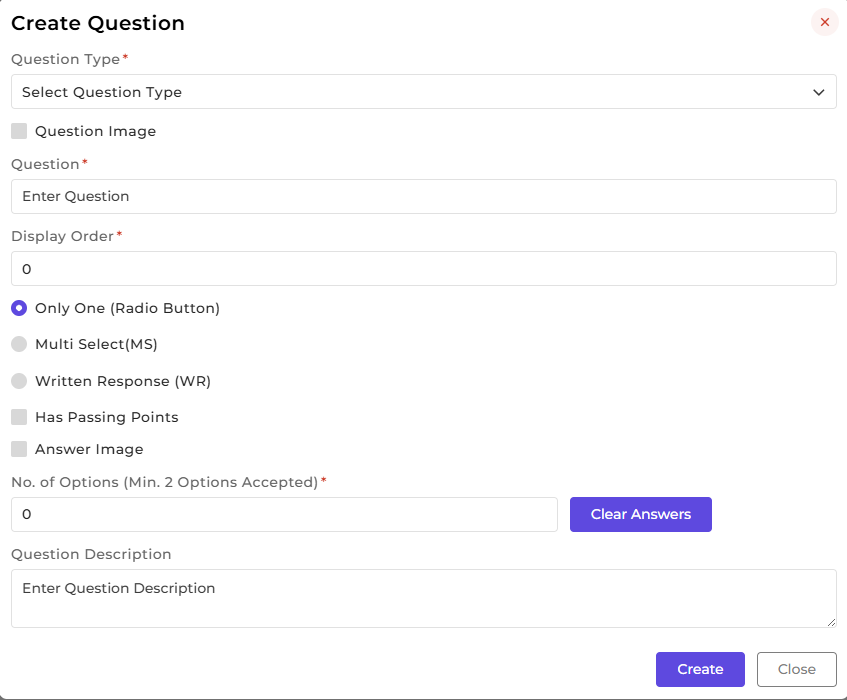
Select Question Type:
Choose the type of question to be added. You can select from three types of questions:-
Opening Question (Used for initial screening of candidates)
-
Interview Question (Used during the interview process)
-
Aptitude Question (Used to evaluate a candidate’s problem-solving abilities)
-
-
Enter the Question:
Type the question you want to ask the candidate. -
Select the Question Difficulty:
Define the difficulty level of the question:-
Easy
-
Moderate
-
Hard
-
-
Select Question Type:
Choose whether the question will be:-
Written Response (WR): For questions that require a written response.
-
Only One (Radio Button): For questions where the candidate selects one option from a list.
-
Multi Select (MS): For questions where the candidate can select multiple options.
-
-
Passing Marks:
Set the passing marks for the question if required. This is used to evaluate the candidate’s performance during screening. -
Order:
Specify the order of the question to be used in the opening.
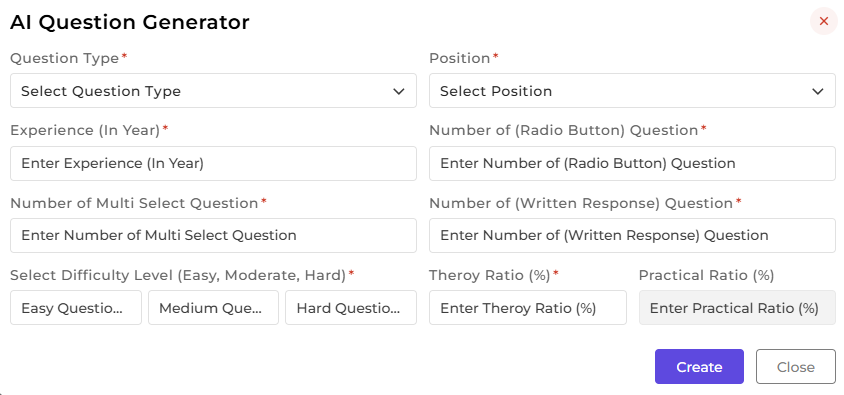
AI Question Generator:
The AI Question Generator can automatically generate relevant questions based on question type, position, experience level, and other parameters. This tool helps you save time by providing question suggestions that align with the job opening’s requirements.

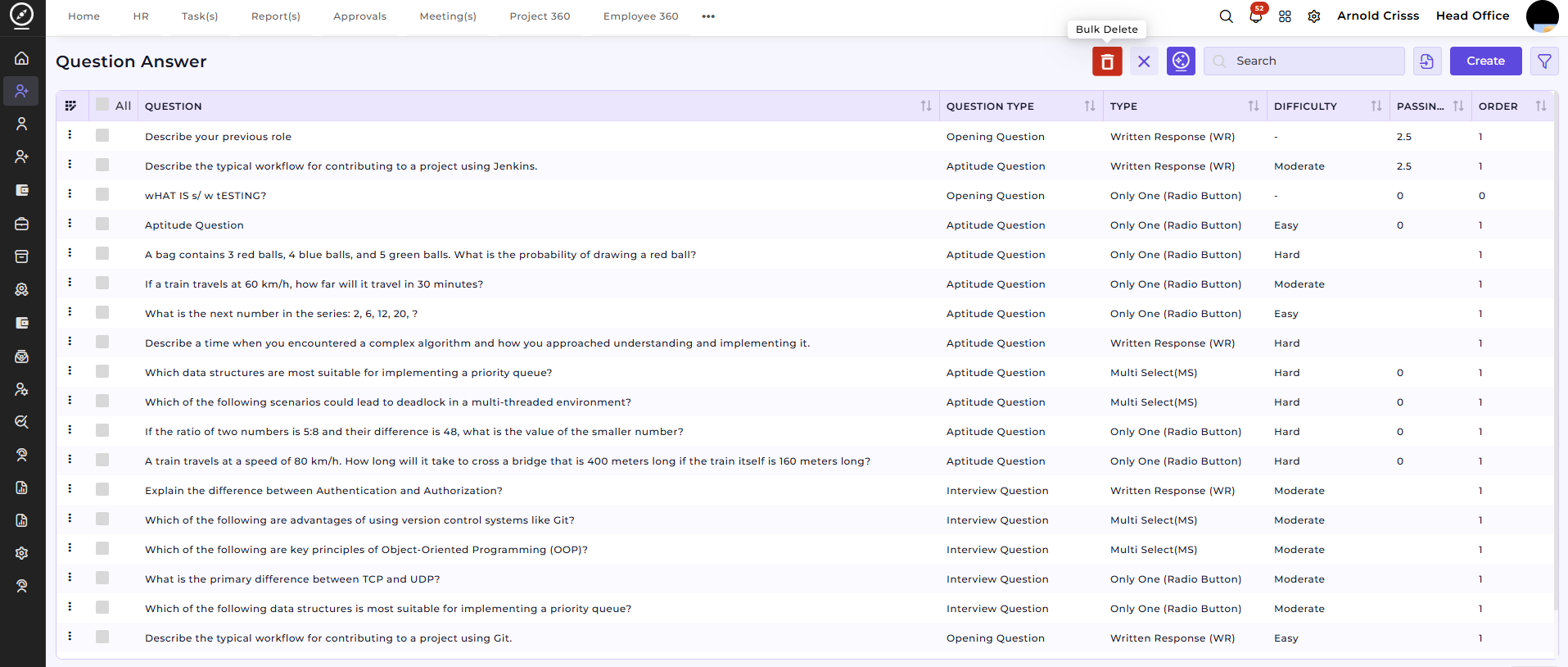
Bulk Action Feature:
With the Bulk Action feature, you can delete multiple questions at once, streamlining the process of managing and maintaining the question bank for openings. If you have unnecessary or duplicate questions, simply select them and delete in bulk to keep the question list clean and relevant.
Now, you can add these questions to the Question Set page for easier access.
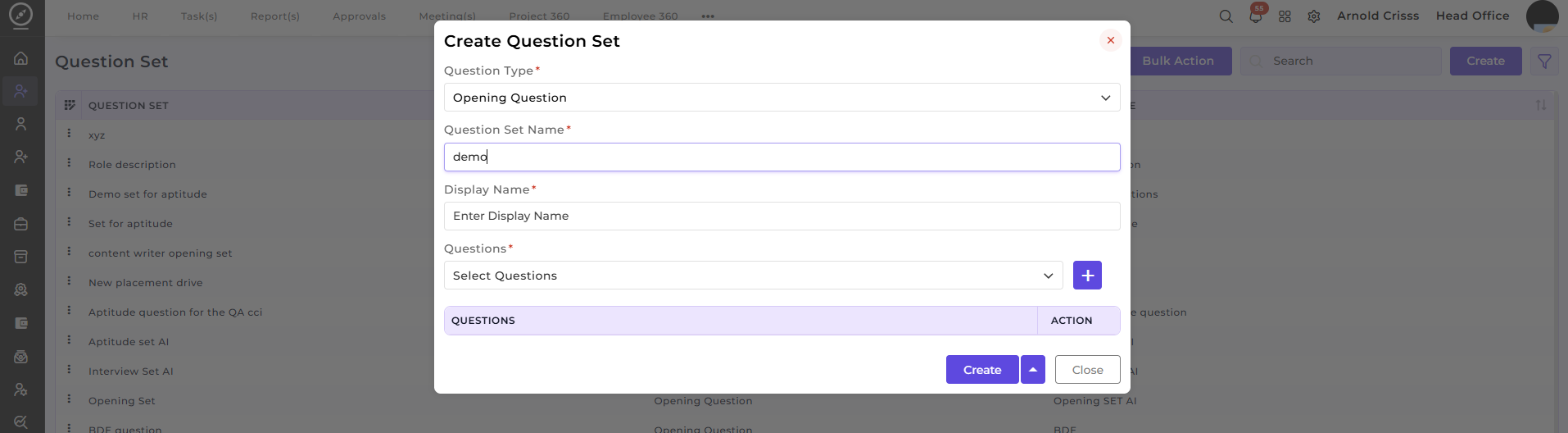
How This Feature Helps:
The Question Master Pageand Question Set pages ensures that the process of creating and managing opening questions is organized and efficient. By allowing you to define and categorize different types of questions (Opening, Interview, Aptitude), recruiters can standardize their candidate evaluations and ensure a fair and consistent screening process.
It helps HR teams to:
-
Create and manage questions that align with job requirements.
-
Use AI Question Generator to automatically generate relevant questions.
-
Track and organize questions for each opening type (Opening Questions, Interview Questions, Aptitude Questions).
-
Streamline the recruitment process by deleting unwanted questions in bulk.
Once a question is created, it can be linked to:
-
Job openings for candidate screening.
-
Interview evaluations to assess candidate suitability.