Questions and Question Set
The Question Master page is used to create questionsquestions.
- Opening Questions
,– Related to the position and application type - Interview Questions
,and– Questions the interviewer should ask during the interview - Aptitude Questions – Questions that will be
usedaskedduringin therecruitmentaptitudeprocess.test link
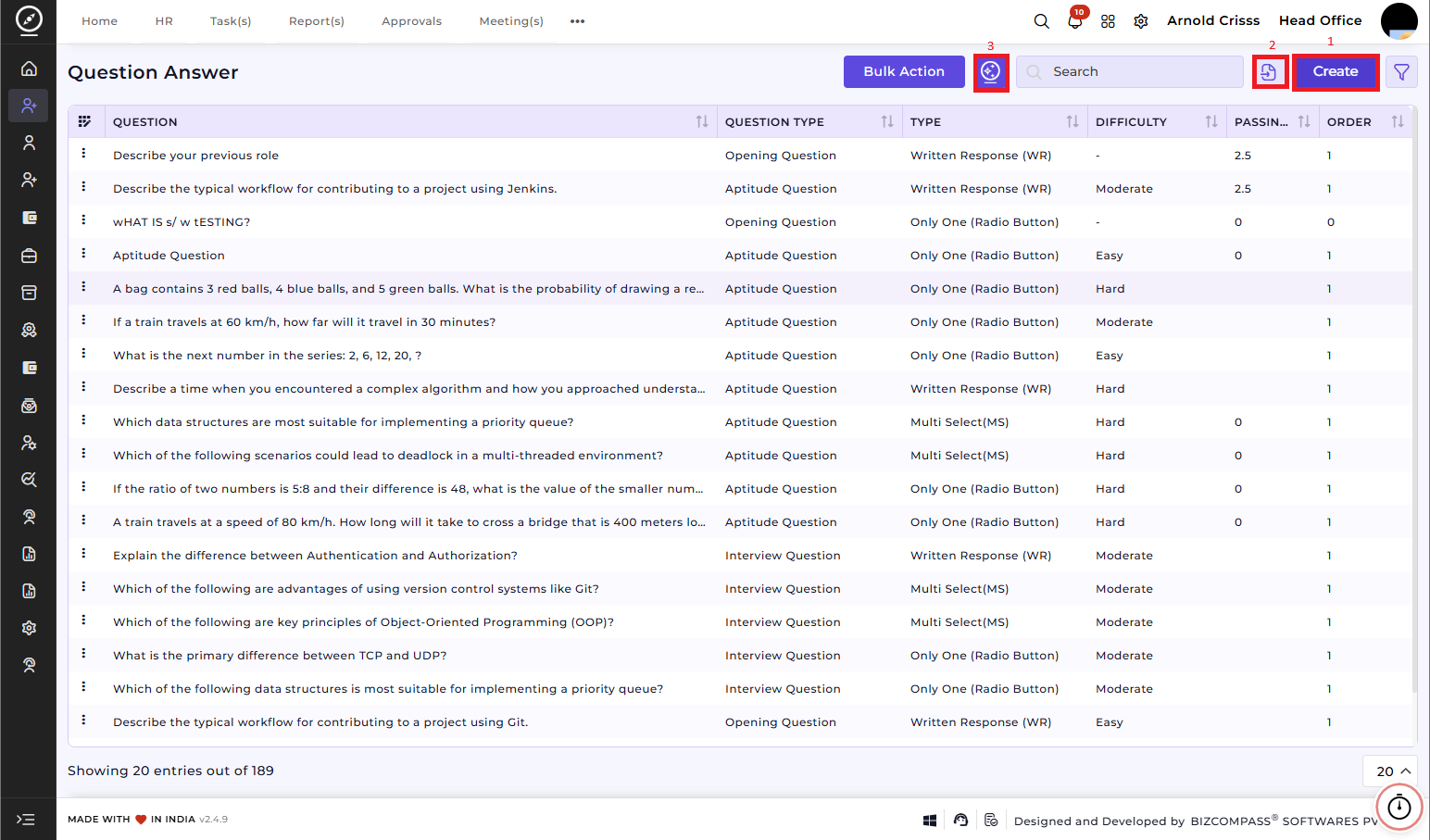
1) Create Question(s):
-
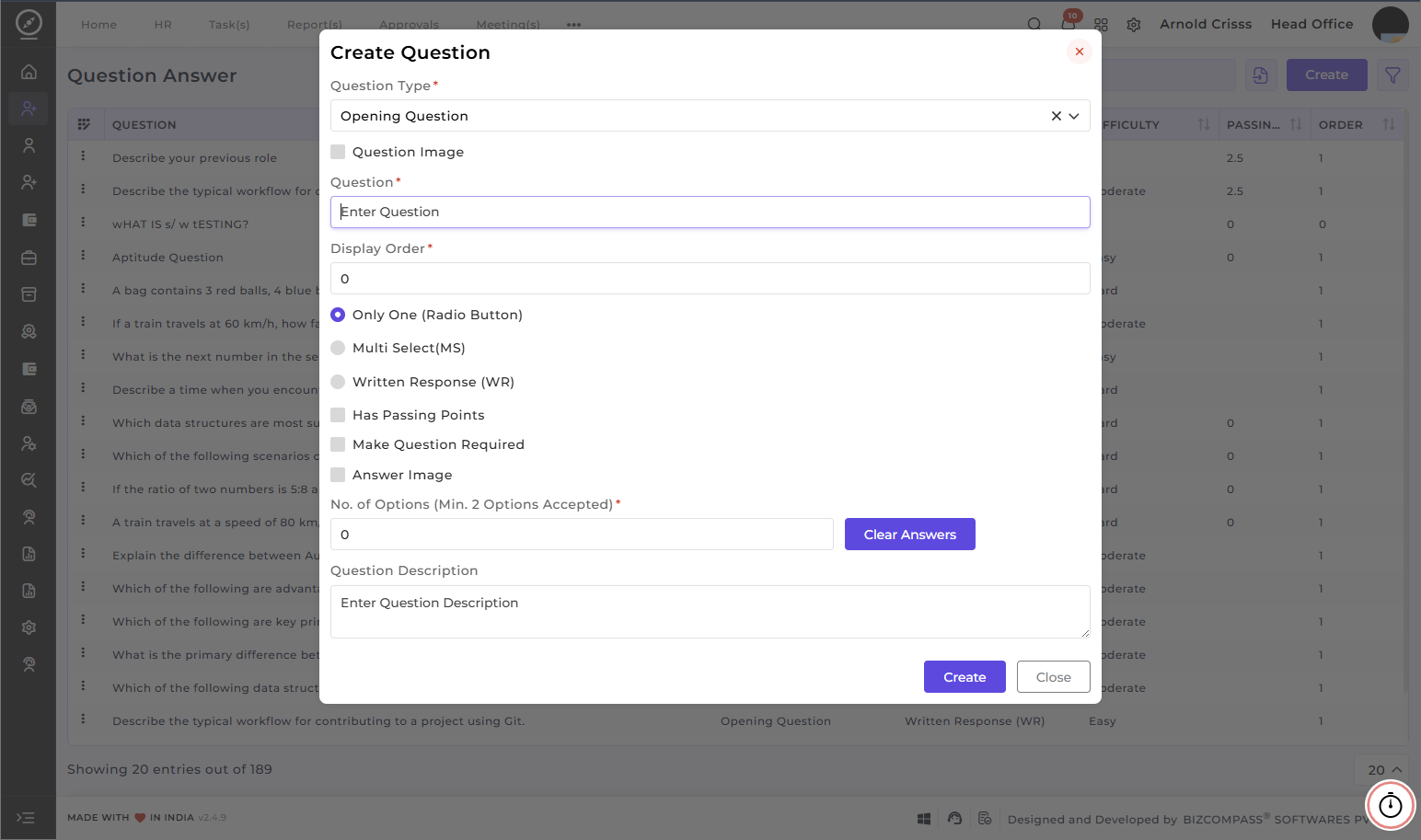
Choose the Question Type to be added (Opening Question, Interview Question or Aptitude Question)
Type the Question you want to ask the candidate. If you want to add an image to the question, select Question Image and upload the file in Image for Question.
-
Specify the Display Order of this question during the
question.test or interview. -
DefineSelect theDifficultyAnswerLevelTypeof the question (easy,moderateorhard). Set theTimefor the candidate to answer an aptitude question.Choose whether the question will be::-
WrittenOnlyResponseOne (WR)Radio Button) -
OnlyMultiOneSelect (Radio Button)MS) -
MultiWrittenSelectResponse (MS)WR)
-
-
SetIf the question has passing points, select it and enter the value in the PassingMarksPoints field. - Based on the selected answer type, add the answers.
-
- For Only One and Multi Select, answers can also be added as images if required.
To add options, enter the total number in No. of Options (Min. 2 Options Accepted) and then fill the answers.and specify the points for that question and mark the correct answer as Right answer. - Example:
Question: What is 1 + 1?
Options: 0, 1, 2 (So need to write 3 at No. of Options (Min. 2 Options Accepted))
Correct Answer: 2 (Need to mark as select as Right answer for this option)
- For Only One and Multi Select, answers can also be added as images if required.
-
- You can also add a Description for the question. (Example: This question
ifchecksrequired.basic
addition Enable theMake Question Requiredoption to make thequestion mandatoryfor candidates to answer while applying for the opening.Enable theAnswer Imageoption if you want to add the answer or answer option(s) inimage forminstead of text form.knowledge)
EnableAptitude the Question ImageQuestions option– Have Difficulty and Time to Answer (in minutes) selection.
Interview Questions – Have only Difficulty selection.
Opening Questions – We can mark question as required if youneeded.
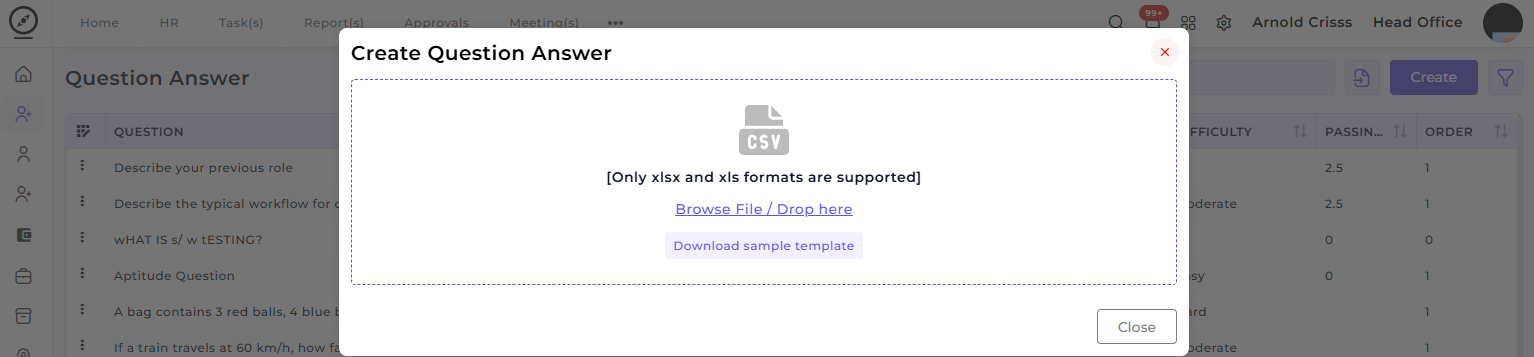
2) Import Question(s):
You can import the questions in .xlsx or .xls formats from here. Moreover, you can download the Sample Template for questions.
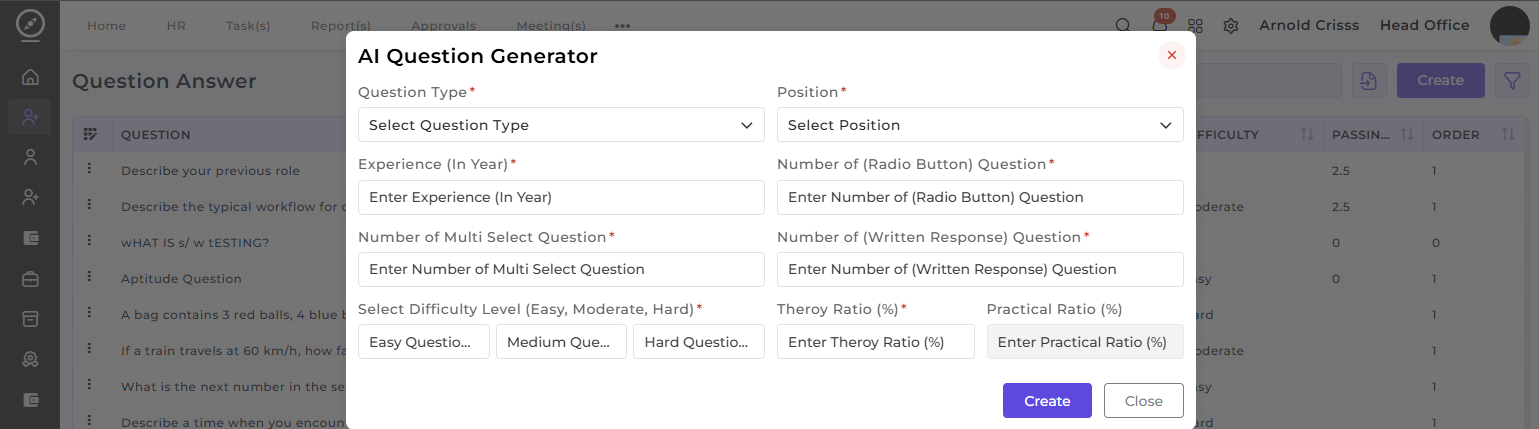
3) AI Question Generator:
The AI Question Generator can automatically generate relevant questions based on question type, position, experience level, and other parameters. This tool helps you save time by providing question suggestions that align with the job opening’s requirements.
With the Bulk Action feature, you can delete multiple questions at once, streamlining the process of managing and maintaining the question bank for openings.
Question Set:
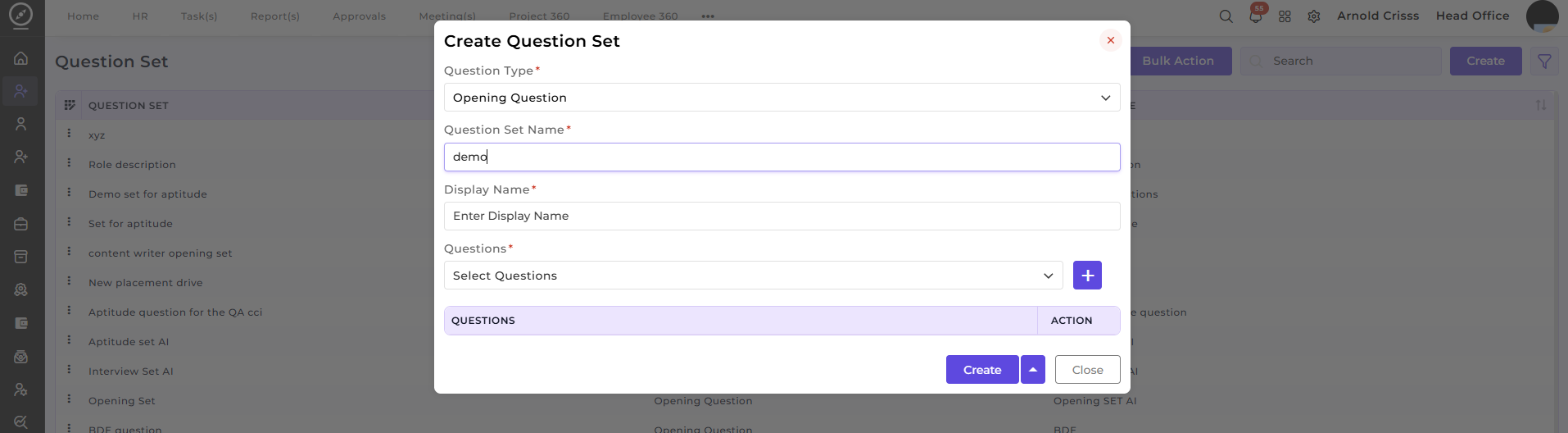
Now, from the Question Set page, you can create a Question Set and add the above created questions to it for easier access.