
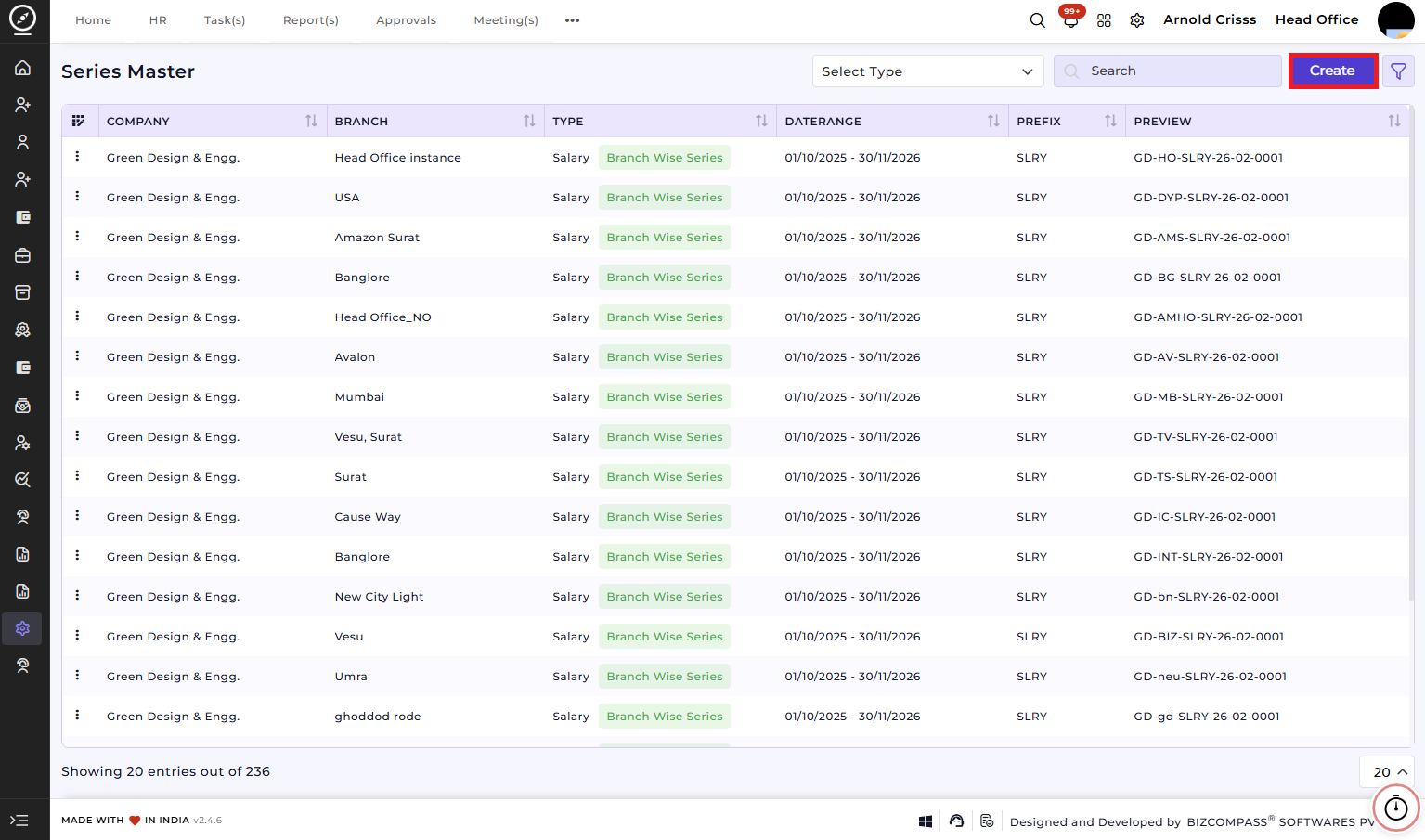
Series Master
The Series Master page is a crucial step in the recruitment process, used for creating and managing series for candidate applications and resource requests. This page must be configured after creating an opening and before generating a resource request or adding a candidate.
It allows the setup of prefix, category, type, and start number, ensuring all job openings or tasks are linked with a unique identifier in the system.
Create Series Master:
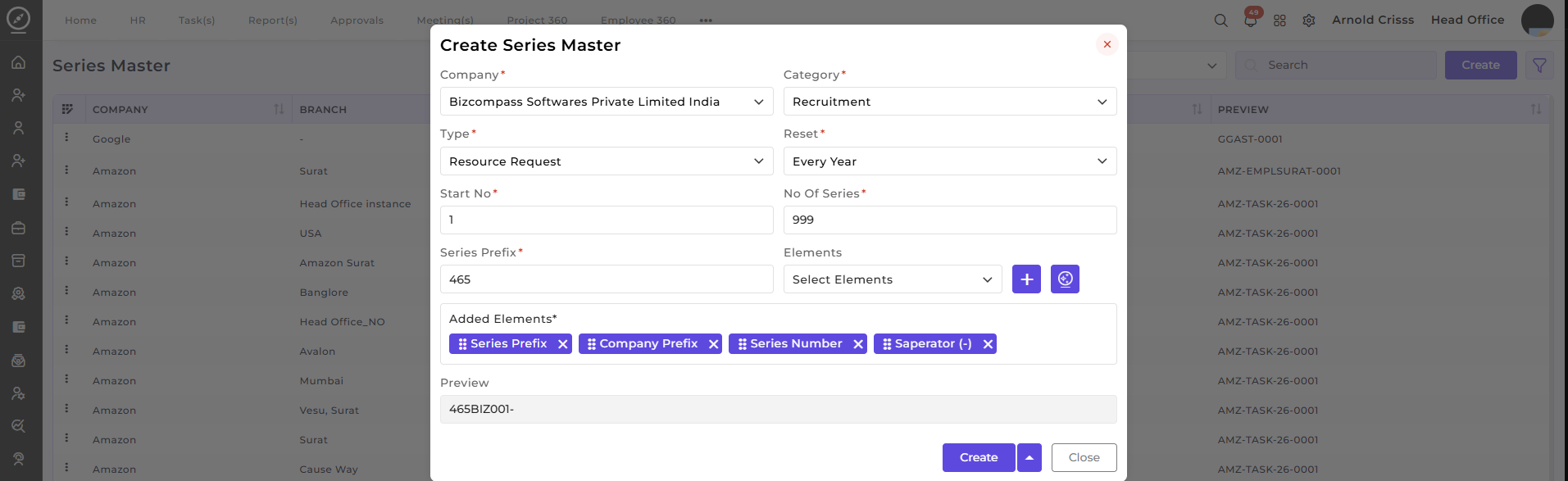
This section is used to define and configure a new series for a job opening or task.
-
Company: Select the company associated with the series (e.g., Bizcompass Softwares Private Limited India).
-
Category: Choose the category for the series (e.g., Recruitment, Task, Asset, etc.).
-
Type: Select the type for the series:
-
Resource Request (if you're generating a resource request)
-
Application (if you're adding a candidate directly without generating a resource request)
-
-
Reset: Select how often the series number resets (e.g., Every Year, Every Month).
-
Start No: Enter the starting number for the series.
-
No Of Series: Define the total number of series entries to generate.
-
Series Prefix: Enter a prefix that will be used in the series identifier (e.g., "BIZ", "AMZ", etc.).
-
Elements: Select the elements to include in the series identifier (e.g., Company Prefix, Separator (-), Series Number, etc.).
-
AI Series Generator: Utilize the AI Series Generator (icon next to the "+" symbol) for automatic generation of series based on your configuration, making it easier to create consistent and structured series identifiers.
-
Preview: A real-time preview of the series identifier format based on the inputs.
How this feature helps:
The Series Master page ensuresis thatused when creating candidate applications and resource requests areas assignedit assigns a unique and easily identifiable series number. It streamlines the workflow by enabling automatic and manual configuration of series identifiers.
It helps administrators and recruiters to:
-
Create unique series identifiers for job openings, resource requests, and applications.
-
Ensure consistency in series numbers with customizable prefixes and reset frequencies.
-
Use the AI Series Generator to quickly generate identifiers that fit the defined format.
-
Track resource requests and tasks effectively by categorizing them with a structured format.
-
Link series identifiers to specific candidates or job openings.
This ensures that all series are configured consistently and can be seamlessly integrated into the recruitment and task management workflow.