
Series Master
The Series Master page is a crucial and mandatory step in the recruitment process, used for creating and managing series for candidate applications, resource requests, salary, letters, etc. In this section, we'll discuss specifically for creating series for candidateCandidate applicationsApplications and resourceResource requestsRequests.It allows the setup of prefix, category, type, and start number, ensuring all job openings are linked with a unique identifier in the system.
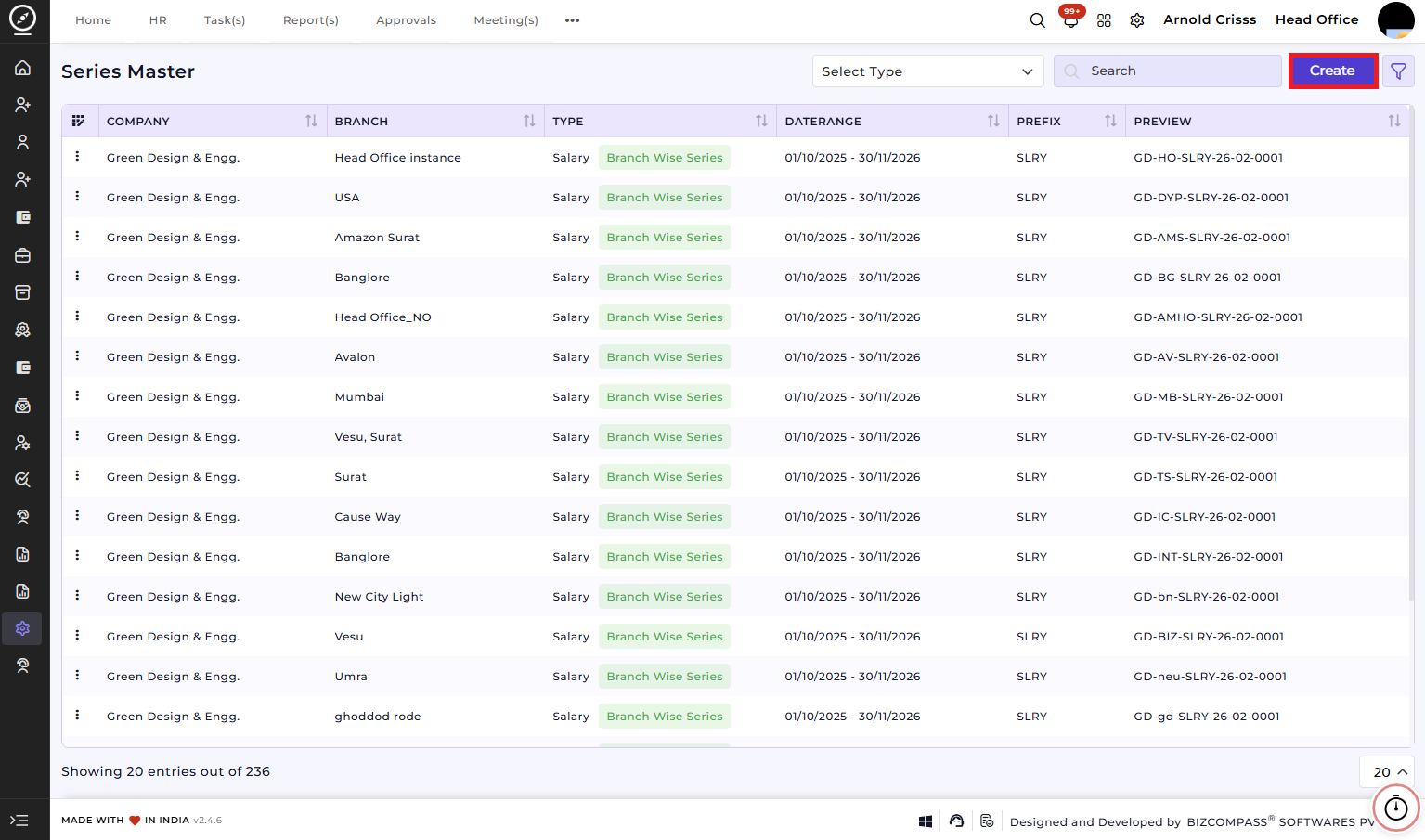
Create Series Master:
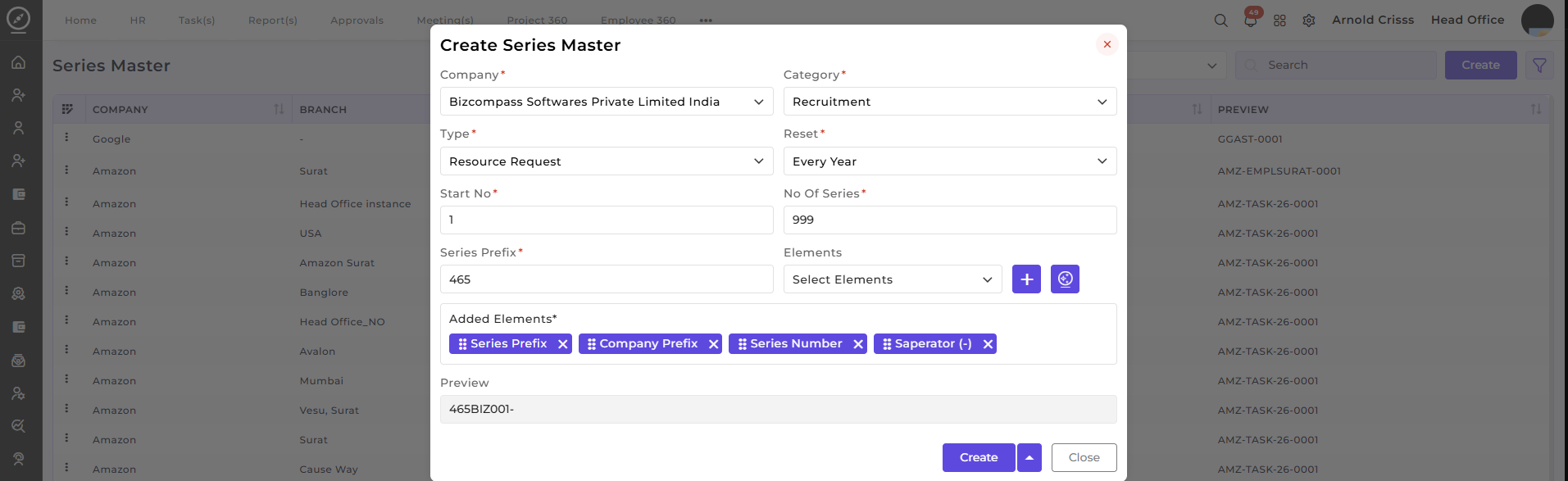
This section is used to define and configure a new series for a job opening or task.
-
Company:Select the companyassociated with the series (e.g., Bizcompass Softwares Private Limited India). -
Category:Choose the category for the series (i.e.g.,Recruitment, Task, Asset, etc.)Recruitment). -
Type:Select the type for the series:-
Resource Request (if you're generating a resource request)
-
Application (if you're adding a candidate directly without generating a resource request)
-
-
Reset:Select how often the series number resets(e.g., Every Year, Every Month). -
Start No:Enter the starting number for the series. -
No Of Series:Define the total number of series entries to generate. -
Series Prefix:Enter a series prefix that will be used in the seriesidentifier (e.g., "BIZ", "AMZ", etc.).identifier. -
Elements:Select the elements to include in the seriesidentifier (e.g., Company Prefix, Separator (-), Series Number, etc.).identifier. -
AIIfSeriesyouGenerator:want,Utilizeutilize the AI Series Generator (icon next to the "+" symbol) for automatic generation of series based on yourconfiguration, making it easier to create consistent and structured series identifiers.configuration. -
Preview:SeeAa real-time preview of the series identifier format based on the inputs.
The Series Master page is used while creating candidate applications from the Candidate page and raising resource requests from the Resource Request page as it assigns a unique and easily identifiable series number.
It streamlines the workflow by enabling automatic and manual configuration of series identifiers.