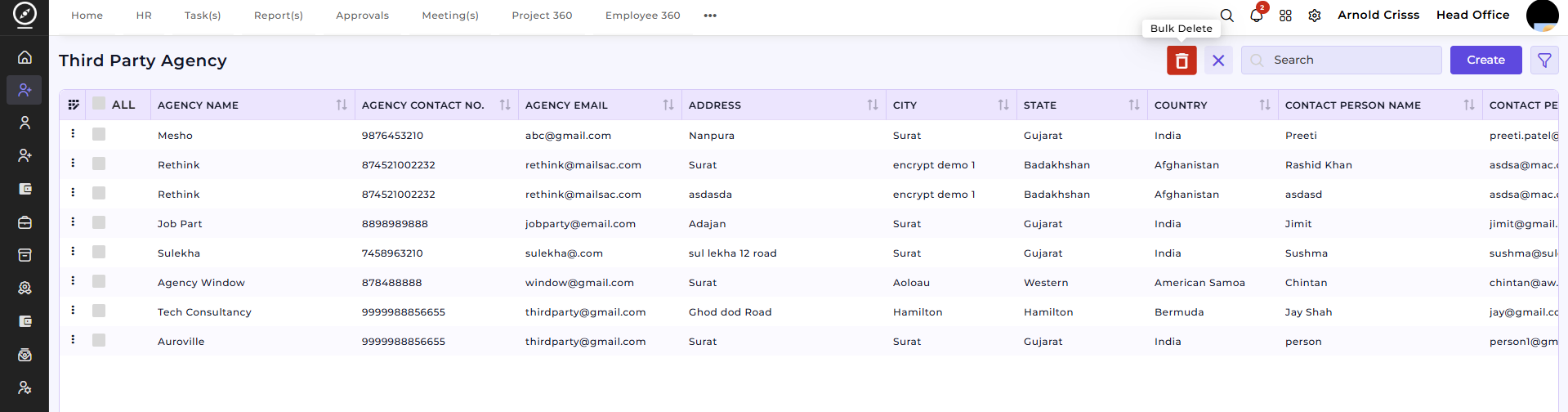
Third Party Agency
The Third Party Agency page is used to manage external agencies that provide candidates for job openings. HR teams can add agency details, maintain contact information, track contracts, and link agencies to openings as candidate sources. This helps streamline the hiring process and ensures transparency in candidate sourcing.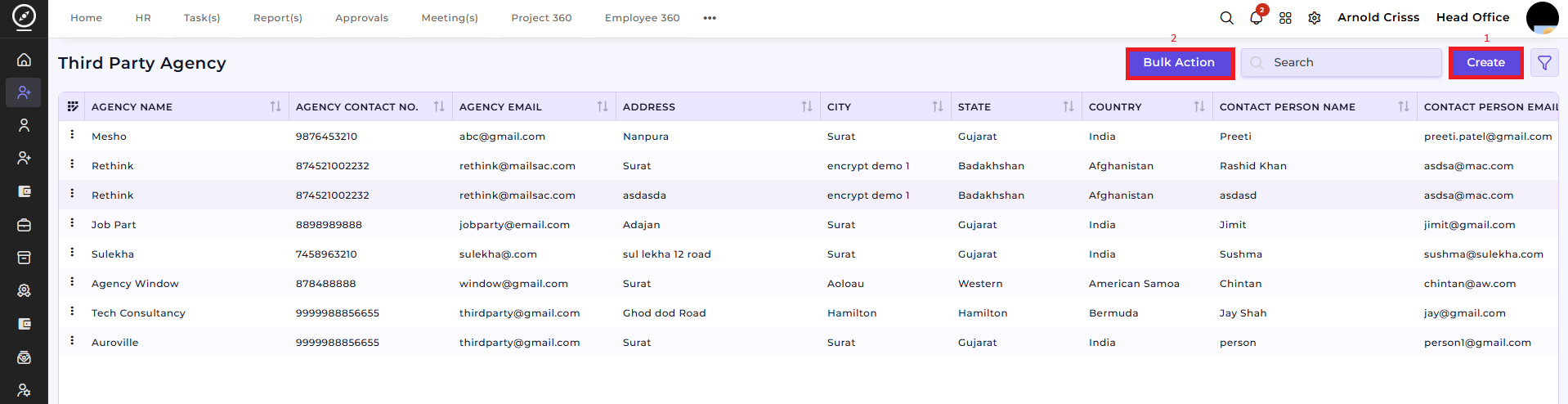
1) Create Third Party Agency:
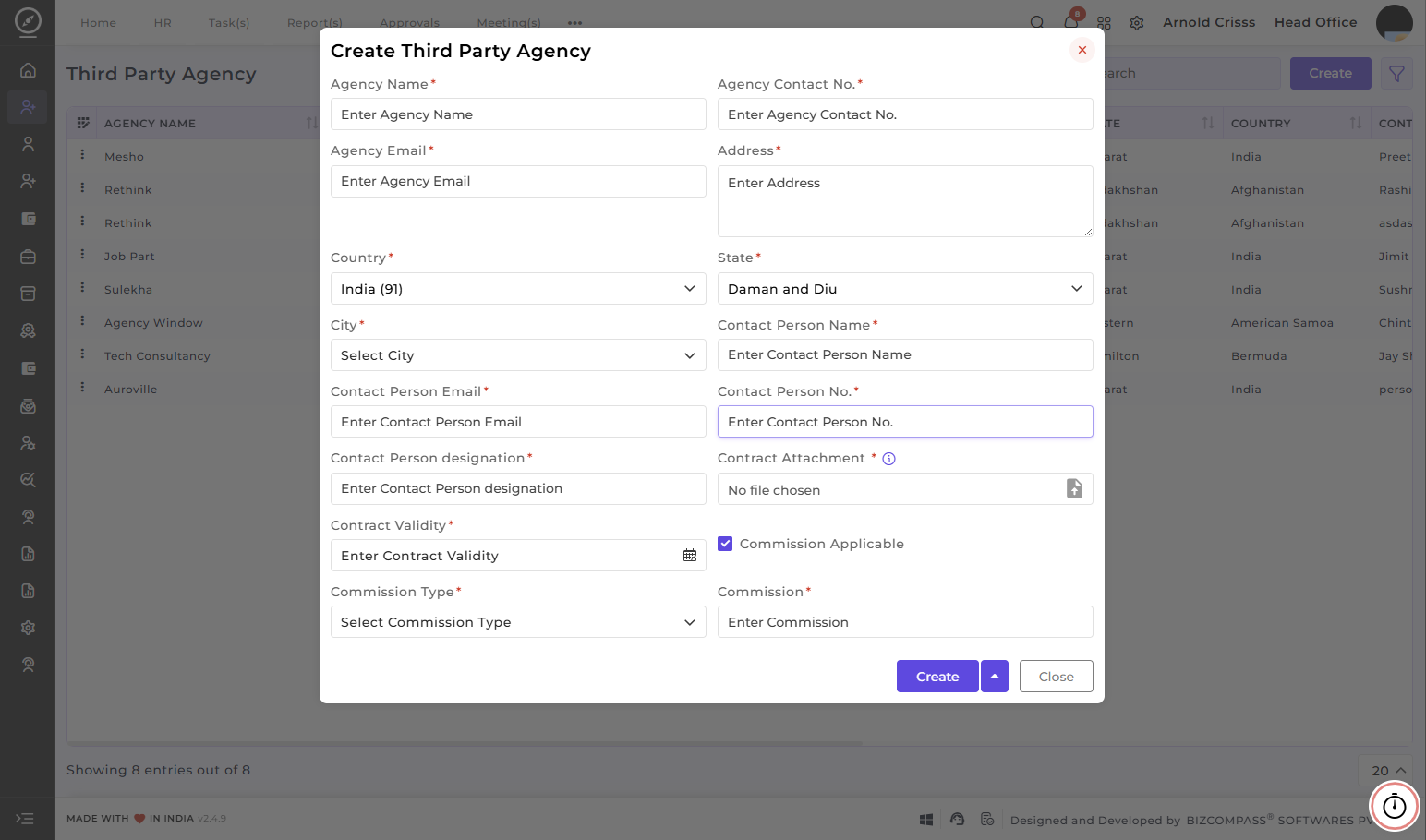
To create a new agency:
-
Agency Name–Enter theofficialAgencyname of the agency.Name. -
Add Agency Contact
&No. and Agency Email– Add agency contact number and email.. -
Specify the Address,
&Country,LocationState– Specify address, country, state,, andcity.City. -
Enter the Contact Person Details
– Enter thelike name, email, phone number, anddesignation of the primary agency contact.designation. -
Optionally upload the Contract
& ValidityAttachment– Upload the signed contractand set thecontractContract Validity duration. -
Commission Details–Specify ifcommissionCommission is applicable, selecttypeCommission Type (fix or percentage), and enter theamount. ClickCreateCommissionto save the agency in the system.amount.
2) Bulk Action:
With the Bulk Action feature, you can delete multiple third party agencies at once, streamlining the process of managing and maintaining recruitment process.
This feature is optional; if your company hires through third-party agencies, you can configure it here.