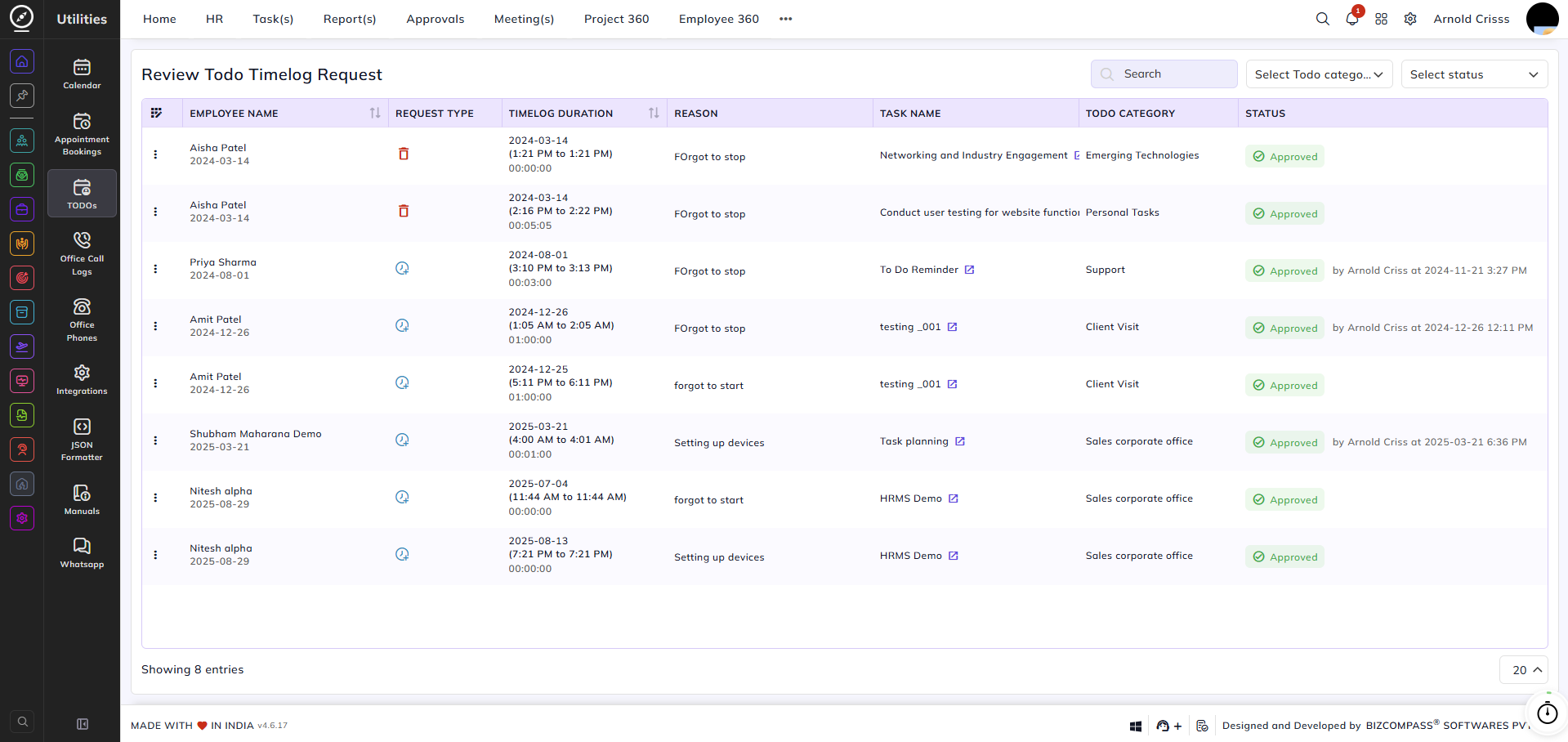
Review Todo Timelog Request
From this page, you can review and manage timelog change requests submitted by employees for their Todo tasks. When an employee manually adds or edits a timelog entry for a Todo, it generates a request that must be reviewed and actioned here.
The list displays each request with the following details: Employee Name, Request Type, Timelog Duration (the time range and total duration), Reason (provided by the employee), Task Name, Todo Category, and Status.
Request Type indicates what the employee has requested — either a Manual Log Request (the employee has manually added or edited a timelog entry) or a Delete Log Request (the employee has requested deletion of an existing timelog entry).
You can filter requests by Todo Category and Status using the dropdowns in the top right, or search for a specific entry using the Search bar.
When a new request is submitted, its Status will show as Pending. The authorized approver can click on the status to reveal two options — Approve or Reject — and action the request accordingly. Once actioned, the status will update to Approved or Rejected, and will display the name of the person who actioned it along with the timestamp.