
Todo Category
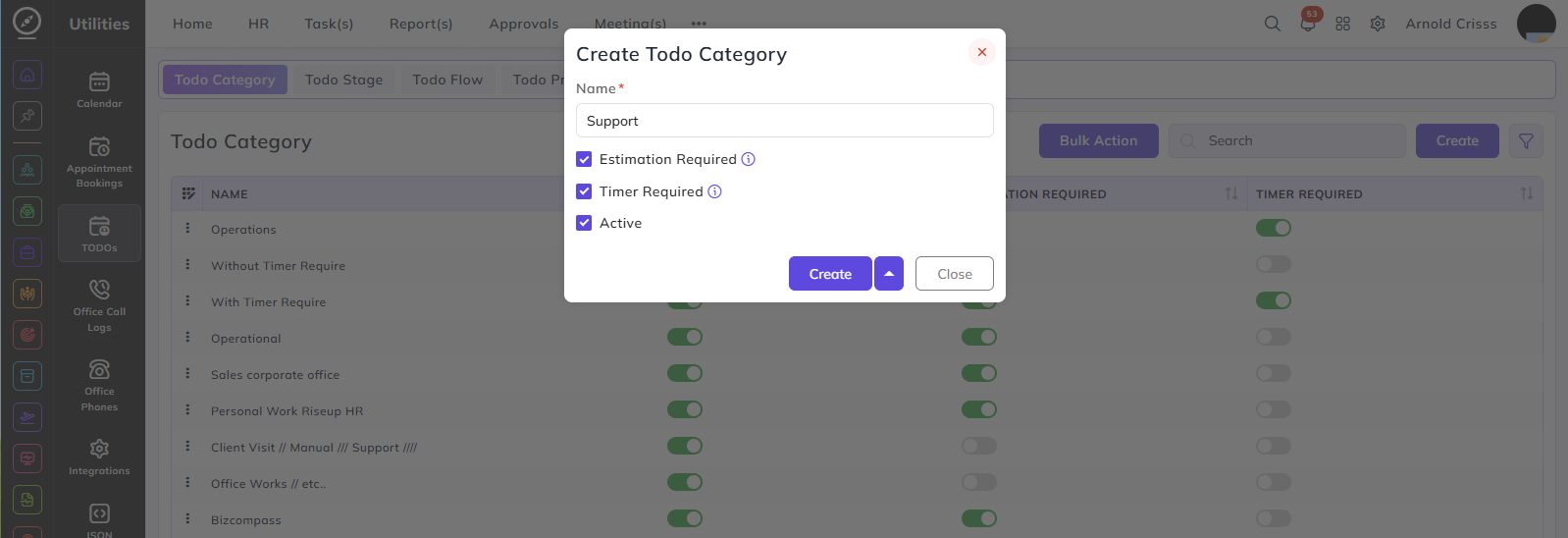
Name:
- Enter a name to identify this todo category — for example, Operations or Support.
Estimation Required:
- When enabled, a time estimate must be provided when creating a todo under this category. When disabled, the todo can be completed without any time tracking or estimation.
Timer Required:
- When enabled, a timer must be run while working on a todo under this category. When disabled, the todo can be completed without tracking time via a timer.
Active:
- Enable this to make the category available for selection when creating todos.
The Bulk Action feature is used to delete multiple todo categories at once, streamlining the management process.