
Todo Stage
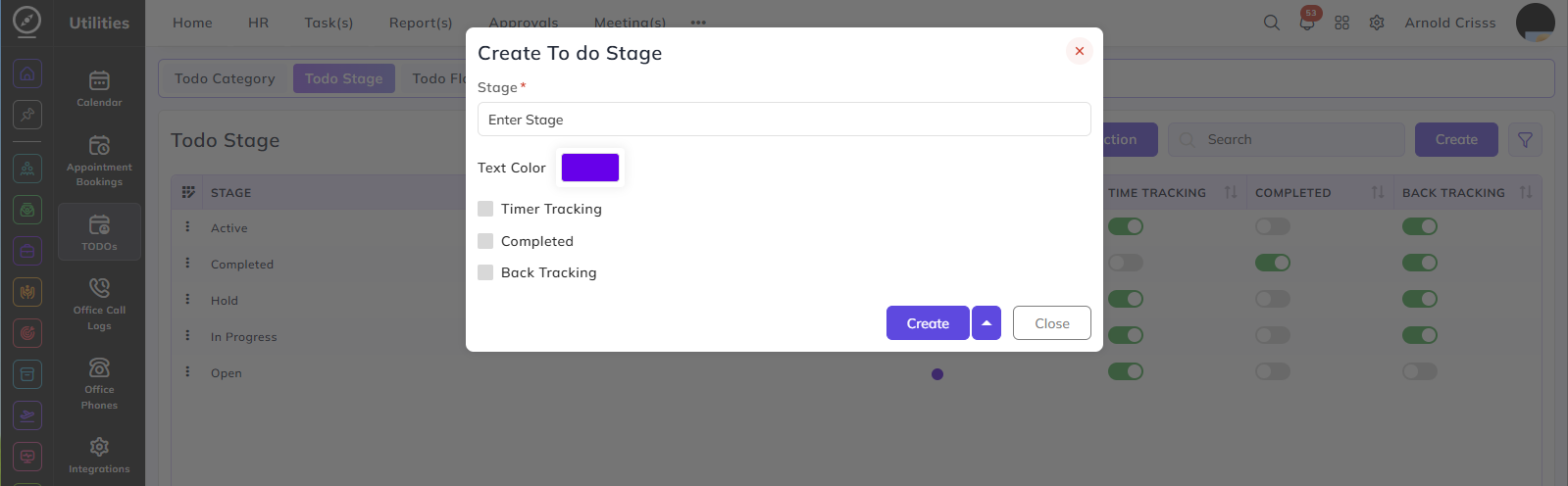
Stage:
- Enter a name to identify this stage — for example, Open, In Progress, or Completed.
Text Color:
- Select a color to visually distinguish this stage in the todo list.
Timer Tracking:
- When enabled, user can run the timer for the todo in this stage to track the time log based on that.
Note: If the Timer Tracking flag is not enabled for any of the stages, it will show an error in the Todo Flow. It should be enabled for at least one stage.
Completed:
- When enabled, any todo moved to this stage will be marked as completed.
Note: If the Complete flag is not enabled for any of the stages, it will show an error in the Todo Flow. It should be enabled for at least one stage.
Back Tracking:
- When enabled, all stages that come after this stage in the todo flow can be moved back to this stage. This allows tasks at any later stage to be returned to this point in the flow if needed.
The Bulk Action feature is used to delete multiple todo stages at once, streamlining the management process.