
Leave Approvals
The Leave Approvals page lists all leave requests submitted by employees for review and action. To navigate here, go to Approvals → Leave Approval.
Use the Employee, Company, Branch, Date, and Select Status filters to narrow down the list. Click Bulk Action to approve or reject multiple requests at once.
Table Columns:
Each leave request entry displays the following details:
- Employee – The employee's name, employee code, and the leave type applied for, shown as a colored tag.
- Leave Duration – The date and time range of the leave, the duration type (Full Day, Half Day, or Hourly Based), and the total hours.
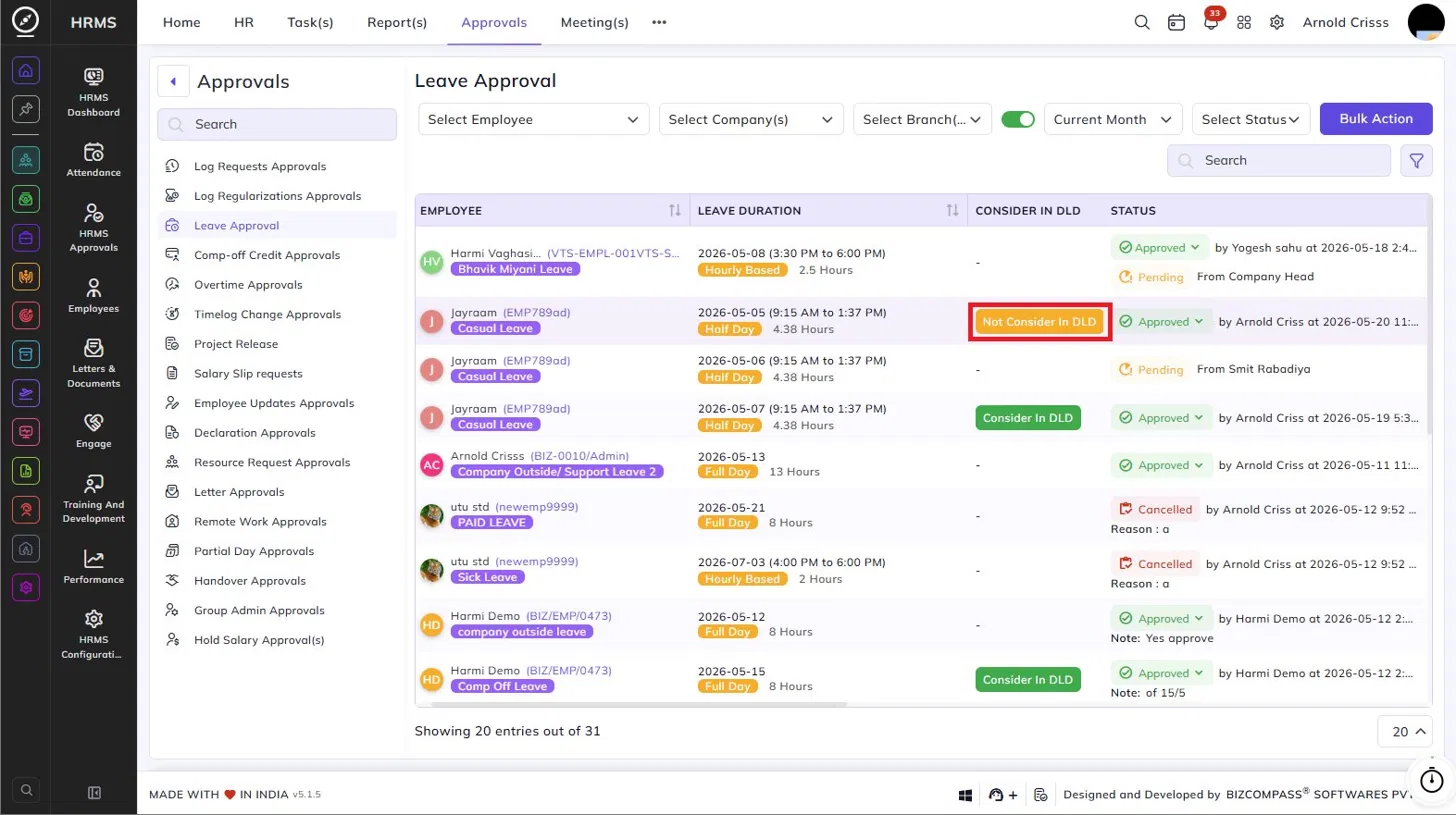
- Consider in DLD – Indicates whether the leave should be considered in the Deducted Leave Days (DLD) calculation.
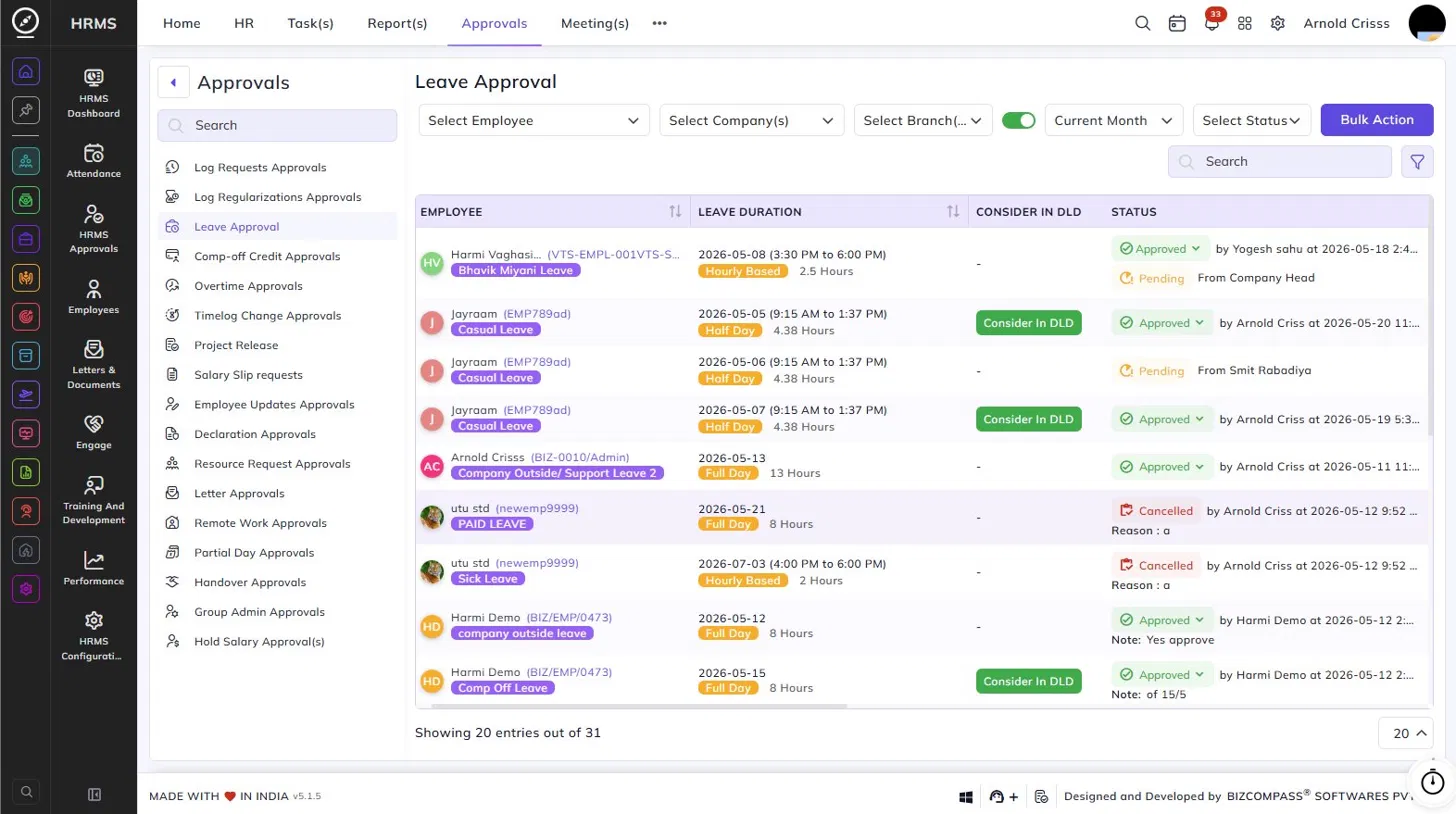
- Click Consider In DLD to mark it for DLD consideration — the button will toggle to Not Consider In DLD. Click again to revert. This can be updated even after the leave is approved.
- Paid Leave – Indicates whether the leave is paid or unpaid. If a Modify Pay Status button appears, clicking it allows the approver to change the paid/unpaid status of the leave.
- Tag – A tag icon that can be used to categorize or label the leave request.
- Reason – The reason provided by the employee for the leave, along with any attachments if submitted.
- History – Click the history icon to view the approval history and any compensatory leave details linked to the request, including the applied person and date.
- Compensatory Leave Against – If the leave is a comp-off, this column shows what it was earned against (e.g., Overtime).
- Applied Person / Date – The person who applied for the leave and the date and time of submission. A Self tag indicates the employee applied themselves.
- Status – The current status of the request — Approved (with the approver's name, timestamp, and any note), Pending (with the source), or Cancelled (with the reason).
Approving or Rejecting Requests:
Click the status dropdown on any pending entry to approve or reject it. For approved leaves, a note can be added at the time of approval.