
Payroll Headers
From this page, you can create Payroll Headers that define the salary components used in salary structures.
Header:
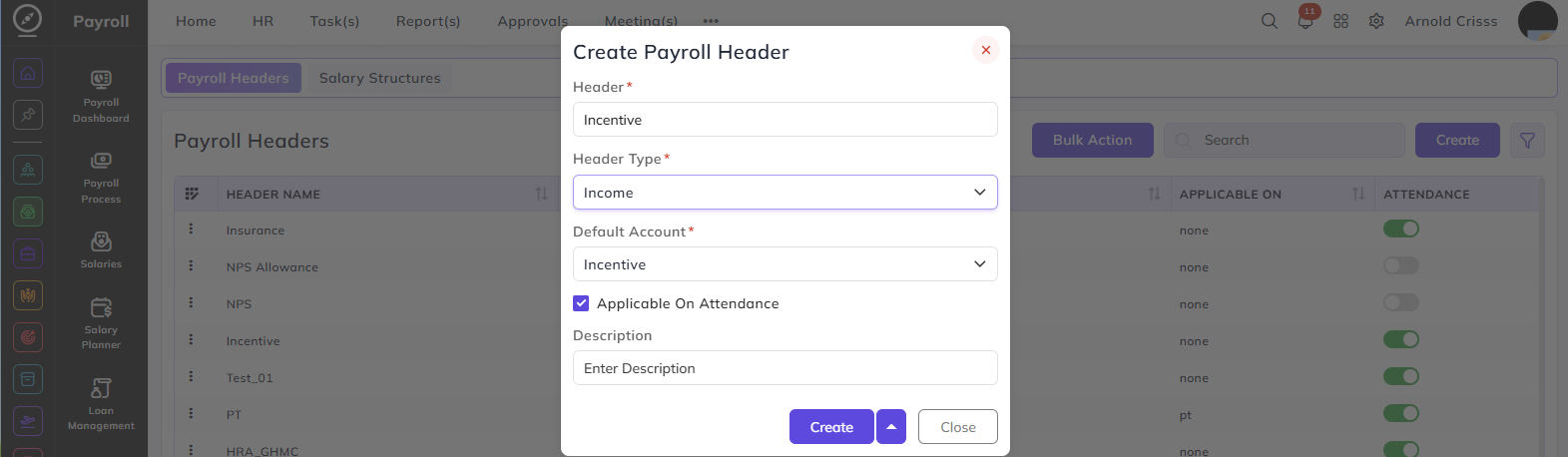
Enter the name of the payroll header — for example, Incentive, HRA, or Insurance.
Header Type:
Select whether this header is an income or a deduction:
- Income — the component adds to the employee's salary
- Deduction — the component is deducted from the employee's salary
Default Account:
Select the salary account this header maps to. The options available and their corresponding Header Type are:
| Default Account | Header Type | What It Means |
|---|---|---|
| Basic | Income | Maps the header to the basic salary component |
| Allowance | Income | Maps the header to an allowance component such as HRA or travel allowance |
| Incentive | Income | Maps the header to an incentive component paid over and above the fixed salary |
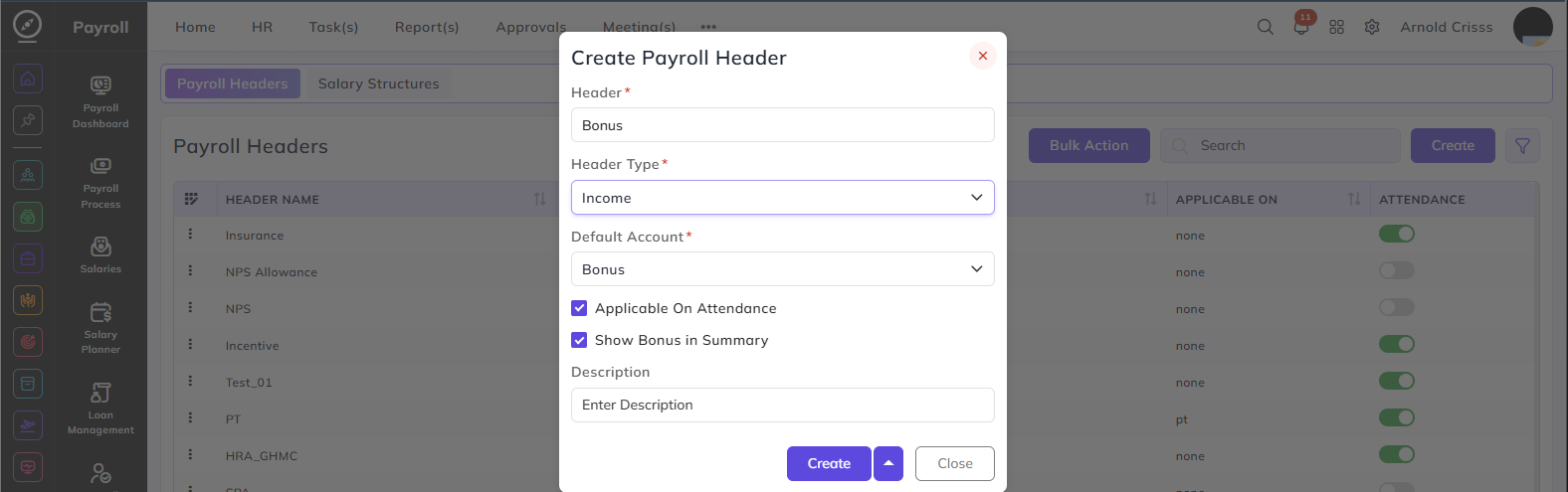
| Bonus | Income | Maps the header to a bonus component. When selected, an additional option appears |
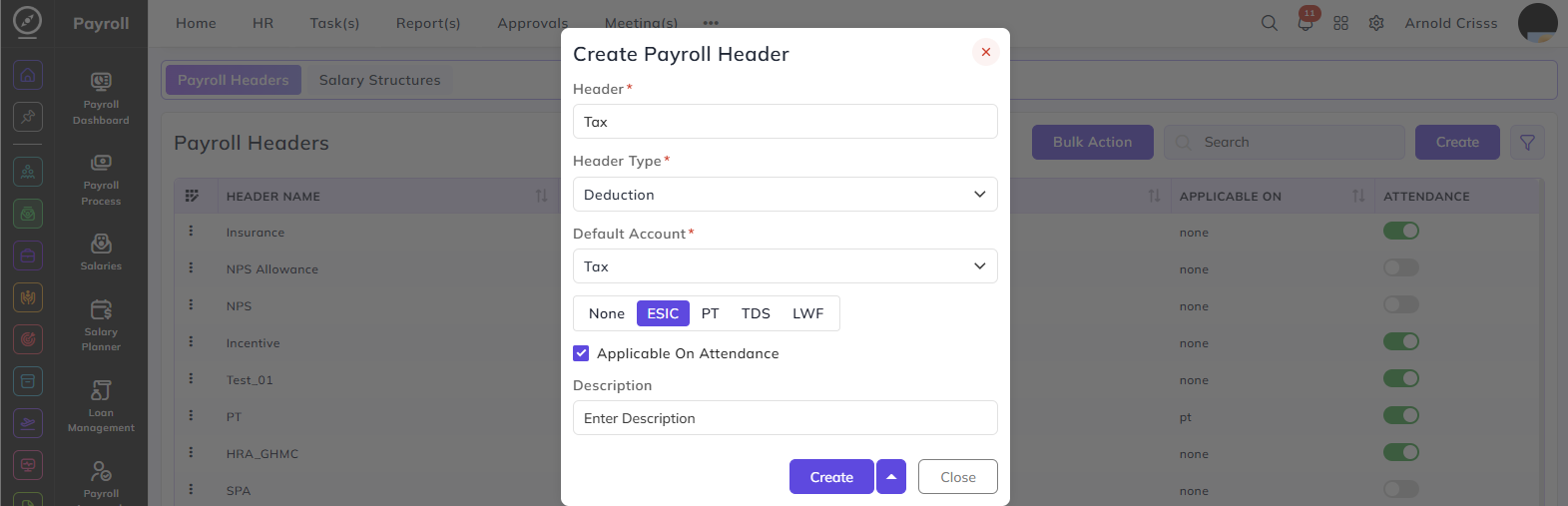
| Tax | Deduction | Maps the header to a statutory tax deduction |
| Provident Fund | Deduction | Maps the header to a PF deduction component |
When Default Account is set to Deduction — Tax, an additional field appears to specify the type of statutory deduction:
- None — no specific statutory type
- ESIC — maps to ESIC deduction
- PT — maps to Professional Tax deduction
- TDS — maps to TDS deduction
- LWF — maps to Labour Welfare Fund deduction
When Default Account is set to Bonus, an additional option appears:
Show Bonus in Summary: Enable this to display the bonus amount separately in the employee's salary summary
Applicable On Attendance:
When enabled, the value of this header is adjusted based on the employee's attendance.
Description:
Enter a brief description of this payroll header.
The Bulk Action button allows you to delete multiple payroll headers at once, streamlining the management process.