
Payroll Headers
From this page, you can create Payroll Headers that define the salary components used in salary structures.
Header:
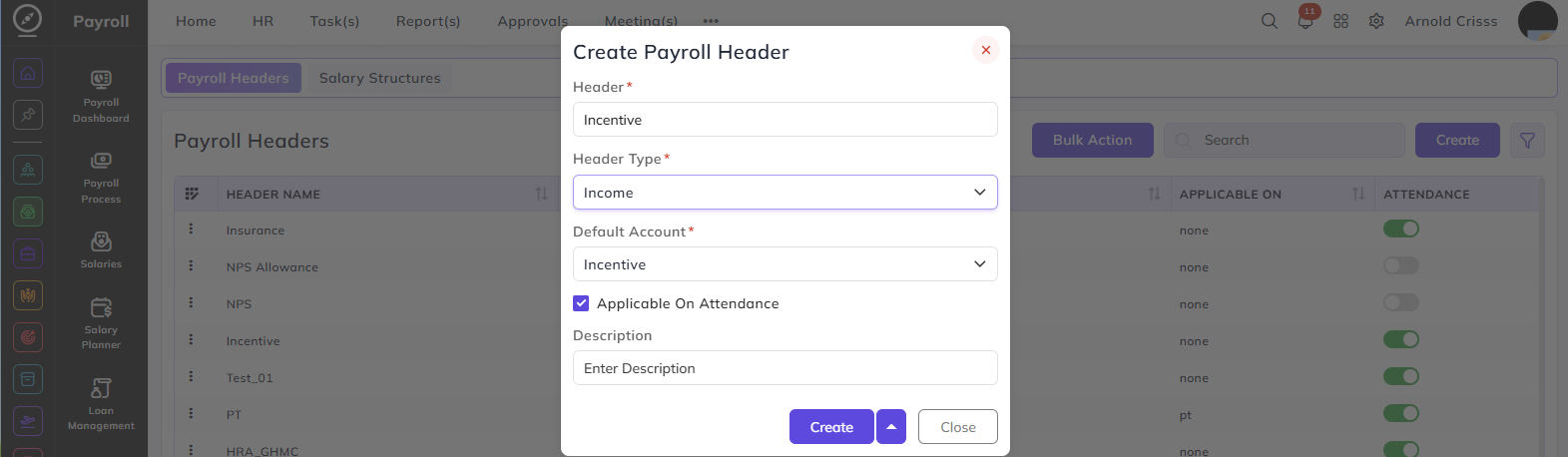
Enter the name of the payroll header — for example, Incentive, HRA, or Insurance.
Header Type:
Select whether this header is an income or a deduction:
- Income — the component adds to the employee's salary
- Deduction — the component is deducted from the employee's salary
Default Account:
Select the salary account this header maps to. The options available and their corresponding Header Type are:
| Default Account | Header Type | What It Means |
|---|---|---|
| Basic | Income | Maps the header to the basic salary component |
| Allowance | Income | Maps the header to an allowance component such as HRA or travel allowance |
| Incentive | Income | Maps the header to an incentive component paid over and above the fixed salary |
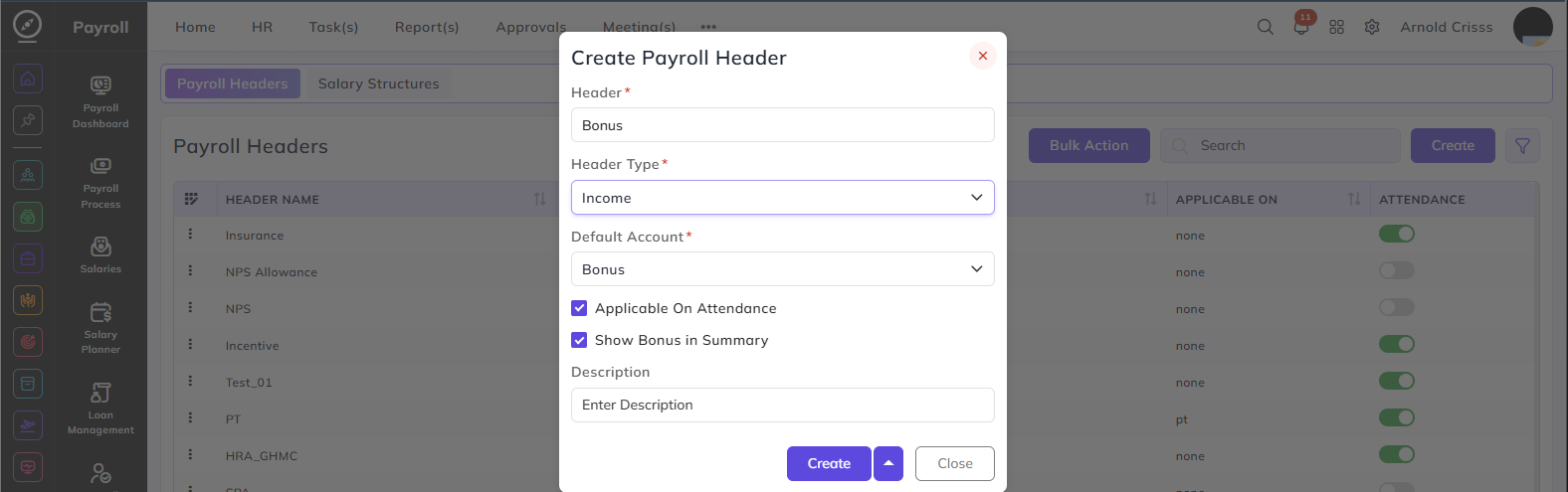
| Bonus | Income | Maps the header to a bonus component. When selected, an additional option appears |
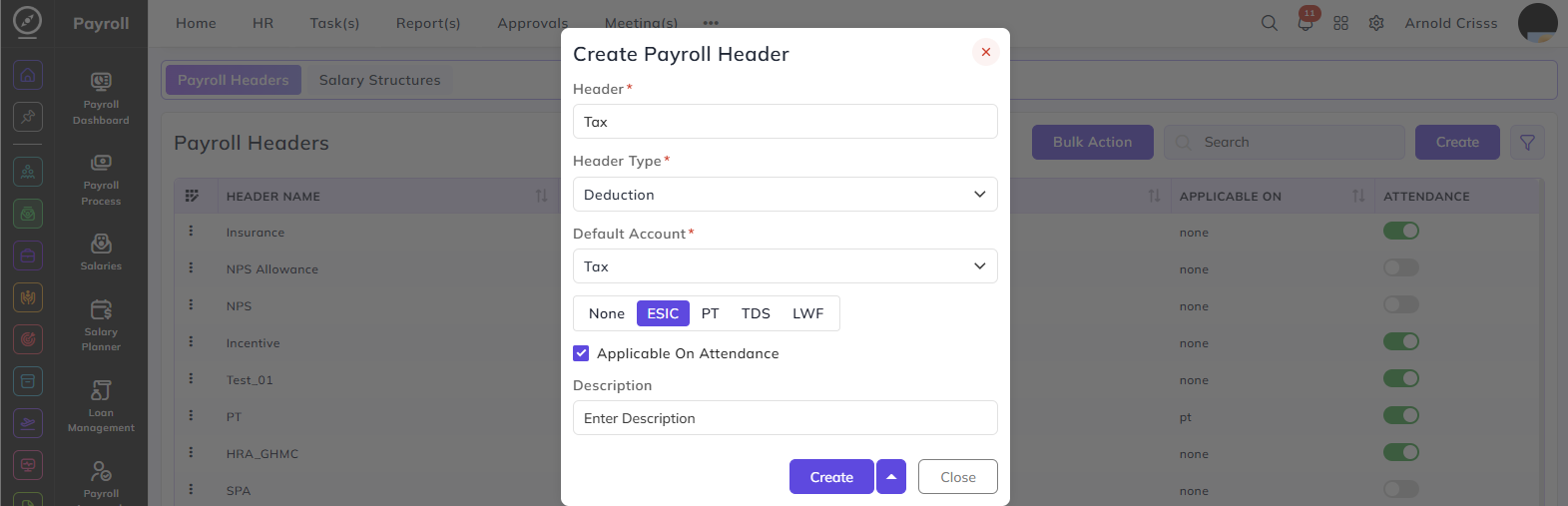
| Tax | Deduction | Maps the header to a statutory tax deduction |
| Provident Fund | Deduction | Maps the header to a PF deduction component |
When Default Account is set to Deduction — Tax, an additional field appears to specify the type of statutory deduction:
- None — no specific statutory type
- ESIC — maps to ESIC deduction
- PT — maps to Professional Tax deduction
- TDS — maps to TDS deduction
- LWF — maps to Labour Welfare Fund deduction
When Default Account is set to Bonus, an additional option appears:
Show Bonus in Summary: Enable this to display the bonus amount separately in the employee's salary summary
Applicable On Attendance:
When enabled, the value of this header is adjusted based on the employee's attendance. only if the amount is calculated as a fixed value inside the salary structure or the component is independent and does not calculated on another component's percentages.
Description:
Enter a brief description of this payroll header.
The Attendance button option can be edited after creating the payroll header as well.
The Bulk Action button allows you to delete multiple payroll headers at once, streamlining the management process.