
Application List View
The Application List View page provides a centralized overview of all candidate applications and their progress across different hiring stages.
Overview:
This Eachpage applicationcan isalso displayedbe withviewed key information such ason the Opening page under the section Application ID, current stage, task name, due date, task owner, and locationList. UsersThis canpage is used to expand ana candidate's application to view detailed stage-wise progress such as background verification, offer letter release, and document checks.
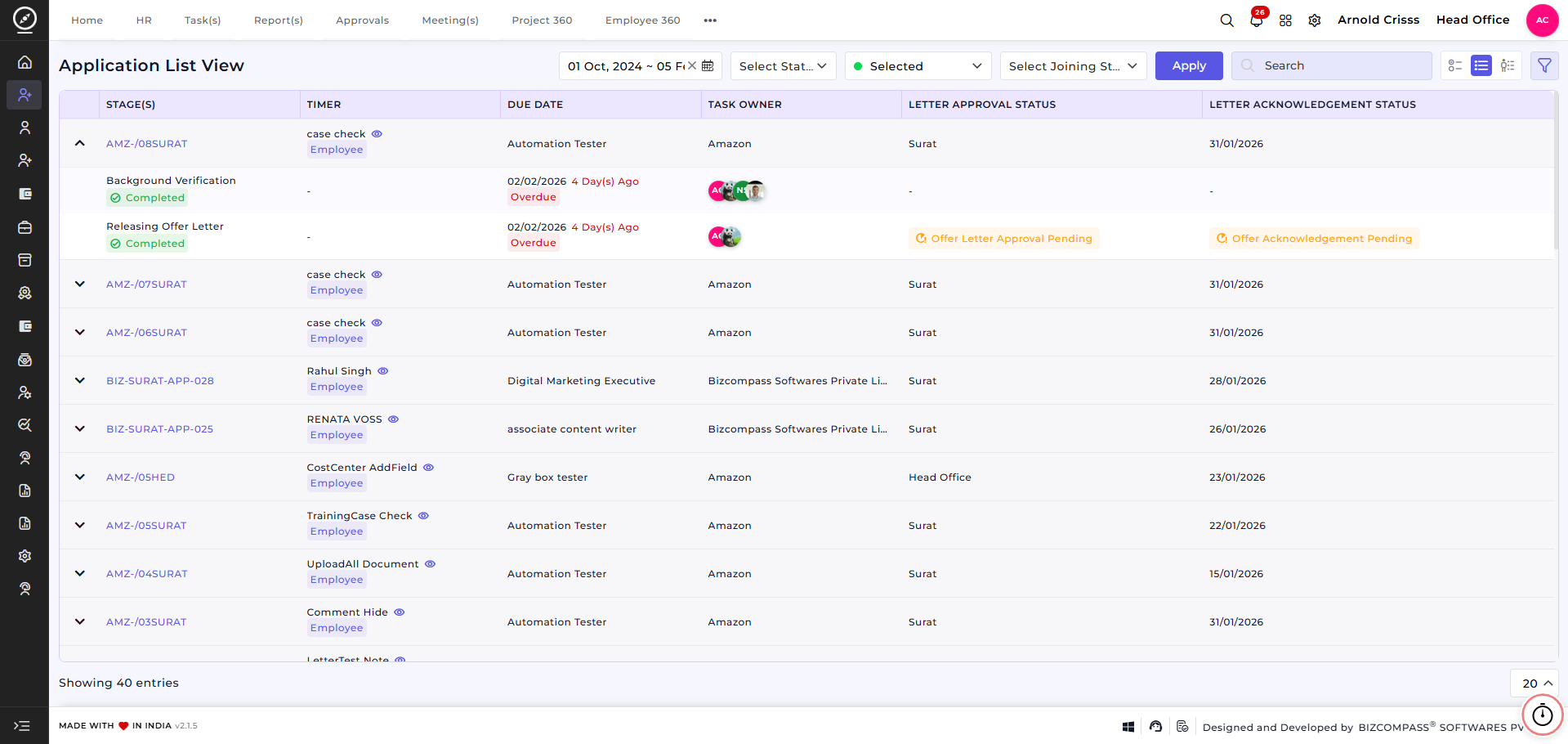
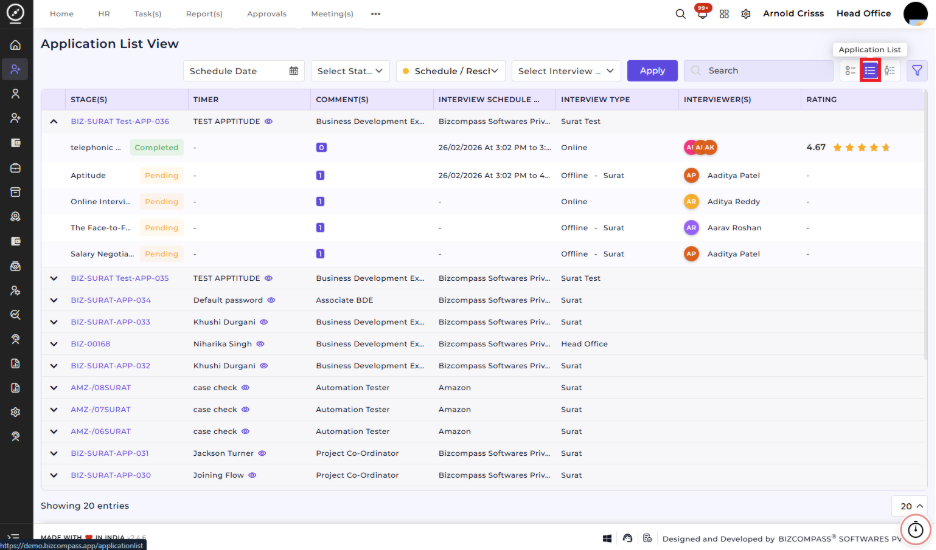
The top section includes filters to help narrow down results:
-
Filter applications by date range, status (pending, completed), follow up stage (joined, trainee, make offer, etc.) and joining status (internal test, aptitude, etc.).
-
Use the Apply button to refresh the list based on selected filters.
-
Search functionality allows quick access to specific applications.
View options enable switching between different list layouts.
Stage-level indicators provide real-time visibility:
Completed stages are clearly marked.Overdue tasks are highlighted with warning indicators.Offer letterapprovalandacknowledgementstatuses are shown for quick reference.
This view helps recruiters and HR teams efficiently track application progress, identify pending actions, and manage hiring workflows from a single screen.
How This Feature Helps:
-
Provides clear visibility into the hiring pipeline and application progress
-
Helps recruiters identify overdue stages and pending approvals quickly
-
Improves coordination by showing task ownership and responsibilities
Reduces follow-ups by clearly indicatingoffer letter and acknowledgment statusSaves time throughfilters and quick search, especially when managing large volumes of applicationsEnsures better hiring control by keeping all application-related information inone consolidated view