
Application List
The Application List page provides a centralized overview of all candidate applications and their progress across different hiring stages.
This page is used to expand a candidate's application to view detailed stage-wise progress such as background verification, offer letter release, and document checks.
The top section includes filters to help narrow down results:
-
Filter applications by date range, status (pending, completed), follow up stage (joined, trainee, make offer, etc.) and joining status (internal test, aptitude, etc.).
-
Use the Apply button to refresh the list based on selected filters.
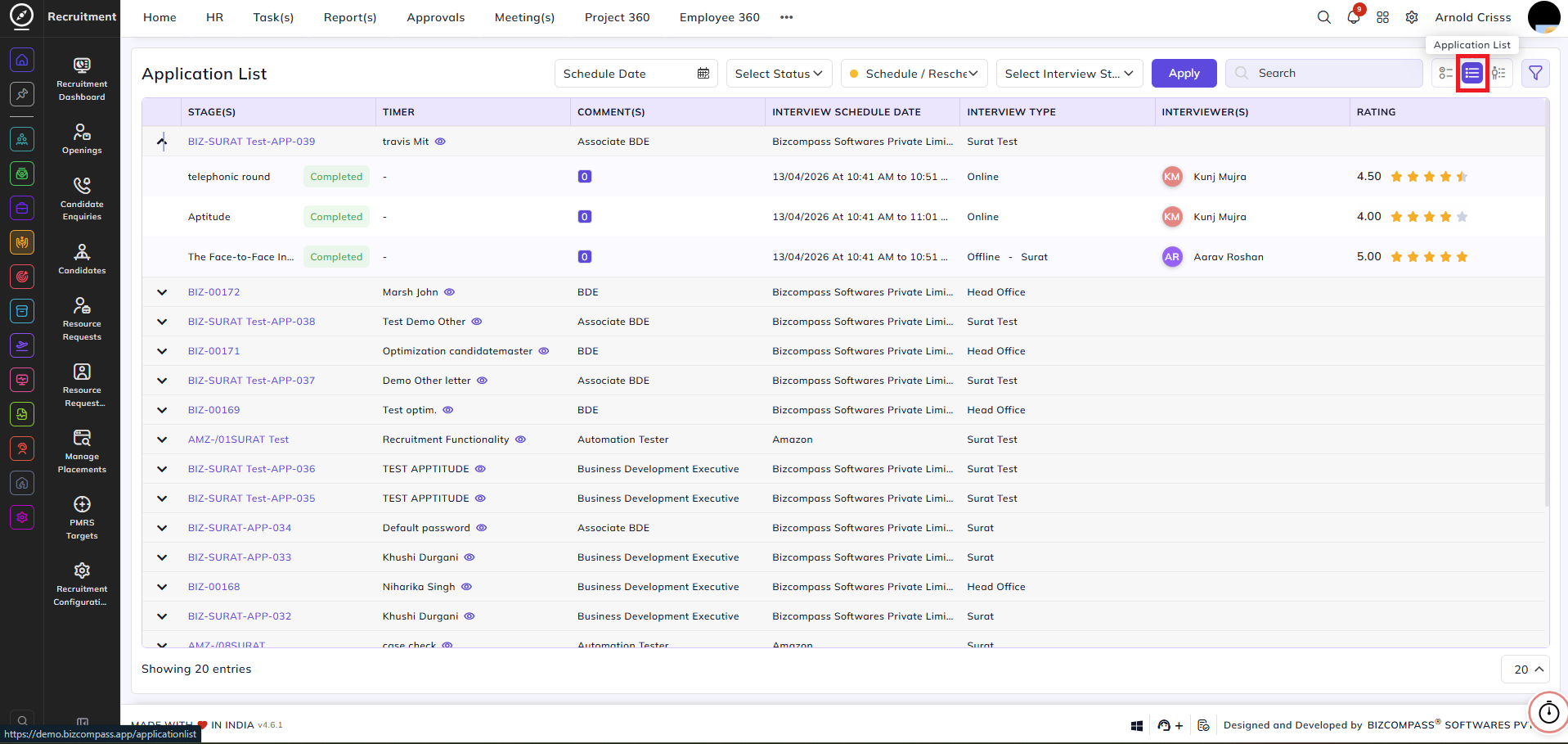
Stage-level indicators provide real-time visibility. This view helps recruiters and HR teams efficiently track application progress, identify pending actions, and manage hiring workflows from a single screen.