
Question Sets
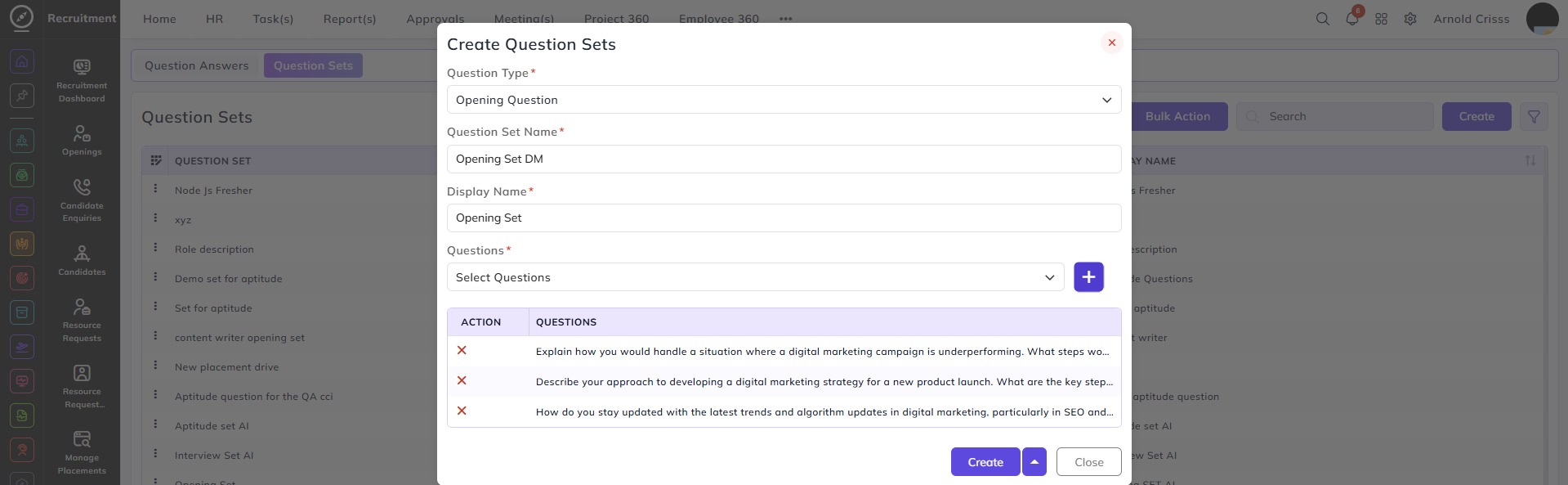
Now, from the Question Sets page, you can create a Question Set and add the above created questions to it for easier access.
- Select the Question Type (Aptitude Question, Interview Question, Opening Question).
- Enter the Question Set Name.
- Enter the Display Name for the question set.
- Select the Questions from the drop down list and click on the "+" button to add them.
With the Bulk Action feature, you can delete multiple questions sets at once, streamlining the process of managing and maintaining the question bank for openings.