
Placement
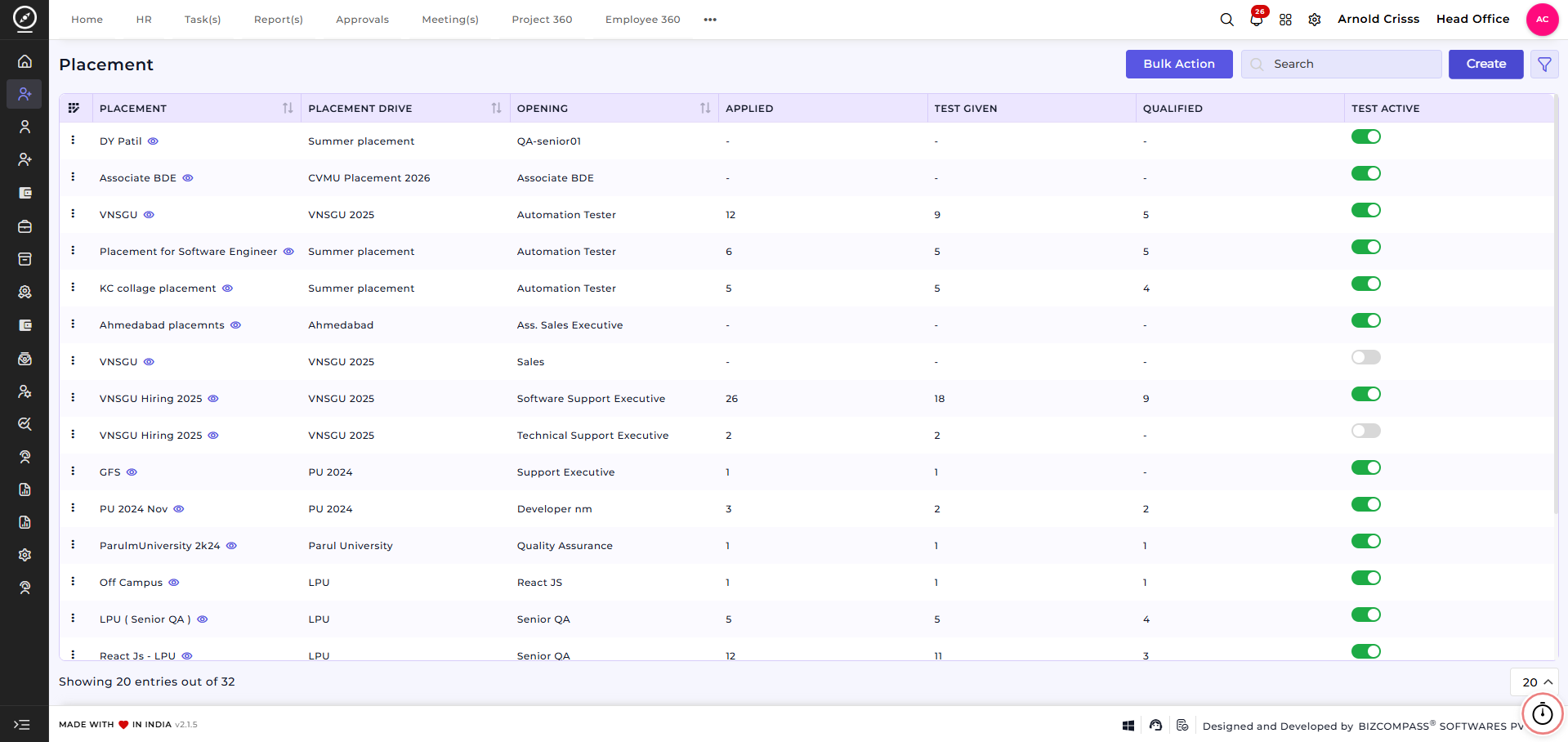
The Placement feature is used to manage job placements created under a specific placement drive. It allows recruiters to define job-specific details, required skills, interview stages, salary structure, and assessment criteria for candidates.
Each placement acts as a link between a placement drive and job opening, enabling structured candidate evaluation and selection.
Create Placement:Overview:
On this page, you can create a New Placement by defining job details, interview configuration, salary information, and aptitude test settings.
Overview:Create Placement:
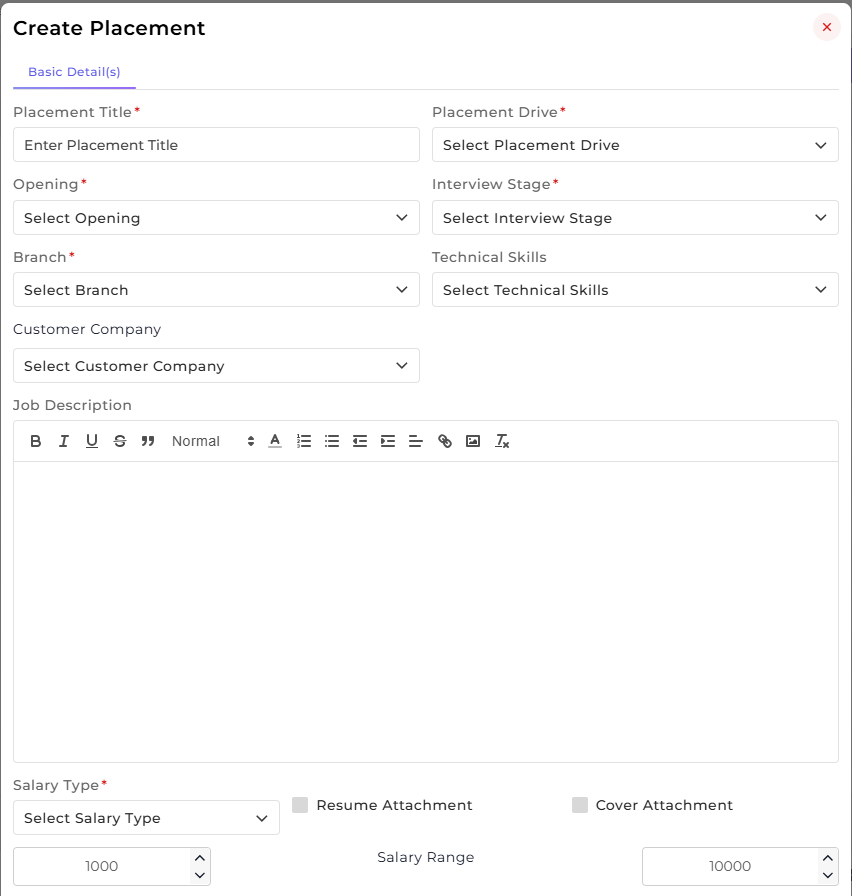
This section is used to capture the placement’s basic job and evaluation-related details.
-
Enter the Placement Title.
-
Select the associated Placement Drive.
-
Choose the relevant Opening.
-
Select the Branch where the placement applies.
-
Select the applicable Interview Stage.
-
Add required Technical Skills.
-
Select the Customer Company (if applicable).
-
Enter the Job Description.
-
Define the Salary Type and Salary Range.
-
Enable Resume Attachment and Cover Attachment if required.
This section defines the core job requirements and links the placement to the appropriate drive and opening.
Aptitude Questions:
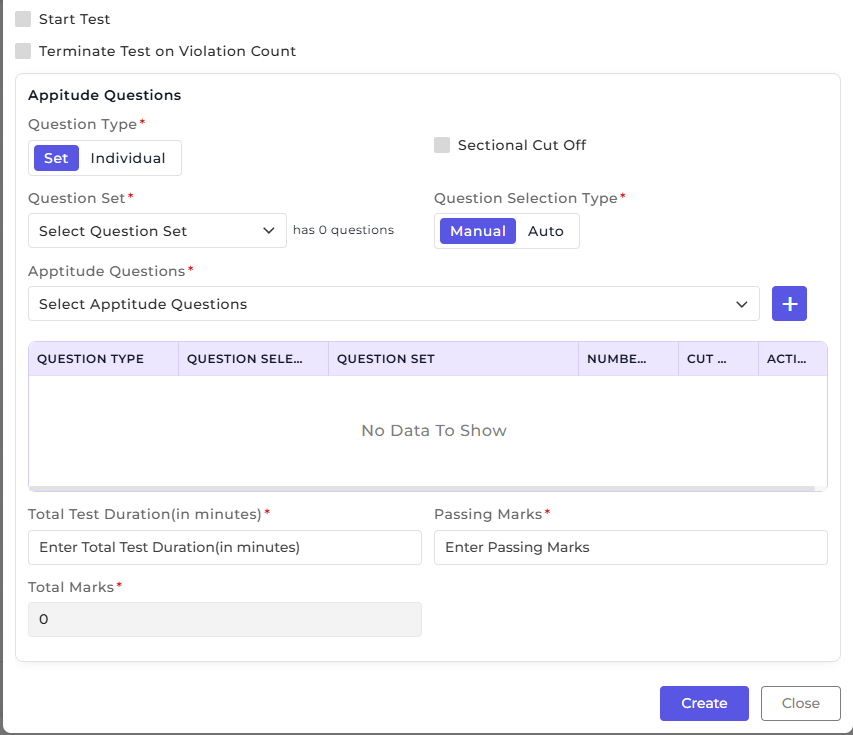
This section is used to configure aptitude or assessment tests associated with the placement.
-
Select the Question Type (Set or Individual).
-
Choose the Question Set or specific Aptitude Questions.
-
Select the Question Selection Type (Manual or Auto).
-
Enable Sectional Cut-Off if applicable.
-
Define Total Test Duration (in minutes).
-
Enter Total Marks and Passing Marks.
-
Enable options to Start Test or Terminate Test on Violation Count if required.
This helps standardize candidate evaluation during the placement process.
How this feature helps:
The Placement feature ensures that job roles within a placement drive are clearly defined and evaluated using consistent criteria.
It helps Recruiters to:
-
Create structured job placements under specific placement drives
-
Define job requirements, skills, and interview stages clearly
-
Configure aptitude tests for objective candidate assessment
-
Maintain consistency in screening and evaluation processes
Once a Placement is created, it can be used for:
-
Assigning candidates to specific job roles
-
Conducting skill-based and aptitude-based evaluations
-
Tracking candidate progress across interview stages
-
Supporting placement-wise recruitment decisions
This ensures that placement activities are organized, measurable, and aligned with hiring requirements across the recruitment lifecycle.