Placement
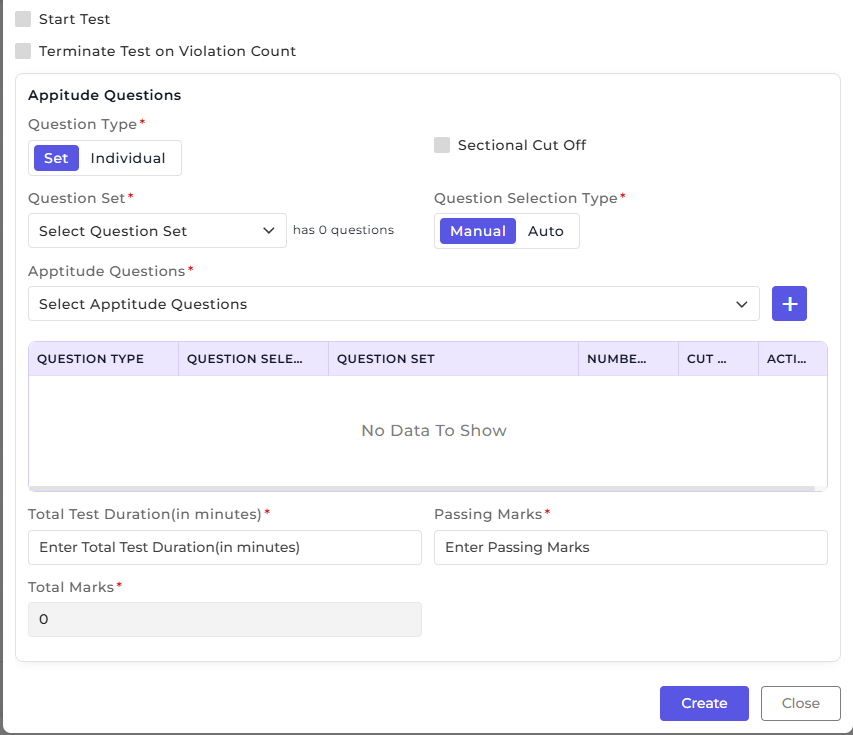
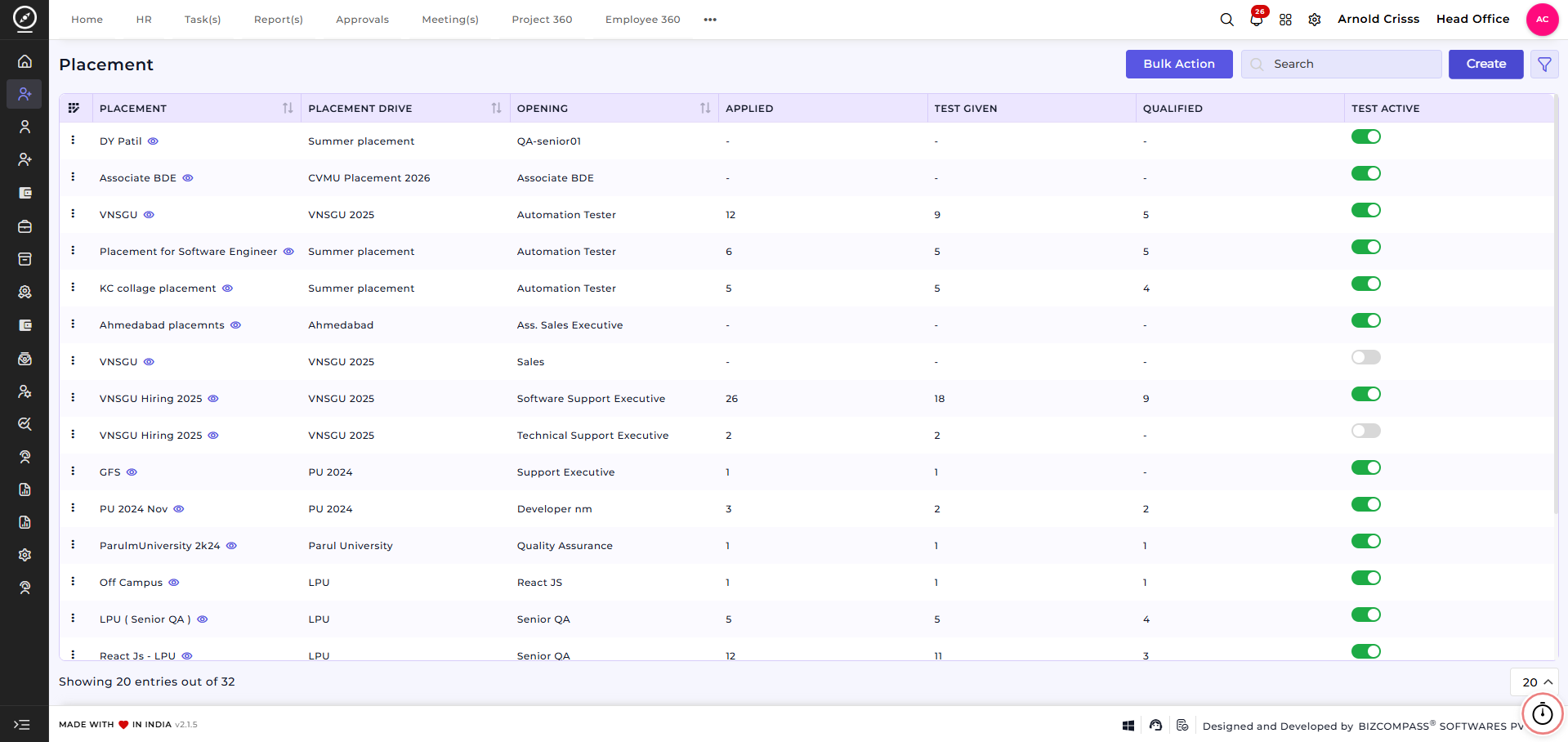
The Placement feature is used to manage job placements created under a specific placement drive. It allows recruiters to define job-specific details, required skills, interview stages, salary structure, and assessment criteria for candidates.
Each placement acts as a link between a placement drive and job opening, enabling structured candidate evaluation and selection.
Create Placement:
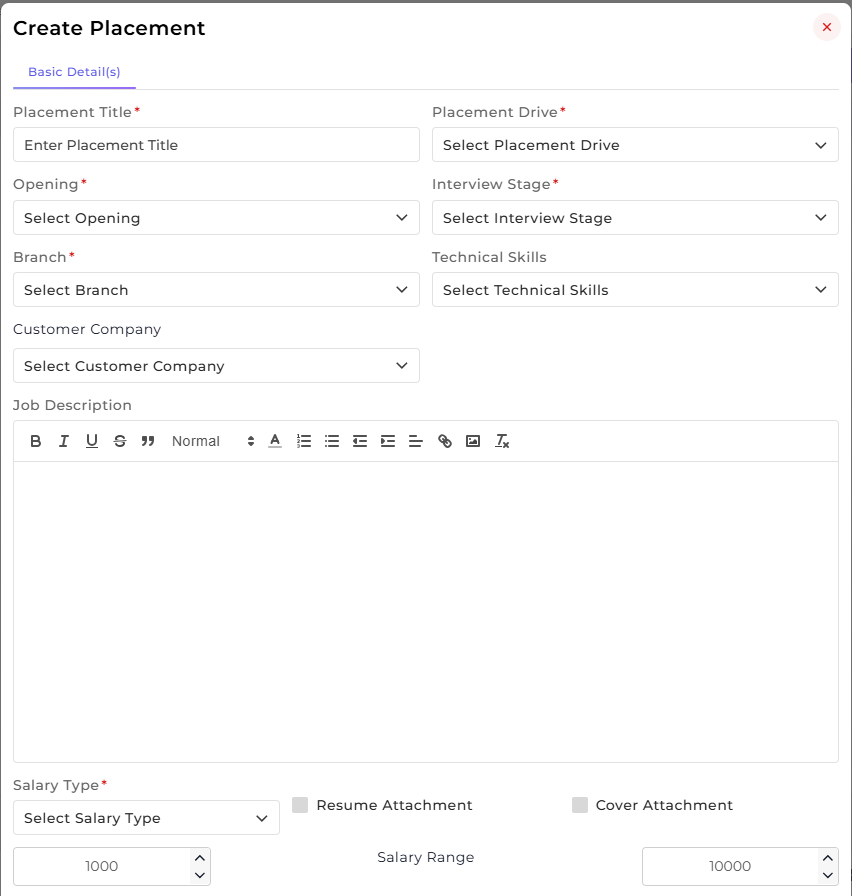
On this page, you can create a New Placement by defining job details, interview configuration, salary information, and aptitude test settings.
Overview:
This section is used to capture the placement’s basic job and evaluation-related details.
-
Enter the Placement Title.
-
Select the associated Placement Drive.
-
Choose the relevant Opening.
-
Select the Branch where the placement applies.
-
Select the applicable Interview Stage.
-
Add required Technical Skills.
-
Select the Customer Company (if applicable).
-
Enter the Job Description.
-
Define the Salary Type and Salary Range.
-
Enable Resume Attachment and Cover Attachment if required.
This section defines the core job requirements and links the placement to the appropriate drive and opening.