
PMRS Target
The PMRS Target page is used to define and manage monthly performance targets for employees within a department. It helps organizations track individual contributions against predefined goals for a specific month.
On this page, you can create monthly PMRS targets by assigning target values to selected employees within a department.
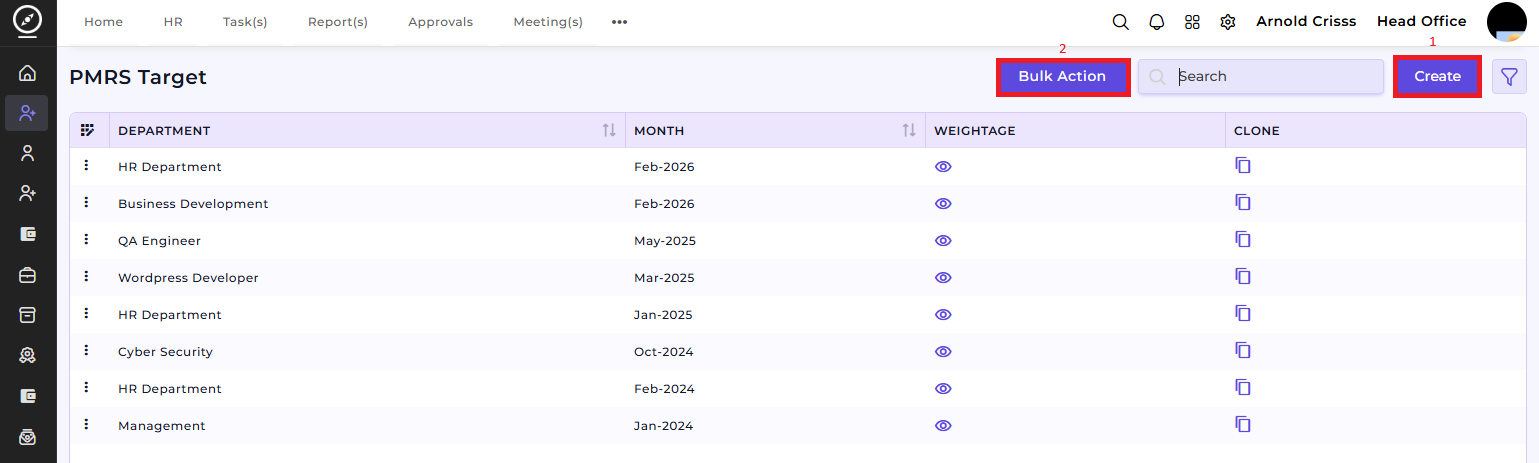
1) Create PMRS Target:
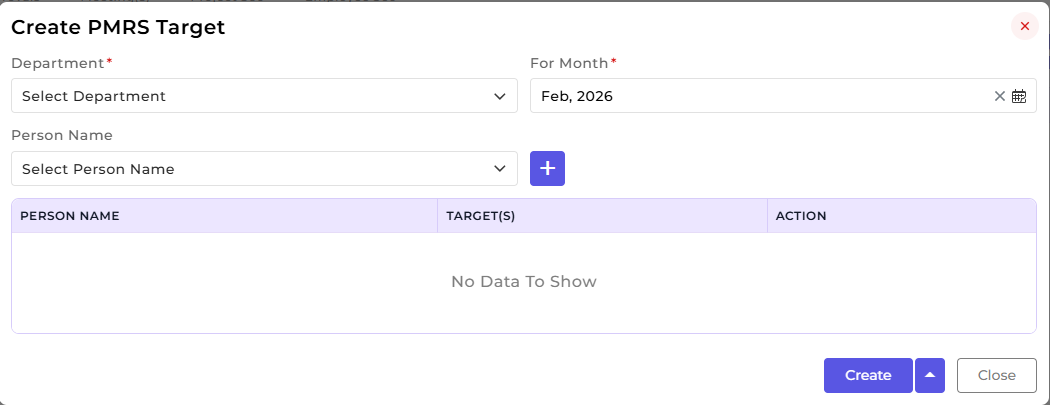
This section is used to configure department-wise and person-wise targets for a selected month.
Select the Department.
Choose the applicable
MonthMonth..Select the Person Name from the department.
Add the person to the list using the Add (+) button.
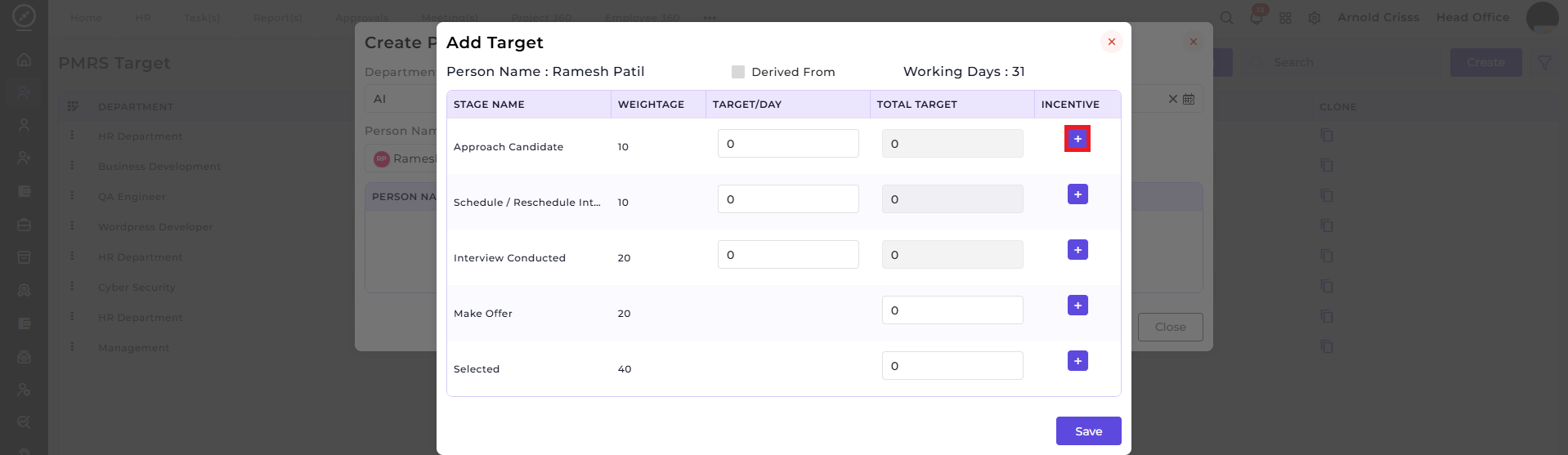
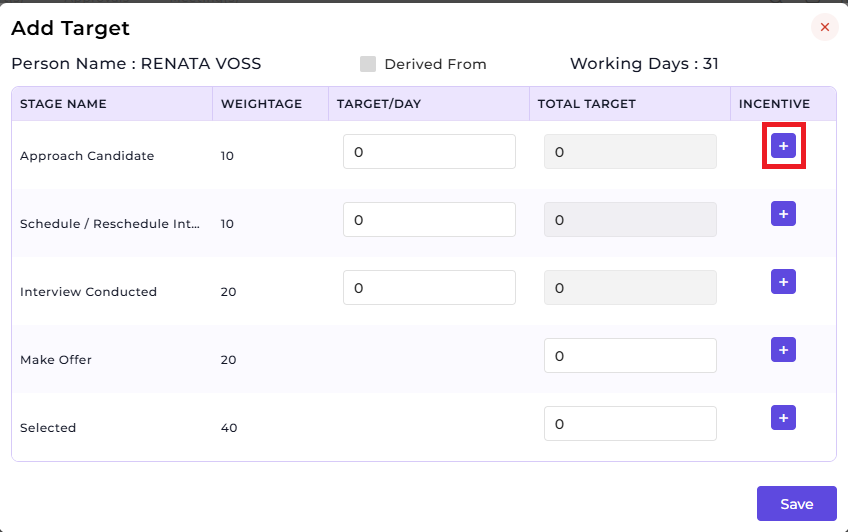
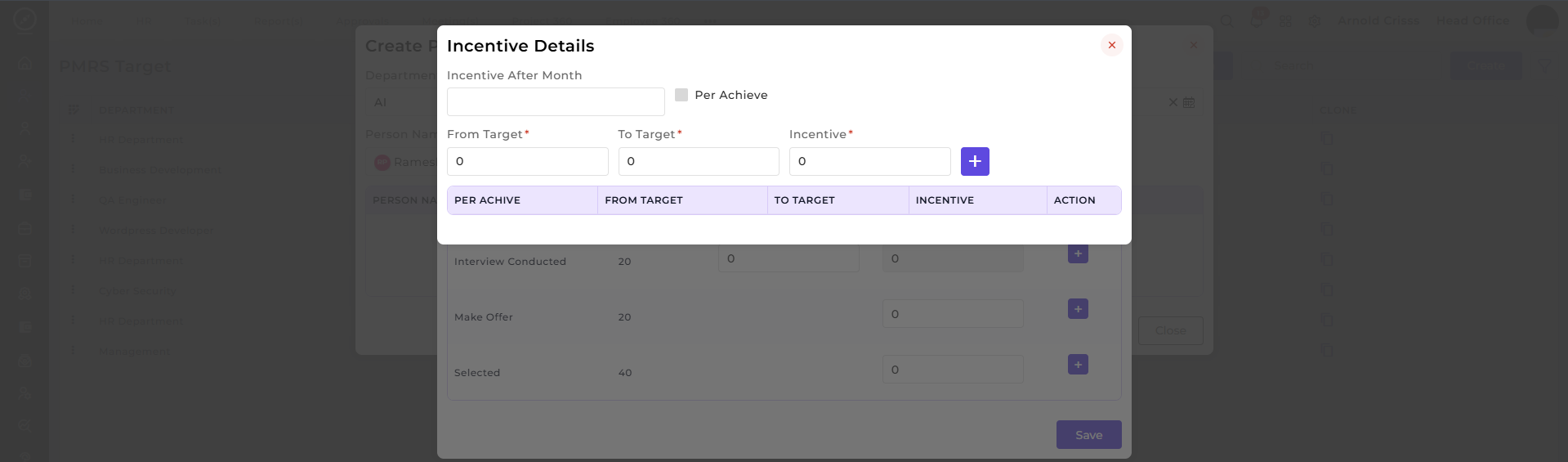
After adding the Target/Day, click on the '+' button to add Incentives.
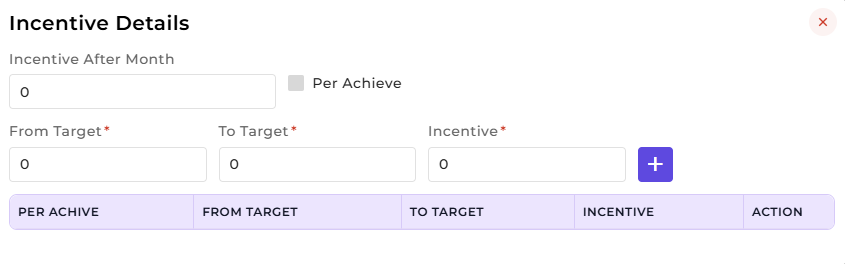
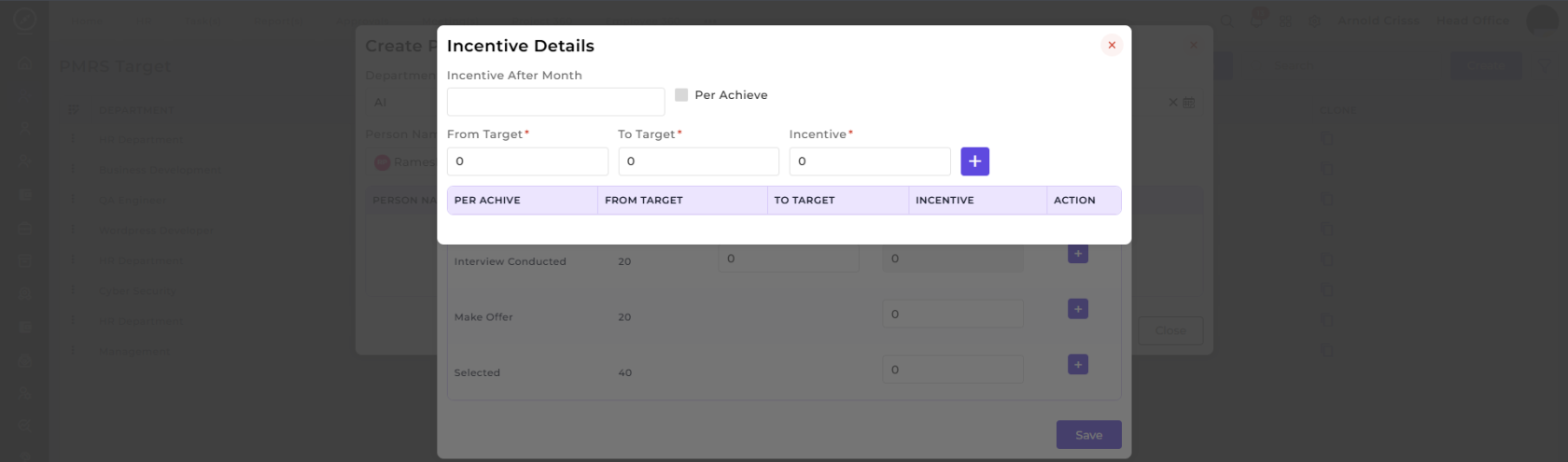
- 7. Once done, go back to the Add Target section and click on Save. Then go back to PMRS Target section and click on Create.
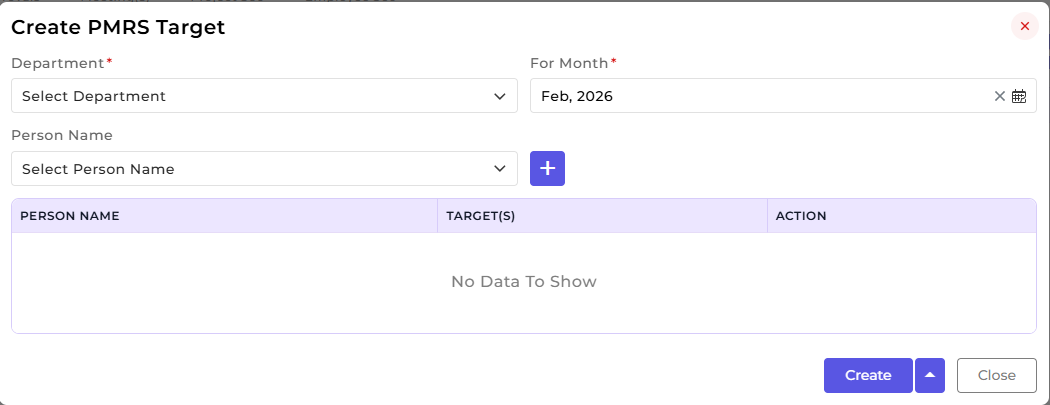
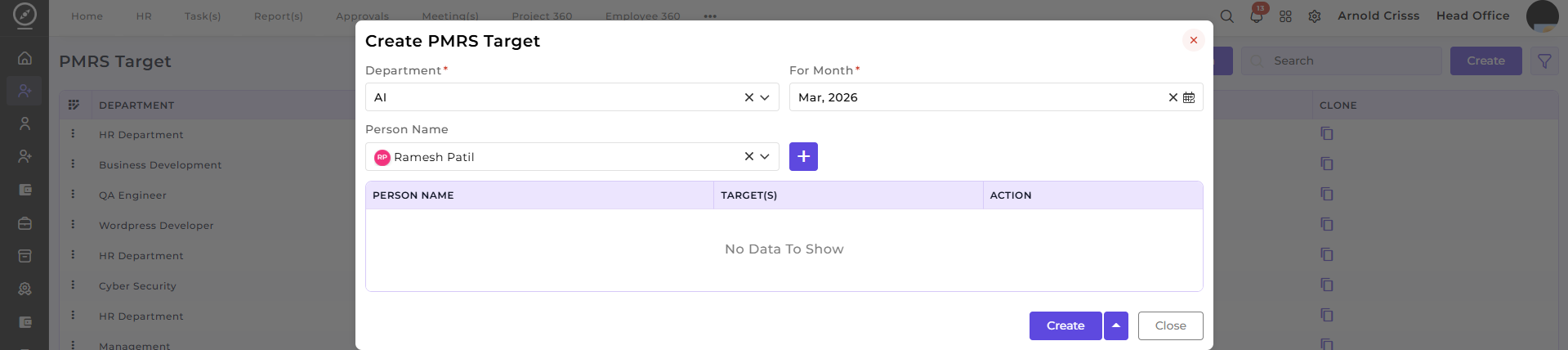
5. Define Target(s) for each selected person.
2) Bulk Action:
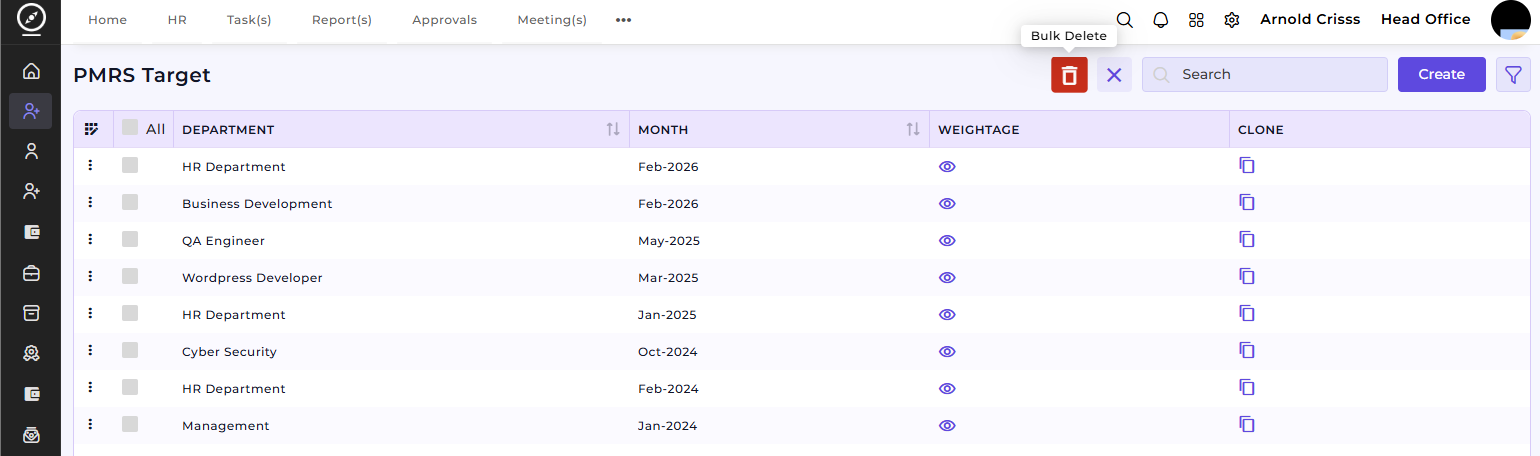
The Bulk Action button allows you to delete multiple PMRS Targets at once, streamlining the management process.
The PMRS Target feature ensures structured performance planning and tracking across departments. It helps Managers to define clear monthly targets for employees and assign department-specific performance goal.